
Las mejores aplicaciones gratuitas de gestión de servicios de campo en 2026: una comparación sincera
La mayoría de los programas «gratuitos» de gestión de servicios sobre el terreno tienen un periodo de prueba de 14 días. Solo unas pocas aplicaciones son realmente gratuitas. Aquí tienes un resumen sincero de 2026, incluyendo en qué aspectos destaca ToolBerry y…
Actualizado 12 de junio de 2026
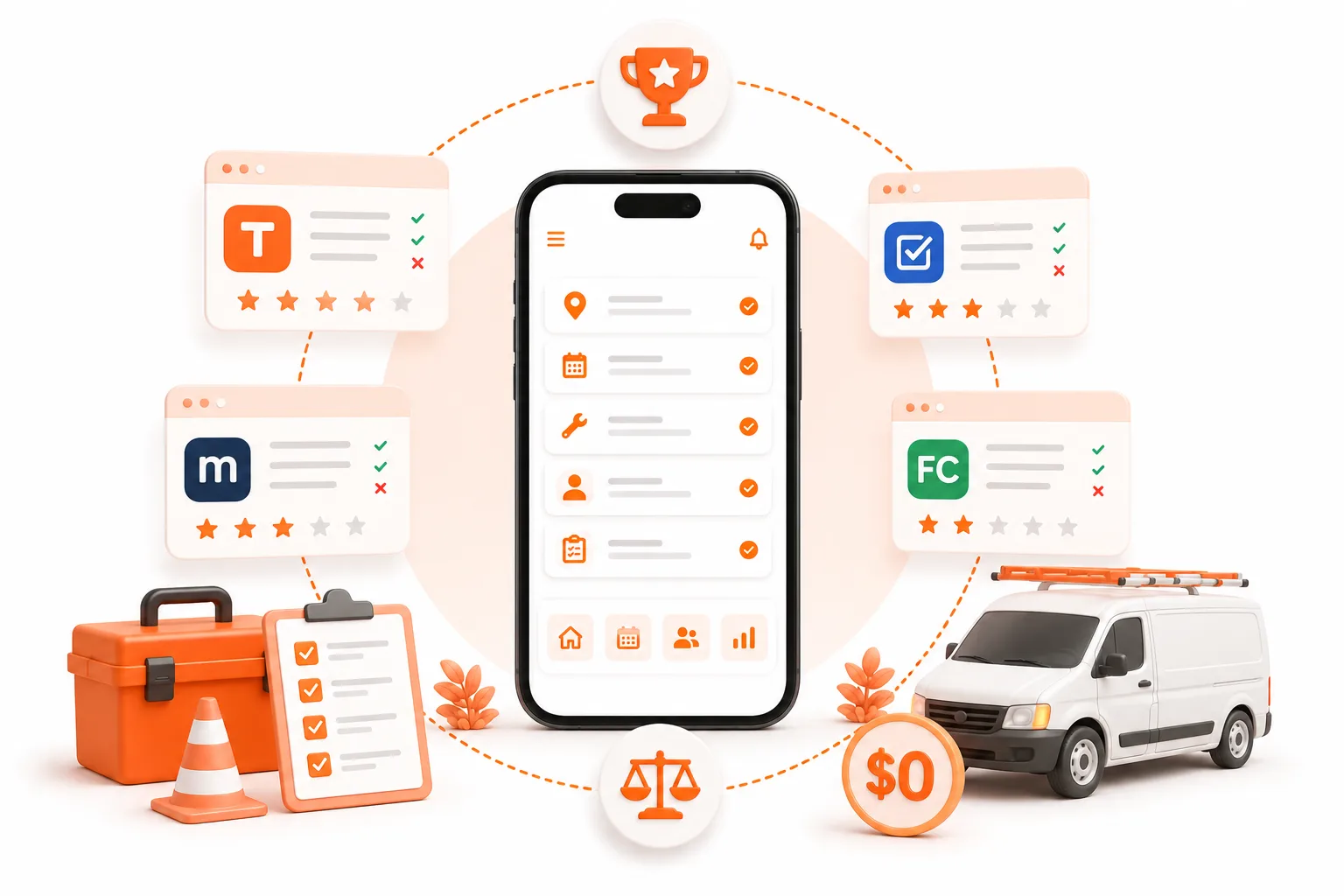
La mayoría de los programas «gratuitos» de gestión de servicios sobre el terreno tienen un periodo de prueba de 14 días. Solo unas pocas aplicaciones son realmente gratuitas. Aquí tienes un resumen sincero de 2026, que incluye en qué aspectos destaca ToolBerry y en cuáles no.
Publicado en junio de 2026. Los precios cambian constantemente, por lo que todas las cifras que aparecen a continuación están fechadas y enlazadas; puedes comprobar nuestra información.
La respuesta breve
La mejor aplicación gratuita de servicios de campo en 2026 depende del tamaño de tu empresa. Si trabajas por tu cuenta o con un equipo pequeño, ToolBerry es gratuita de por vida: la aplicación completa, sin límite de usuarios, sin periodo de prueba y funciona sin conexión. Workiz y Kickserv también ofrecen planes verdaderamente gratuitos, pero ambos te limitan a dos usuarios y a un reducido conjunto de funciones. El resto -Jobber, Housecall Pro, FieldPulse, ServiceTitan- son de pago y ofrecen un periodo de prueba de 14 días.
Para contextualizar: ToolBerry es una aplicación gratuita de gestión de servicios de campo, diseñada para funcionar principalmente sin conexión, dirigida a pequeñas empresas del sector de los servicios. A continuación, te explicamos cómo se comparan realmente todas las opciones.
Primero: un «plan gratuito» y una «prueba gratuita» no son lo mismo
Aquí es donde la mayoría de las listas de «lo mejor gratis» engañan discretamente. Se denominan «gratis» tres cosas diferentes:
- Prueba gratuita: el producto completo durante 14 días; después, hay que pagar. Útil para probarlo. No es gratis.
- Plan gratuito (freemium): gratuito de forma indefinida, pero con límites en el número de usuarios, trabajos o funciones para animarte a pagar.
- Producto gratuito: la aplicación en sí, gratuita para las personas a las que va dirigida, sin límite de tiempo. Es poco habitual.
Averigua en qué categoría te encuentras antes de importar tu lista de clientes a cualquier plataforma. Jobber, Housecall Pro, FieldPulse y ServiceTitan pertenecen a la primera categoría. Workiz y Kickserv, a la segunda. ToolBerry, a la tercera, para autónomos y pequeños equipos.
Para quién es realmente
Los pequeños operadores son los que mueven este sector. Aproximadamente el 94 % de los usuarios de software de servicios de campo proceden de empresas con entre 1 y 50 empleados (estadísticas de Field Service Software, 2025). Y la mayoría de ellos aún no utiliza ningún software para su trabajo: el 97 % de los contratistas especializados sigue utilizando hojas de trabajo en papel para registrar el tiempo y los materiales (Clearstory, Informe de 2025 sobre el estado de las órdenes de cambio de los contratistas especializados).
Así que imagina a la persona a la que va dirigido este artículo. Una furgoneta, quizá un ayudante. Un teléfono, un portapapeles y su memoria haciendo el trabajo que deberían hacer tres aplicaciones. Han escrito «mejor aplicación gratuita de servicios de campo» en el buscador porque pagar 200 dólares al mes antes incluso de la primera factura del día es algo totalmente inaceptable. La cuestión no es qué plataforma tiene más funciones. Es cuál es realmente gratuita, realmente útil y no se cuelga cuando la señal se pierde al pasar detrás de un edificio.
La comparación honesta, de un vistazo
| Aplicación | ¿Realmente gratuita? | Qué te ofrece la versión gratuita | El plan de pago empieza en (2026) | La mejor opción |
|---|---|---|---|---|
| ToolBerry | Sí, gratis para siempre | Aplicación completa: clientes y trabajos ilimitados, modo sin conexión, sin necesidad de registrarse, personalización, inglés/español/portugués/francés, sincroniza tus dispositivos a través de tu propio Dropbox | ToolBerry Pro, por presupuesto, pregúntanos | Trabajadores autónomos y pequeños equipos |
| Workiz | Sí - «Lite» | 2 usuarios, 20 trabajos/facturas/presupuestos en total, sin pagos en línea, SMS ni automatizaciones | ~225 $/mes | Probándolo |
| Kickserv | Sí - Gratis | 2 usuarios, programación básica, gestión de clientes, seguimiento de trabajos | ~47–60 $/mes | Tienda pequeña, CRM sencillo |
| Jobber | No - Prueba de 14 días | - | 39 $ al mes (1 usuario; 29 $ al año) | Pequeñas empresas consolidadas |
| Housecall Pro | No - Prueba de 14 días | - | 79 $ al mes (1 usuario; 59 $ al año) | Servicios a domicilio para particulares |
| FieldPulse | No - Prueba de 14 días | - | ~99 $ al mes (sin publicar) | Equipos en expansión |
| ServiceTitan | No - solo demostración | - | ~245–398 $/técnico/mes + 5 000–50 000 $ de configuración | Más de 20 técnicos |
Las aplicaciones con un plan gratuito de verdad
ToolBerry: el producto completo, gratis para siempre
ToolBerry es la única aplicación de esta lista cuyo plan gratuito es el producto completo, no una muestra del mismo. Sin límite de usuarios. Sin límite de trabajos. Sin límite de 14 días. Ni siquiera tienes que crear una cuenta: ábrela y empieza a añadir clientes. Funciona igual tanto si tienes cinco barras de señal como si no tienes ninguna, porque tus datos se almacenan en una base de datos real en tu dispositivo, no en un servidor al que alquilas el acceso.
Lo que obtienes gratis:
- El conjunto completo de funciones. Clientes, ubicaciones, contactos, órdenes de trabajo con fotos y notas, estados personalizados, seguimiento de activos, recordatorios, informes, facturas y presupuestos: ninguna función está reservada para un nivel superior.
- Personalizaciones integradas y definidas por el usuario. Los campos personalizados específicos del sector vienen preconfigurados para tu actividad. Añade más campos propios, cambia el nombre de cualquier elemento y reestructura los formularios. Incluso las pequeñas empresas tienen particularidades que las aplicaciones genéricas no pueden gestionar; ToolBerry sí puede.
- Generación de archivos PDF con tu marca que incluyen tus campos personalizados. Facturas, presupuestos e informes de servicio generados a partir de los datos de tus trabajos, con el diseño que desees, con el nombre de tu empresa y con todos los campos personalizados que utilice tu sector. Los archivos PDF de Jobber reflejan la estructura de Jobber, no la tuya.
- Notificaciones sin conexión. Programa recordatorios, alertas de trabajos y avisos de facturación que se activan desde tu dispositivo, sin necesidad de señal. Los SMS y las notificaciones push que dependen de un servidor no funcionan en un sótano, detrás de una verja o en una finca rural. Las nuestras sí.
- Tus datos nunca salen de tu dispositivo. En el plan gratuito, tu lista de clientes, tu historial de trabajos y tus registros empresariales se almacenan en una base de datos de tu teléfono. Nosotros no los tenemos. No podemos venderlos, compartirlos con terceros ni perderlos en caso de filtración. El modelo de Jobber aloja tu negocio en sus servidores.
- Exportación de datos con un solo toque. Tus registros son tuyos: exportalos en cualquier momento, en su totalidad o registro por registro, sin necesidad de llamar a nadie.
- La misma aplicación en todas las pantallas. ToolBerry funciona exactamente igual en iPhone, Android y la web. Un único código fuente, una única experiencia. Jobber ofrece una consola web y una aplicación móvil independientes; no todo lo que funciona en una funciona en la otra.
- Inglés, español, portugués y francés, en todas las pantallas. No se trata de una página de preguntas frecuentes traducida, sino de la propia aplicación, de forma coherente, para que un equipo que trabaje en más de un idioma pueda utilizarla realmente.
Lo que la versión gratuita no hace, sinceramente: no procesa pagos con tarjeta, así que generas la factura en ToolBerry y cobras como ya lo haces habitualmente (los pagos con tarjeta, los enlaces de pago y Tap to Pay forman parte de ToolBerry Pro). En el plan gratuito, tus dispositivos se sincronizan automáticamente a través de tu propio Dropbox, y un equipo pequeño puede compartir un espacio de trabajo mediante el almacenamiento compartido; la sincronización del equipo en tiempo real en nuestros servidores forma parte de la versión Pro. ToolBerry Pro, con sincronización en tiempo real e integraciones diseñadas para equipos más grandes, está disponible a partir de hoy previa solicitud de presupuesto, así que si gestionas una operación de mayor envergadura, ponte en contacto con nosotros y te guiaremos en el proceso.
Elige ToolBerry si: trabajas solo o en un equipo pequeño, prefieres 0 $ para siempre en lugar de una prueba, odias los registros y trabajas en lugares donde la señal falla.
Workiz Lite: real, pero con muchas limitaciones
El plan gratuito «Lite» de Workiz es auténtico, pero limitado. Tienes hasta 2 usuarios y un total de 20 trabajos, facturas o presupuestos -no al mes- y no incluye pagos en línea, SMS, automatizaciones, sincronización con QuickBooks ni seguimiento de ubicación (precios de Workiz). Es una buena forma de probar el producto de pago antes de comprometerte. Los planes de pago empiezan en unos 225 $ al mes.
Elige Workiz si: lo que quieres principalmente es probar la plataforma de pago y 20 trabajos te bastan para valorarla.
Kickserv: un CRM sencillo y gratuito para un negocio muy pequeño
Kickserv ofrece un plan realmente gratuito de 0 $ para hasta 2 usuarios con funciones básicas de planificación, gestión de clientes y seguimiento de trabajos (precios de Kickserv). Es un pequeño CRM funcional para una tienda pequeña que, sobre todo, necesita tener nombres, trabajos y un calendario en un solo lugar. Los planes de pago empiezan en torno a los 47-60 $ al mes. Aquí no hay una opción «offline primero»: se espera que estés conectado.
Elige Kickserv si: quieres un CRM sencillo en la nube, siempre estás conectado y dos usuarios te bastan.
Las plataformas exclusivamente de pago: cuándo merecen la pena
Ninguna de ellas es gratuita, y ninguna es mala. Son buenos productos diseñados para empresas de un tamaño algo superior. Si dispones de los ingresos y del equipo necesarios, pagar es la decisión acertada.
Jobber
Una solución «todo en uno» muy bien acabada y probablemente la opción más popular entre las pequeñas empresas consolidadas de servicios a domicilio. No hay plan gratuito: hay una prueba de 14 días; después, el plan Core cuesta a partir de 39 $ al mes para un usuario (29 $ si se factura anualmente), el Connect cuesta 119 $ y el Grow, 199 $ (precios de Jobber). El coste real aumenta al añadir usuarios (29 $ cada uno) y complementos como la «AI Receptionist» (99 $ al mes) o la «Marketing Suite» (79 $ al mes), además de un 2,9 % + 0,30 $ por cada pago con tarjeta.
Elige Jobber si: tienes ingresos estables, buscas una comunicación sólida con los clientes y un amplio conjunto de funciones, y el coste mensual te resulta asequible.
Lo que Jobber no hace y ToolBerry sí: no funciona sin señal, sus archivos PDF no se adaptan a tus campos personalizados, sus notificaciones dependen de una conexión activa al servidor, los datos de tus clientes se almacenan en su infraestructura (no en la tuya) y sus experiencias web y móvil están separadas: las funciones disponibles en el navegador no siempre lo están en la aplicación y viceversa. Para una empresa consolidada que ya paga y ya está conectada, puede que nada de eso importe. Para un operario de campo que vive pegado al teléfono en zonas con señal irregular y le preocupa dónde van a parar sus datos, sí que importa.
Housecall Pro
Diseñado para servicios a domicilio, con un fuerte enfoque en las reservas, el marketing y las valoraciones orientadas al consumidor. No hay plan gratuito; hay una prueba de 14 días; después, el plan Basic cuesta 79 $ al mes (59 $ al año), el plan «Essentials» cuesta 149 $ y el «MAX», 299 $, a lo que hay que añadir complementos como «Sales Proposals» (40 $ al mes) y «Price Book» (149 $ al mes) (precios de Housecall Pro).
Elige Housecall Pro si: trabajas en el sector residencial y quieres que el marketing y las reservas en línea estén integrados de serie.
FieldPulse
Una sólida opción intermedia para un equipo en crecimiento que busca la profundidad de ServiceTitan sin su precio ni su complejidad de implementación. No publica sus precios; se basa en el número de usuarios, y los costes comunicados por los contratistas oscilan aproximadamente entre 99 y 399 $ al mes, dependiendo del tamaño y las funciones, tras un periodo de prueba de 14 días (precios de FieldPulse).
Elige FieldPulse si: ya has superado las funciones básicas y quieres una plataforma con la que puedas crecer.
ServiceTitan
Software empresarial, sin más. Es potente, y los talleres que cuentan con más de 20 técnicos y personal de despacho confían plenamente en él. También es, con diferencia, la opción más cara: entre 245 y 398 dólares al mes por técnico, sin precios publicados, un contrato de 12 meses y gastos de implementación que van desde los 5.000 hasta más de 50.000 dólares, cuya puesta en marcha puede llevar meses (análisis de precios de ServiceTitan, 2026).
Elige ServiceTitan si: eres una gran empresa que necesita una gestión de citas a nivel empresarial y puedes asumir los costes de configuración. Descártalo por completo si trabajas por tu cuenta.
Qué debes buscar realmente en una aplicación gratuita de servicios de campo
Antes de introducir los datos de tu negocio en cualquier aplicación, ten en cuenta lo siguiente:
- ¿Gratis para siempre o gratis durante 14 días? Aclara las condiciones antes de empezar.
- ¿Funciona sin conexión, incluidas las notificaciones? El trabajo de campo se realiza en lugares donde no hay cobertura. Una aplicación que deja de funcionar en un sótano es solo media aplicación.
- ¿Dónde se almacenan realmente tus datos? Si están en los servidores del proveedor, están sujetos a sus posibles filtraciones, a su política de privacidad y a sus decisiones de precios. El almacenamiento en el propio dispositivo significa que son tuyos.
- ¿Puedes recuperar tus datos? Tú los has introducido. Deberías poder exportarlos y marcharte en cualquier momento, sin tener que pedir permiso.
- ¿Se adapta a tu sector? Los campos personalizados y las entidades renombradas son mucho mejores que meterlo todo en un cuadro de notas.
- ¿La aplicación móvil hace todo lo que hace la aplicación web? Las experiencias divididas implican formación dividida, memoria muscular dividida y funciones a las que tu equipo no puede acceder desde el terreno.
- ¿Funciona en el idioma de tu equipo? Una aplicación a medio traducir se abre dos veces y nunca más.
- ¿Cuánto cuesta la actualización cuando crezcas? Lo que hoy es gratis solo vale la pena si lo que mañana sea de pago resulta justo.
Dónde encajan ToolBerry Free y Pro
Preferimos que elijas la herramienta adecuada en lugar de limitarte a elegir la nuestra. Hoy en día, el plan gratuito de ToolBerry es la mejor opción gratuita que conocemos para un profesional autónomo o un pequeño equipo. Algunas observaciones sinceras sobre los límites y hacia dónde nos dirigimos:
- Si necesitas procesamiento de tarjetas integrado hoy mismo, eso es lo que ofrece ToolBerry Pro (pagos con tarjeta, enlaces de pago y «Tap to Pay»); la versión gratuita no procesa tarjetas. Jobber y Housecall Pro tampoco lo hacen.
- Si necesitas sincronización en tiempo real del equipo y gestión de tareas para un equipo más grande, para eso está precisamente ToolBerry Pro. Ya está disponible, diseñado para competir con las plataformas mencionadas anteriormente, y su precio se establece mediante presupuesto; ponte en contacto con nosotros y te lo explicaremos todo.
- Si lo que buscas es un servicio de marketing y recogida de opiniones «llave en mano», Housecall Pro está diseñado para eso y nosotros no.
- Si gestionas una gran empresa con varias furgonetas y necesitas que todo esto esté listo hoy mismo, ServiceTitan o FieldPulse son opciones contrastadas, pero merece la pena que hables primero con nosotros, porque ToolBerry Pro está diseñado precisamente para esto.
Lo que ToolBerry ofrece a un pequeño operador y que ninguna de las plataformas de pago ofrece: el producto completo por 0 $, sin necesidad de crear una cuenta, y una aplicación que no falla cuando se pierde la señal.
Cómo elegir en unos diez minutos
- Cuenta tus usuarios. ¿Solo tú, o uno o dos? Empieza con un plan gratuito. ¿Un equipo de verdad que necesita gestión de tareas y sincronización? Echa un vistazo a las opciones de pago, incluida ToolBerry Pro.
- Instala dos opciones gratuitas -la del producto completo (ToolBerry) y una con limitaciones (Workiz o Kickserv)- e introduce a tus tres clientes más complicados en cada una.
- Prueba cada una durante un día real. La que tu equipo abra dos veces, esa es la ganadora.
- Comprueba la salida. ¿Puedes exportar tus datos si decides darte de baja?
- Paga solo cuando el plan gratuito te resulte realmente un obstáculo: un segundo técnico, procesamiento de tarjetas, sincronización del equipo. No antes.
¿Tienes alguna pregunta?
Hemos creado ToolBerry como ingenieros en activo, y preferimos decirte cuándo otra herramienta se adapta mejor a tus necesidades antes que exagerar las ventajas de la nuestra. Escríbenos a contact@toolberry.net.
Descarga ToolBerry desde la App Store o Google Play, o visita toolberry.net y te redirigirá al lugar adecuado.
Gratis para siempre para autónomos. Sin necesidad de crear una cuenta ni de tarjeta de crédito. Funciona sin conexión.
Para los curiosos en materia técnica
¿Por qué ToolBerry puede ofrecer el producto completo cuando todos los demás limitan su nivel gratuito a dos usuarios? Porque un usuario gratuito de ToolBerry no nos cuesta prácticamente nada.
Las plataformas tradicionales de gestión de servicios de campo (FSM) almacenan los datos de cada cliente en una base de datos central en la nube y ejecutan servidores con cada solicitud. Cada usuario gratuito supone un gasto real y recurrente -almacenamiento, recursos informáticos, ancho de banda, asistencia técnica-, por lo que limitan estrictamente el nivel gratuito y te empujan a pasarte a un plan superior en cuanto el producto empieza a resultarte útil. No es codicia; es su estructura de costes.
El plan gratuito de ToolBerry es una aplicación estática servida desde una CDN, y todos tus datos residen en tu dispositivo en una base de datos SQLite local -el mismo motor que se utiliza en iOS, Android y todos los principales navegadores-. No tenemos que alojar nada más allá del propio paquete de la aplicación. El ancho de banda cuesta una fracción de céntimo por usuario. Así que «gratis para siempre» no es una promoción con la que esperemos recuperar la inversión más adelante: es simplemente lo que nos cuesta la arquitectura, que es prácticamente nada.
Nuestros planes de pago reintroducen un backend para quienes necesitan sincronización en tiempo real del equipo, integraciones y coordinación del equipo, y eso es precisamente lo que ofrece ToolBerry Pro. El muro de pago se adapta al crecimiento de tu negocio, no a nuestra factura de servidores.
Más información
- Por qué ToolBerry da prioridad al modo sin conexión: la arquitectura detrás del nivel gratuito
- Diseñado para adaptarse: por qué ToolBerry te permite personalizarlo todo -adaptando la aplicación a tu sector-
- Tus datos, tu Dropbox: cómo funcionan la copia de seguridad y la sincronización
- Cómo ayuda ToolBerry a los paisajistas a gestionar su negocio: un análisis en profundidad de un sector concreto