
Add an Employee With a Link - No Account, No Email, No Password
Your helper taps one link and they're on your jobs. No account, no email, no password.
Mise à jour de l'30 septembre 2026
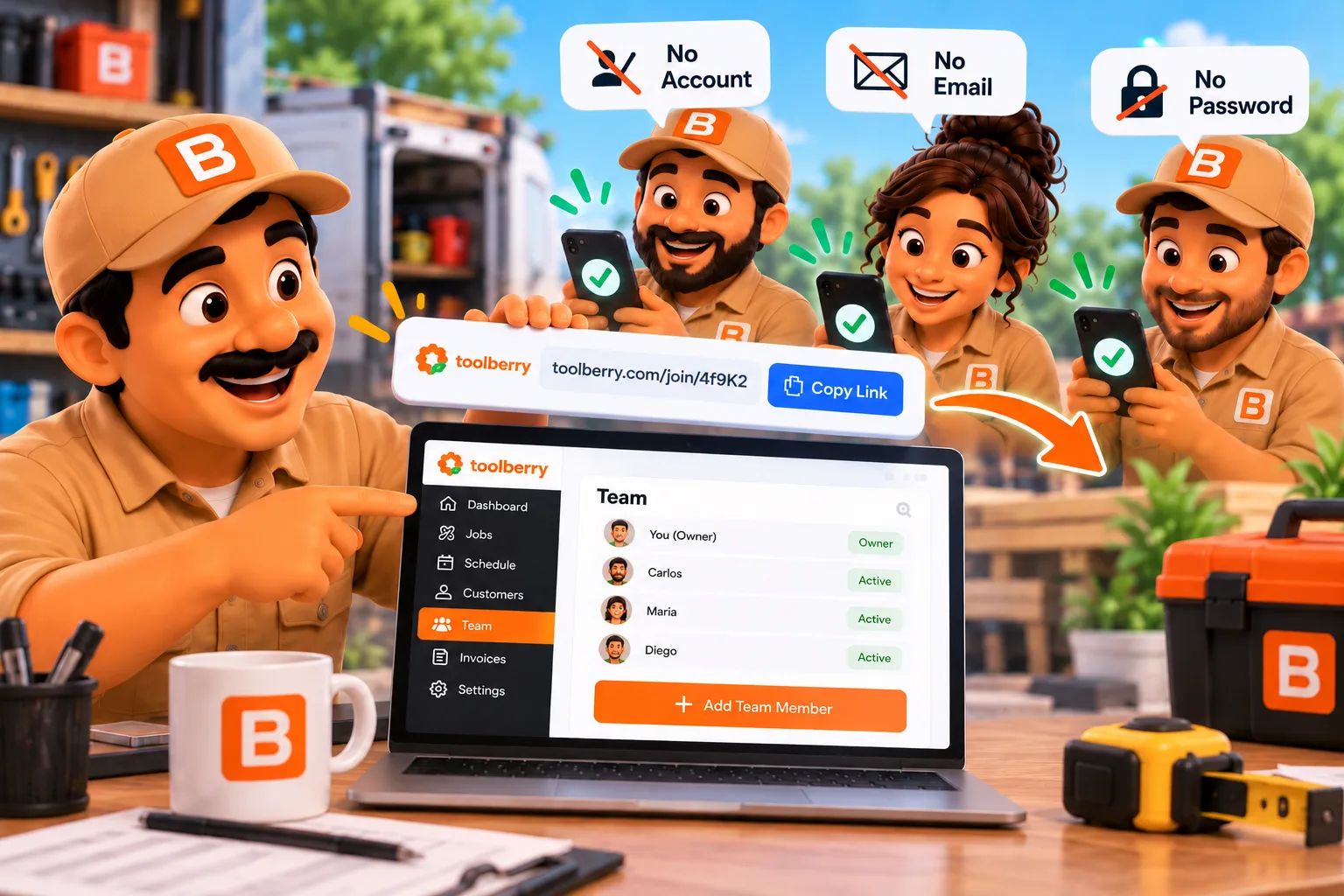
Your helper taps one link and they're on your jobs. No account, no email, no password.
Published October 3, 2026.
How do I give an employee access without an email?
Send them a link. In ToolBerry, you give someone a role, text them an invite link, and they tap it to see your jobs on their own phone. They don't create an account, type an email or pick a password. On ToolBerry Free they don't need a Dropbox account either.
What does that look like on a real job?
You text a link on Friday night, and on Saturday morning your helper has the job on their phone. The text comes from your own number, and they don't set anything up first. No one sits at a laptop, and no one waits on a password reset in a driveway.
Imagine you run a one-truck roofing repair business. A customer calls about storm damage, and it's a two-person tear-off for Saturday. You call a guy you've worked with before. He's good on a roof, he shows up on time, and you pay him by the day.
He doesn't have an email he checks. Maybe he never set one up, or maybe he shares one with his wife. Many apps stop right there: no email, no user.
In ToolBerry, you open your People list, add him, pick a role like Technician and tap Invite to shared workspace. You choose Send by SMS, and your phone opens its own text app with the link ready.
He taps it and sees your business name and "You're joining as" with his name. If he doesn't have ToolBerry yet, the page tells him to get the app, then tap the link again.
On Saturday he has the address, the notes and the photos, and he adds his own photos as he goes. On Monday you tap Remove shared access on his name, and you're done.
Why doesn't ToolBerry need an email?
Because your helper shouldn't need an inbox to carry shingles. You already picked who they are and what role they have, so the link is enough. An email would only add a step between your helper and the job, and one more thing for them to forget.
Many field service apps are built around an email per person. Jobber's help center says an email is required for a user to log in, and Housecall Pro asks for an email for every team member (Jobber: Manage Team, Housecall Pro: Manage Team Member Profiles, checked September 30, 2026).
I built it this way because people in the trades are hired for their skill and because you trust them, not for how well they handle apps. If adding them takes more than a text message, it won't happen, and you're back to screenshots in a group chat.
Is a link safe enough?
It's safe enough for people you trust, as long as you send it straight to them. Each Free invite link works for 24 hours and on one phone. Whoever opens it first gets in, and any later phone is turned away with "This invite was already used."
So if your helper says the link was already used, tap Remove shared access on their name and send a new invite. On ToolBerry Free, whoever joins sees your business, since roles hide screens but don't lock data. More on roles is in Who Can See What: Roles and Permissions for a Growing Service Business.
Taking access back is quick. Remove shared access cuts them off from your Dropbox, and their phone deletes its copy of your business the next time it's online. Anything they already screenshotted stays with them, the same as a paper work order.
Does this work on ToolBerry Pro too?
Yes. On Pro, an owner or admin can give a team member access without an email and send them a single-use invite link from their record. Open their record, tap Share invite link, pick how long it works (1 hour to 7 days, 24 hours by default), then share it, text it or copy it.
Opening that link in the ToolBerry app signs them in as that person, with no code to type. What else Pro adds is in Free vs Pro: The ToolBerry Story, and What Each Plan Is For.
The honest tradeoffs
Skipping accounts makes adding people fast, and it means the link is the key. A key is simple to hand over, and whoever holds it can use it. Most of these only matter if a link reaches the wrong person, so send it straight to the one you mean.
- Send it only to the person. For 24 hours, the first phone to open an unused link gets in.
- One link, one phone. To add a tablet, your helper taps Add another device in the app.
- Your crew uses the app. Field staff join and work in the ToolBerry app on their phone, not in a web browser.
- On Pro, no email means app only. A member without an email can't sign in on the web.
What should I do next?
Pick one person and one job, and send them a link. Give them a role, tap Invite to shared workspace, and text it. If it this works out well keep building your crew, add the next person the same way. If it doesn't, remove them, and nothing else changes.
The screen-by-screen setup, including your own tablet or laptop, is the next post in this series. If you're new to sharing, start with Shared multi-user is here; your data, your Dropbox, your team.
Questions? Email contact@toolberry.net. ToolBerry is a free, offline-first field service management app for small service-trade businesses.
For the Technically Curious
- What's in a Free link. The invite is sealed with AES-GCM and rides after the
#in the URL, so browsers never send it to a server. It carries a Dropbox access grant to the owner's folder, the workspace, who is joining and an expiry. - One phone per link. The joining phone writes a claim into the owner's Dropbox. Another phone using the same link is refused.
- Clean-up. The owner's phone revokes invites nobody used in time, whenever the owner's app runs. Re-inviting someone replaces only an unused link, so a phone that already joined keeps working.
- Pro links. The server stores only a hash of the link's secret. A new link for the same person kills the old unused one, and a link stops working if the person who made it loses the right to make it.
Further reading
- Shared multi-user is here; your data, your Dropbox, your team
- Why we are building a free way for your crew to share one workspace
- How can ToolBerry help you hire your first employee?
- Free vs Pro: The ToolBerry Story, and What Each Plan Is For
Reviewer notes (delete before publishing)
BLOCKERS: not in prod yet
Newest prod tag: prod-1.238.0 (tagged Sep 25, 2026, commit b16e20b07). origin/main checked at 65dfe03d7 (Sep 30).
- The headline "no email" is NOT in prod. In
prod-1.238.0, giving anyone a role still requires an email, on every workspace type, BYOS included:apps/main-frontend/src/pages/personnel/personnel.store.ts:425-432("An email is required to give someone workspace access."), email marked required at:294, backendapps/main-backend/src/sync/membershipGuard.ts:333(member-requires-email). Removed on main by #2120 (87b314a0c, DEV-1861, which carries #2104 / DEV-2056):personnel.store.ts:469-472on main. Hold this post until a prod tag contains 87b314a0c. - Pro "Share invite link" (the whole Pro section) is NOT in prod.
PersonnelInviteLink.vue,AppInviteShareActions.vueandcanShareInviteLinkare absent fromprod-1.238.0. On main:personnel.store.ts:75,personnelAccess.helper.ts:70. #2104 also lists physical iOS/Android device testing as OUTSTANDING. - "Field staff join in the app, not a web browser" (DEV-2065, #2110) is NOT in prod. On main:
@shared/core/src/sync/byos/inviteCode.ts:64,ByosJoinView.vue:202-203. In prod the web join is not restricted by role, so the tradeoff line only becomes true with the next release. - The
byos-multi-userflag is still off by default on both main and prod (@shared/core/src/flags/known-flags.ts:75-78on main,:80-83in prod). This is expected: it gets turned on at launch (Oct 1). Check it is on before this post goes live. - Already in prod: the shared multi-user card (
AppByosMultiUser.vue), the workspace switcher (WorkspaceSwitcherMenu.vue), View as (SidebarViewAs.vue), Keychain storage of the Dropbox secrets (#2088, 0a0710d05), and Add another device (#2091, 9f153c40b).
Rated bullets
- 10/10 (#1) One link gives access: no account, no email, no password. Lead.
- 10/10 (#5) Story: two-person roofing tear-off on Saturday, day-rate helper. Story.
- 9/10 (#2) Staff are hired for trade skill and trust, not app skills. Yes.
- 9/10 (#8) The link lasts 24h and joins one phone. Yes.
- 9/10 (#11) Removal: their phone deletes its copy the next time it's online. Yes.
- 8/10 (#3) Good helpers often have no email they check. Yes.
- 8/10 (#4) Jobber and Housecall Pro require an email per user. One paragraph.
- 8/10 (#6) Give a role first, then Invite; Share / Send by SMS / Copy link. Brief; full setup is SMU 5.
- 8/10 (#9) Helper needs no Dropbox account. Yes.
- 8/10 (#13) Pro: Share invite link, 1h-7d, single use. Yes.
- 8/10 (#15) A link is like a house key. Tradeoffs.
- 7/10 (#7) SMS comes from the owner's own number. Yes.
- 7/10 (#10) What the helper sees when joining. Yes.
- 7/10 (#12) Nobody's email goes onto a list. Cut in review (SMU 11 owns privacy).
- 7/10 (#14) Pro email-less members are app only. Tradeoffs.
- 6/10 (#20) Mentor licenses story. Cut in review (SMU 1 owns it).
- 6/10 (#21) Staff join in the app, not a browser. Tradeoffs (blocker above).
- 5/10 (#16) A second device needs its own link / Add another device. One line.
- 5/10 (#22) Re-invite replaces only an unused link. Appendix.
- 5/10 (#23) Sealed with AES-GCM, secret after the #. Appendix.
- 4/10 (#17) Per-seat prices. Left to SMU 6.
- 4/10 (#18) What staff see / roles. One line + link.
- 3/10 (#19) Encryption before inviting. Left to SMU 5/11.
- 3/10 (#24) No teammate cap, Pro suggested at 4+. Left to SMU 13.
Product claims (M = origin/main, P = prod-1.238.0)
FE = apps/main-frontend/src, SH = @shared/core/src
- Feature name "Shared multi-user": FE/components/AppByosMultiUser.vue:167 (M and P).
- No account, email, password or Dropbox account needed; the invite carries the owner's Dropbox grant: SH/sync/byos/joinBundle.ts:1-16 (M, and P by the same design); SH/features/data-sync/byosMultiUser.feature.ts:7 (M). No email for a role: BLOCKER above.
- A role is needed before an invite: FE/sync/byos/byosInviteGrants.ts:113
needsRoleToInvite, byosInvite.ts:104, personnel.store.ts:106 (M); byosInviteGrants.ts:109 (P). - The action label "Invite to shared workspace": personnel.store.ts:117 (M); personnel.store.ts:100 (P). "Remove shared access": personnel.store.ts:135 (M), :118 (P).
- Share / Send by SMS / Copy link: FE/components/AppInviteShareActions.vue:69/77/82 (M); FE/pages/byos/ByosInvite.vue:205/213/218 (P). SMS opens the phone's own composer: FE/helpers/clientSms.helper.ts:267, native only (:69-70).
- Join page "You're joining as {name}.": FE/layouts/onboarding/ByosJoinView.vue:777/781 (M); :494/:498 (P). "Using a phone? Get the ToolBerry app, then tap the invite link again.": :922 (M), :587 (P).
- 24h expiry: SH/sync/byos/joinBundle.ts:50
INVITE_TTL_MS(M), :42 (P). Strings at ByosJoinView.vue:150-151. Only the joining app enforces it: the owner's device revokes the grant after expiry plus 1h grace, while the owner's app runs (byosInviteGrants.ts:53, byosInviteSweep.ts:43). - One device per link, "This invite was already used": SH/sync/byos/manifest.ts:156-157; ByosJoinView.vue:158-159 (M); :100-101 (P).
- Remove shared access revokes access and the device deletes its copy: FE/sync/byos/byosInvite.ts:417-422, 483 (M); :355-357 (P). Revoke at byosInviteSweep.ts:358 (M). Wipe on the teammate's device: FE/sync/byos/byosRevokeWipe.ts:100-102 (M); :80 (P). A confirmation dialog appears first ("Remove shared access?"). A delete made on another device is revoked only after it has stood a day (
MISSING_PERSON_REVOKE_MS, byosInviteGrants.ts:60). - Free roles hide screens but don't lock data: AppByosMultiUser.vue:77 ("ToolBerry Free permission management is frontend only..."), FE/composables/usePermissions.ts:48.
- Re-invite replaces only an unused invite; unclaimed invites are auto-revoked: byosInviteGrants.ts:17, :149; byosInviteSweep.ts:43 (M).
- AES-GCM seal, secret after the
#: design @docs/DEV-2015-byos-invites-v2/01-implementation.md "The invite link"; path FE/sync/byos/byosInviteLink.ts:16. - Add another device: FE/layouts/SidebarAddDevice.vue:25 (M and P).
- Pro Share invite link, 1h/4h/24h/2d/7d with 24h default, single use: personnel.store.ts:75; SH/invites/invite.ts:45-47; FE/pages/personnel/PersonnelInviteLink.vue:38-42, :172 (M only). Owner or admin only: personnelAccess.helper.ts:70.
- Pro link signs the member in inside the app, with no code: FE/pages/invite/_InvitePage.vue:109-111. A member without an email on the web is told: "Open this link in the ToolBerry app on your phone to sign in." (:306) (M only).
- Pro link stores only a hash, a new link kills the old unused one, and a link is re-checked when used: PR #2104 description; @docs/DEV-2056-emailless-pro-members/01-design.md "Key decisions".
External sources
- Jobber: "An email is required for a user to log in." https://help.getjobber.com/hc/en-us/articles/115009568647-Manage-Team-How-to-Add-Manage-and-Deactivate-Team-Members (web search result, Sep 30, 2026). The proxy blocked a direct fetch. Please open the page and confirm.
- Housecall Pro: name, email and mobile are all required to add a team member. https://help.housecallpro.com/en/articles/2865944-manage-team-member-profiles (web search result, Sep 30, 2026). Same: not fetched directly, please confirm.
- No other numbers are used. Per-seat prices are left to SMU 6.
Review pass
- Draft 1: 1,009 body words. Final: 939 body words (target 800-1,200).
- The independent reviewer found 5 serious problems:
- The safety section said a forwarded link is refused. In fact the first phone wins. Rewritten.
- "Needs a second invite" was out of date. Now points to Add another device.
- The app.notion.com links (rejected).
- Content belonging to other posts.
- Pro ship status (now a blocker above).
- The second review found 0 serious problems.
- Cut or moved:
- The mentor story went to SMU 1 (already told there).
- "Nobody's email on a list" went to SMU 11 (safety/privacy).
- The Pro extras (enforced permissions, audit log) became a link to Free vs Pro and are left to SMU 13.
- Throat-clearing lines.
- The repeated "24h / one phone" and "deletes its copy" lines.
- Rejected findings:
- Replace app.notion.com links with public URLs: every published post links this way.
- Link the next post (SMU 5): that page doesn't exist yet. Add it when SMU 5 is staged.
- Rename the "Why we are building..." Further reading title: it matches that page's actual title.
- Link SMU 8 instead of Who Can See What: SMU 8 doesn't exist yet.
Open questions for Stasi
- Hold this until a prod release carries #2120, or reword the Pro section as "rolling out"?
- Does the roofing story work, or would you prefer a trade from an existing post (landscaping, pool)?
- The Free "Join" screen on main shows the business name and "You're joining as {name}". Please check it on the build that ships.
- The "Who Can See What" post may still say Pro members need an email. It is part of the SMU refresh.