
Cada función, al detalle
Toda la aplicación.
No hay nada oculto tras un plan.
Todas las funciones de esta página son gratuitas. No hay ningún plan de pago que limite el flujo de trabajo. Aquí tienes la aplicación completa, en pleno funcionamiento, explicada.
Qué incluye la aplicación
Todo lo que necesitas en la furgoneta.
CRM que cabe en el portapapeles
Clientes, sedes y contactos en un único libro conectado.
- Notas por centro y códigos de acceso
- Varios contactos por cliente
- Historial de servicios por dirección
Trabajos, programaciones, informes de servicio
Todo el ciclo de vida: presupuesto, programación, envío, finalización, documentación.
- Rutas recurrentes
- Arrastrar para reordenar el día
- Informe de servicio en PDF al cerrar
Archivos PDF personalizados, con tu imagen de marca
Todos los archivos PDF (facturas, presupuestos, órdenes de trabajo, informes de servicio) se basan en plantillas y están preparados para su personalización con marca blanca; son gratuitos para todo el mundo.
- Logotipo, colores, tipografías
- Diseños por plantilla
- Resultado traducido
Personal, hojas de horas, gastos
Gestiona a tu equipo, lleva un control de las horas y registra los costes de los trabajos.
- Asignaciones de equipos
- Seguimiento del tiempo de intervención in situ
- Fotografías de recibos de gastos
Los pequeños detalles, en cada registro
Recordatorios, notas y archivos adjuntos vinculados a cada entidad, no solo a los trabajos.
- Recordatorios push locales
- Notas de formato libre en cualquier lugar
- Fotos y archivos en cualquier registro
Haz de ello tu especialidad
Campos y esquemas personalizados, con plantillas prediseñadas para jardinería, fontanería, piscinas, control de plagas, limpieza doméstica y climatización.
- Campos personalizados y esquemas
- Valores predeterminados por sector
- Diseños reutilizables
Tus datos, portátiles
Integración con Dropbox, Google Drive y OneDrive. Archivos de copia de seguridad cifrados. Restauración en cualquier dispositivo y en cualquier momento.
- Copias de seguridad con cifrado de extremo a extremo
- Restauración de dispositivo a dispositivo
- Sin servidores intermedios
El idioma de tu equipo, en versión clara y oscura
Traducción completa al español, modo oscuro y accesibilidad integrados desde el primer día.
- Interfaz de usuario y contenido completos en español
- Temas oscuros y claros
- Compatible con el tema del sistema
Propuestas y facturaciónPróximamente
Proceso «del presupuesto al cobro» en un único registro. Presupuestar, enviar, aceptar, facturar.
- Archivos PDF de propuestas con la marca de la empresa
- Aceptar y firmar desde la aplicación
- Factura tras aceptación
Trabajos y órdenes de trabajo
Borrador → pendiente → programado → en curso → completado.
El ciclo de vida que sigue realmente cada técnico de campo. Cada etapa recoge lo que necesita: un presupuesto se convierte en un trabajo programado y, a su vez, en una orden de trabajo completada con fotos, piezas y una firma. Todo sin conexión, todo auditable.
- Crear un trabajo a partir de una llamada, un presupuesto o una ruta recurrente
- Se pueden adjuntar fotos a cualquier etapa con notas o flechas.
- Las piezas utilizadas se deducen del inventario en el momento en que se cierra
- Exportar como factura, recibo o PDF sin formato.
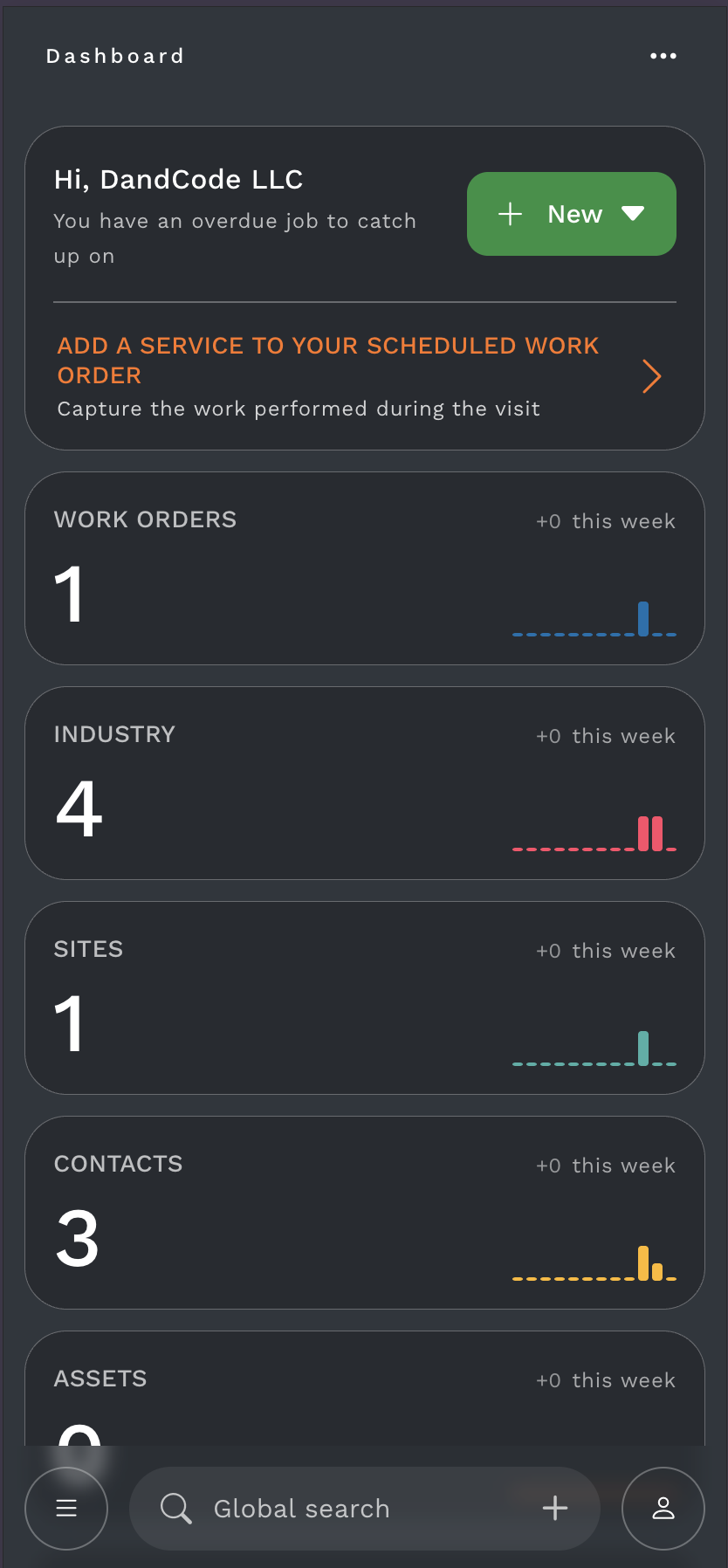
Prioridad al modo sin conexión, por defecto
La red es opcional. Tu día, no.
Todas las aplicaciones que hablan de «soporte sin conexión» son, en realidad, de «la nube primero» con caché. ToolBerry invierte ese concepto: tu dispositivo es la fuente de información fiable. La sincronización se produce cuando tú lo deseas. Rutas, notas, fotos. Todo se almacena en caché con antelación.
- Ruta completa almacenada en caché antes de salir del patio
- Las fotos se almacenan localmente; súbelas cuando lo decidas.
- La sincronización se realiza de forma silenciosa cuando vuelves a estar dentro del alcance.
- Funciona con conexión móvil, Wi-Fi, conexión compartida por Bluetooth o sin ninguna de las anteriores.
Sin señal. Funcionalidad completa.
Todas las funciones de esta página funcionan con el modo avión activado.
El libro de clientes
La dirección, el código, el perro, la nota.
No es un CRM. Es una libreta de clientes: lo que llevarías contigo si aún utilizases papel. Todo lo que necesitas para acudir a una vivienda y empezar a trabajar. Todo lo que quieres recordar de la última visita.
- Hojas de preferencias por cliente
- Códigos de acceso, números de cajas de seguridad, instrucciones de aparcamiento
- Cronología del historial de servicios con fotos y notas
- Indicadores de visibilidad: compartir una dirección con el asistente, ocultar el código
Horarios y rutas recurrentes
Una semana que sabe qué día es.
Rutas semanales, clientes quincenales, visitas comerciales mensuales, visitas puntuales de temporada: todo en un mismo calendario. Configúralo una vez y la programación se regenera cada lunes.
- Plantillas recurrentes: semanales, quincenales, mensuales, trimestrales, personalizadas
- Indicadores de temporada para la limpieza de primavera, el servicio de verano, etc.
- Arrastrar para reordenar en el día; el resto se reequilibra
- Omitir / adelantar / reprogramar sin interrumpir la serie
Semanas, no días
Las rutas recurrentes y los clientes estacionales se renuevan automáticamente. Se pueden omitir, adelantar o reprogramar sin interrumpir la serie.
Fotografías, con la intención
Documentación, no galería de fotos.
Cada foto tiene un propósito: estado, daños, antes, después, equipamiento, acceso. Cada foto se etiqueta, se adjunta al trabajo y se guarda allí, sin que quede dispersa por tu galería.
- Añade anotaciones con flechas, círculos y texto.
- Etiqueta una foto como «antes», «después», «incidencia» o «referencia».
- Adjuntar al registro de la orden de trabajo, del cliente o del equipo.
- Solo local hasta que se exporte; nunca se carga automáticamente
Adjunto al trabajo
Cada foto está etiquetada, anotada y vinculada a la orden de trabajo. No quedan dispersas en el carrete de tu cámara.
Presupuestos, facturas, recibos
Calcula el precio del trabajo. Envía el PDF. Cobra.
Tus tarifas de mano de obra, tu biblioteca de piezas, tus reglas de precios. La aplicación realiza los cálculos y genera el PDF, y a continuación abre tu propia aplicación de correo electrónico con la dirección del cliente ya rellenada. Sin comisiones por transacción; sin necesidad de enviar tus facturas a través del servidor de terceros.
- Partidas de su biblioteca de piezas + entradas personalizadas
- Tarifas fijas, por horas o mixtas
- PDF personalizado con su logotipo y sus condiciones
Tus datos empresariales permanecen en tus manos
La privacidad es un valor fundamental en ToolBerry. No hacemos un seguimiento de tu equipo, no vendemos los datos de tu empresa ni mostramos anuncios de terceros. Tus datos permanecen en primer lugar en tus dispositivos, con una copia de seguridad que tú mismo controlas.
Tus datos permanecen locales
Todos los trabajos, la información de los clientes, las programaciones y los registros empresariales se almacenan en tu dispositivo. En la aplicación gratuita, esa es la única copia.
Sin servidor en la aplicación gratuita
La aplicación gratuita funciona sin ningún backend propio. Añade ToolBerry Pro y la sincronización de equipo mantendrá los datos de tu espacio de trabajo en nuestros servidores para que tu equipo pueda compartirlos.
Sin ventas de datos
Nunca vendemos su información personal a terceros.
Sin anuncios
Nuestra aplicación no muestra anuncios ni utiliza rastreadores publicitarios.
Sin cookies ni seguimiento de usuarios
Sin cookies, sin perfiles de usuario. Solo datos de uso anónimos para corregir errores y mejorar la aplicación.
Eso es toda la aplicación. Todos los sectores, todos los niveles, gratis.
Si una función no aparece en esta página, está en la hoja de ruta. Lanzamos la aplicación al público y escuchamos a los profesionales que trabajan sobre el terreno.
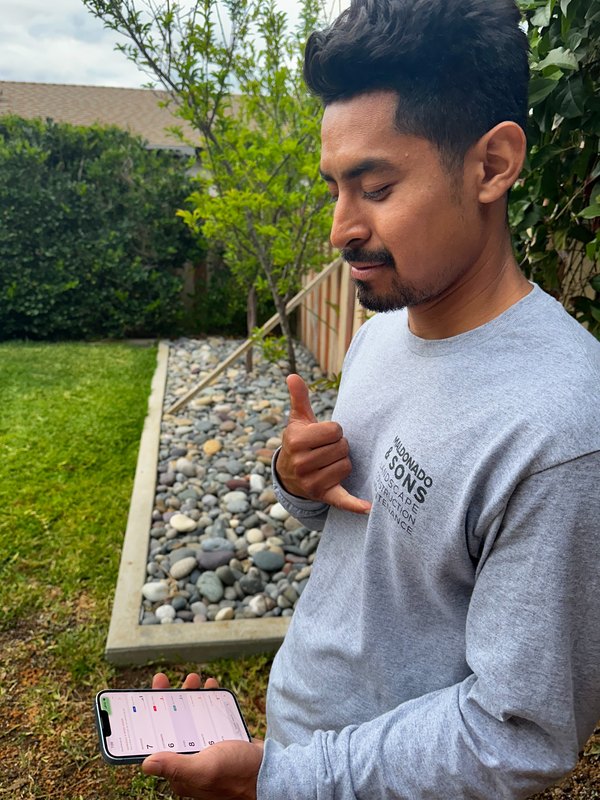
Listo para ir de copiloto
¿Estás listo para gestionar mejor tu negocio?
No es necesario recibir llamadas comerciales para empezar. Descarga la aplicación y pruébala tú mismo en cuestión de segundos.
Sin cuenta · Sin tarjeta de crédito · Funciona sin conexión
¿Sigues teniendo dudas sobre lo que afirmamos? ¡Concierta una llamada con nuestro equipo y te mostraremos cómo funciona! Programar una llamada