
How ToolBerry Helps Landscapers Run Their Business
The first in a series of industry-focused guides from ToolBerry. Built for the truck, not the desk.
Updated April 30, 2026
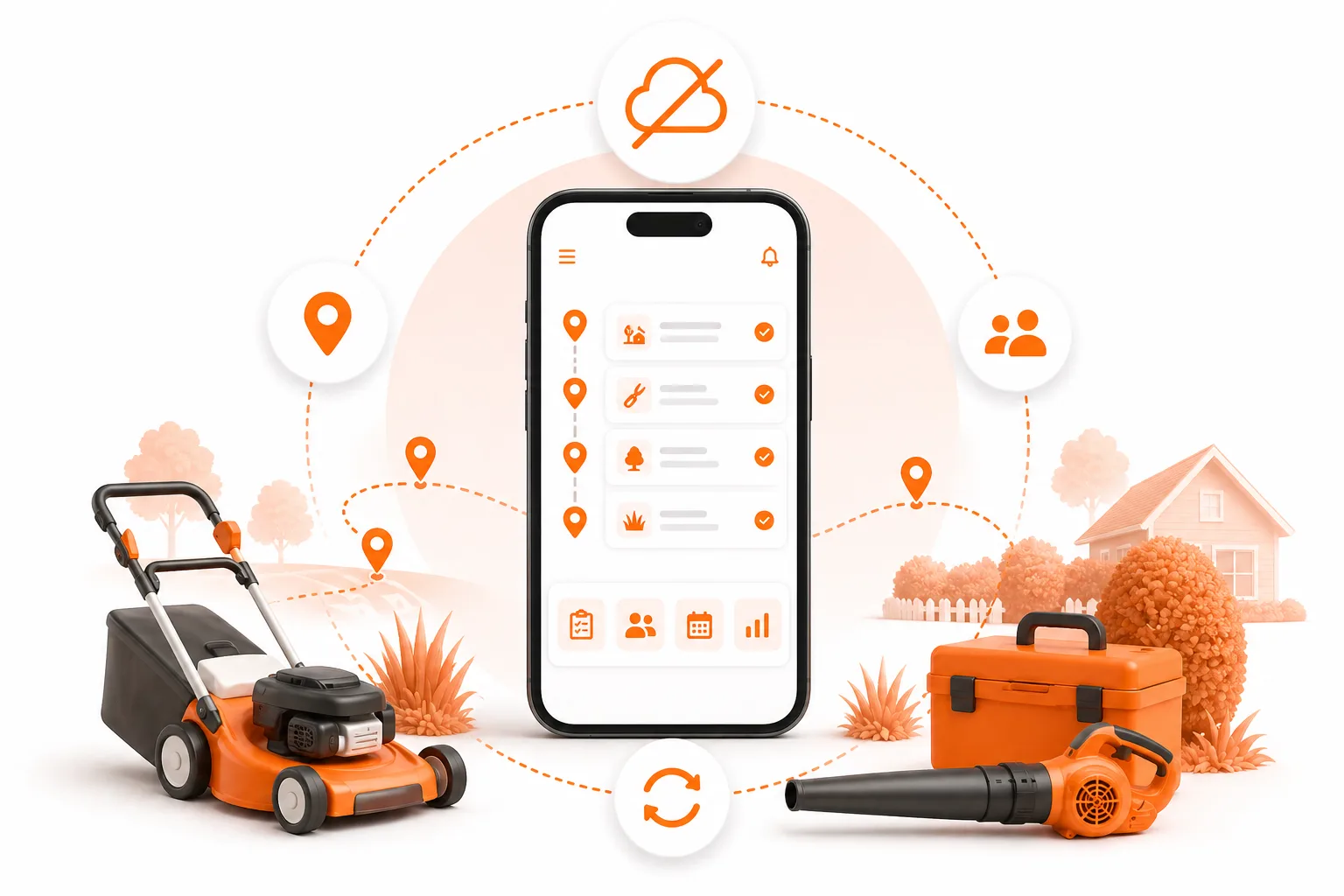
The first in a series of industry-focused guides from ToolBerry. Built for the truck, not the desk.
If you run a landscaping business out of a Ford F-150 in North County San Diego, you already know the truth that no glossy SaaS website wants to admit: most "field service software" wasn't really built for you. It was built for the people who buy software - office managers in headsets, dispatchers behind two monitors, owners of regional chains with payroll departments. Not for the guy who wakes up at 5 a.m., loads a trailer in the dark, runs eleven properties before lunch, and writes the day's invoices on the back of a Home Depot receipt at a stoplight.
That's who ToolBerry is for. And it's free.
This article is a long one because the problem is a long one. We'll walk through it the way a landscaper would actually live it - through the eyes of a composite character we'll call Carlos in Escondido, through a chaotic Tuesday compared to a calmer one a few months later, and through our own perspective as the team building ToolBerry. We kept meeting small operators getting pushed around by tools that were supposed to help them, and we got tired of it.
Meet Carlos - the solo operator who holds everything in his head
Carlos has been mowing lawns in Escondido, San Marcos, and parts of Vista for nine years. He started with a push mower in his cousin's truck and now runs a two-man crew with a 16-foot trailer, two riders, blowers, edgers, a hedge trimmer that he keeps having to repair, and one Stihl chainsaw he doesn't let anyone else touch.
On a normal week he services around fifty residential properties. Most are weekly mow-and-blow, some are biweekly, two are monthly maintenance contracts, and a rotating handful are one-off cleanups. He does spring cleanups in March, irrigation tune-ups in April, and fall cleanups in November. He installs about a dozen small landscape jobs a year - a DG path here, a few yards of mulch there, a couple of palms.
If you ask Carlos how many customers he has, he'll squint and say "around fifty… maybe sixty?" If you ask how much each one pays, he'll tell you exactly to the dollar. If you ask which gate codes go with which house, he'll start scrolling through three years of text messages with his wife Maria, who books most of the new work from her phone.
Carlos's business runs on three things: a beat-up clipboard, a contacts list with 287 entries (most labeled "Rancho Bernardo blue gate" or "Mrs. K trash day"), and his memory. The memory is the most important one. And it is also the biggest problem.
When everything important about your business lives in one person's head, the business can't get bigger than that head - and it can't take a day off.
This is what people mean when they say a small business "doesn't scale." It's not a strategy problem. It's that Carlos is the system. If he gets the flu, fifty yards don't get mowed. If he forgets that the Hendersons asked for an extra hedge trim this week, he loses a customer. If his crew shows up at the wrong gate because he forgot to forward the new code, that's twenty minutes of lost time and an annoyed homeowner.
This is the reality for the vast majority of landscapers in Southern California. There are roughly 642,000 landscaping businesses in the United States and about 1.3 million people working in the industry, with California consistently ranking in the top three states for both businesses and workers. The average landscaping company has only about 19 employees, but in San Diego the median is far smaller - a one-truck, one-trailer, two-person operation is the norm, not the exception.
And more than 80% of the landscape workforce is Latino by some industry estimates, while only about 6% of owners and executives are identified as Hispanic. There's a language story tucked into that gap. We'll come back to it.
A Tuesday in Carlos's life - before ToolBerry
Let's walk through one day.
5:42 a.m. - the day starts on a notepad
Carlos is on his second coffee, scribbling the day's route on a yellow legal pad. He's trying to remember whether the Olsons in Carmel Mountain wanted weekly or biweekly. He thinks weekly. He thinks. He texts Maria: "Did Olson change to weekly?" She's still asleep.
7:15 a.m. - gate code roulette
The crew shows up at a gated community in Rancho Santa Fe. The code Carlos has on his phone is from 2024. They wait fifteen minutes for the property manager to call back. The gardener at the next house over lets them tailgate in.
9:50 a.m. - a customer calls with a question
Mrs. Patel calls. "Did you guys pull the dead lavender like we talked about in February?" Carlos has no idea. He didn't write it down. He says yes anyway and hopes for the best.
11:30 a.m. - lunch and invoicing
Carlos eats a burrito in the truck while filling out three invoices on an invoice book from Office Depot. He'll stick stamps on them tonight. Two of them have the wrong amounts written on them - one too high, one too low. He'll never notice.
2:15 p.m. - a lead slips away
A homeowner in Poway texts asking for a quote on a backyard cleanup. Carlos says he'll get back to her tonight. He won't. He'll forget. She'll hire the next guy who answers within two hours, because she's 31 years old and that's how she lives.
6:50 p.m. - trying to remember who paid
Back home, Carlos opens his Wells Fargo app, his Venmo, his Zelle, and the Cash App he set up for one customer who insisted. He's trying to figure out who paid for September. Three customers are behind. He thinks. Maybe four.
9:40 p.m. - one more hour of paperwork
Maria types out the next month's recurring schedule into a Google Sheet that only she understands. Carlos falls asleep on the couch. The legal pad is on the floor.
This is not a man who is failing. This is a man who is exhausted by the administrative part of running a business he is otherwise excellent at. And every single one of the friction points above - gate codes, recurring schedules, invoicing, follow-ups, who-paid-what - is a software problem that has been "solved" by half a dozen big platforms.
It's just that none of those platforms were really built for Carlos.
Why the existing apps don't reach the Carloses of the world
Let's be direct, because Carlos would be.
Jobber, Housecall Pro, and ServiceTitan are three of the dominant field service management platforms in the country. They are good products. They genuinely help certain types of businesses. But they were not designed for a one-truck shop that doesn't trust SaaS, doesn't speak fluent English in the office, and doesn't have $300 a month to spend before they earn their first invoice of the day.
Here's what they actually cost, based on published pricing pages and aggregated user reports as of early 2026:
- Jobber: Starts at $39/month for one user (Core plan, billed annually). Adding users runs about $29/month each. With necessary add-ons like the AI Receptionist ($99/mo) and Marketing Suite ($79/mo), real-world cost for a small team is $200–$400/month, plus 2.9% + $0.30 per card transaction on Jobber Payments. A business invoicing $30K/month can pay roughly $900/month in card-processing fees alone.
- Housecall Pro: Starts at $59/month (Basic, 1 user). The jump to Essentials runs to $149/month, and MAX pricing isn't published - you have to call. Multiple review sites note that "add-on cost creep" is the most common complaint. Realistic small-team cost: $200+/month before processing fees.
- ServiceTitan: Roughly $250–$500 per technician per month, not published publicly. Implementation fees range from $5,000 to $50,000+. One reported 20-tech company spent about $145,000 in their first year. Multi-week implementation. Annual enterprise contract.
Then there's the part the pricing pages don't show.
Every one of these platforms requires you to sign up, create an account, hand over your email, and often sit through a sales call or onboarding flow before you can do anything. They store your customer data on their servers. They charge for export. They lock features behind tiers. They assume you have Wi-Fi. They assume you read English. They assume you have a desk somewhere.
For someone like Carlos - who has been told for fifteen years that "the cloud" is where his business goes to disappear, who has watched a buddy get locked into a $400/month contract he couldn't get out of, who literally works on a property in Fairbanks Ranch where the LTE signal cuts out behind the hedge - that's a wall of friction tall enough to turn around at.
The big platforms split their product into a mobile app for the field and a web console for the office: two UIs, two mental models, two things to teach your crew.
There's a real gap in our industry, and it's worth naming honestly. Companies like BrightView, LandCare, and TruGreen - the regional and national giants - run on enterprise systems with route optimization, GPS fleet tracking, automated CRM, integrated payroll, and AI-driven scheduling. The small operator down the street, doing arguably better work for half the price, runs on a clipboard, a phone, and a memory.
And here's the thing: the clipboard system has built thousands of great businesses. Honestly. There's nothing wrong with the way Carlos has always done things. The problem isn't pen and paper. The problem is that the on-ramp to adding a tool - for the day he decides he wants one - was built so steep that anyone who tried to step on it got priced out, locked in, or buried in a 30-minute signup flow.
Why ToolBerry exists in the first place
ToolBerry got built because the same conversation kept happening. Solo operators and two-person crews who were excellent at the actual work and slowly drowning in the admin around it - not because they lacked discipline, but because every "solution" they'd tried demanded a credit card, an email address, and a Wi-Fi signal before it would even introduce itself. After enough of those conversations, building something different stopped being optional.
Most FSM tools fail small service businesses in three ways:
- They cost too much for solo operators and small crews.
- They require lengthy onboarding and account setup before they deliver any value.
- They don't work without reliable internet - which is exactly where field workers spend their day.
So ToolBerry was designed from a different starting point: what would a tool look like if it had to earn its place in the truck, with no signup form and no Wi-Fi?
The answer turned out to have a few uncomfortable consequences for the rest of the industry. If you built the app offline-first, you didn't need a backend server for solo users. If you didn't need a backend, you didn't need accounts. If you didn't need accounts, you didn't need a signup wall. And if you didn't need any of that, you could give it away - really away, free forever, not "free trial," not "free for 14 days," not "free until we ask for your credit card."
Under the hood, the free tier of ToolBerry runs entirely on your device using a real on-device SQLite database - the same engine that powers a huge slice of the world's mobile apps. It's not a localStorage hack. It survives browser cleanups, supports gigabytes of data, handles real queries with joins and indexes, and tested clean with 100,000+ records. Backup is via your own Dropbox if you want it. Your customer list lives in your pocket, not on someone else's server.
That's the architectural commitment. The cultural commitment is more important: ToolBerry is built bilingual, English and Spanish, from day one - not bolted on later. For a SoCal landscaping crew, where the owner often speaks Spanish at home and English with customers, that's not a feature, it's a deal-breaker the other apps haven't solved.
If your customer list is on someone else's server, your business belongs to a vendor. We'd rather you keep it.
The same Tuesday, a few months later - after ToolBerry
Now let's run that same day again. Carlos has been using ToolBerry for about ten weeks. Here's the difference.
5:42 a.m. - the schedule is already there
Carlos opens ToolBerry on his phone before he gets out of bed. Today's route is queued up - the Olsons (weekly), the Hendersons (biweekly + extra hedge trim - flagged in the notes from last call), the Patels, eight more. He doesn't have to remember anything. The app already remembers.
7:15 a.m. - the gate code is in the property notes
The Rancho Santa Fe gate code is right there on the customer's site record, along with a one-line note: "Park in the second driveway, dog is friendly, irrigation valve box is behind the bougainvillea." The crew is in and working in three minutes.
9:50 a.m. - the lavender question has an answer
Mrs. Patel calls. Carlos taps her name. The work order from February shows the dead lavender was pulled, with a before-and-after photo. He sends her the photo by text without leaving the app. She thanks him. She tells her sister in Encinitas about him.
11:30 a.m. - invoicing happens at the job, not at midnight
Carlos finishes a one-off backyard cleanup. He marks the job complete in ToolBerry. The invoice generates with the right line items because he set up the recurring service template once, weeks ago. He sends it to her with a tap and is back on the road before the trailer's loaded.
2:15 p.m. - the Poway lead becomes a job
The Poway homeowner texts at 2:15. By 2:23, Carlos has created her customer record, put a quote together using a saved template, and texted it to her with three line-item options. She approves it from her phone. He didn't pull over. He didn't open a laptop. He didn't even leave the truck.
6:50 p.m. - who paid is a tap away
The “Open invoices” view shows the four customers behind on payment, sorted by how late. Carlos sends two friendly reminder texts. Two reply within the hour.
9:40 p.m. - Carlos goes to bed
Maria isn't typing into a Google Sheet. The recurring schedules are already set. She's watching a movie.
This isn't a fantasy. It's what happens when the information that used to live in someone's head finally lives somewhere that won't forget. Same person, same crew, same trucks. Just less drag.
Here's a useful question to sit with: if you had to miss next Friday and someone else had to run your route, could they? Not could they do the work - could they find the gate codes, the customer notes, the schedule, the open invoices? If the honest answer is no, that's not a sign you're failing. It's just the moment the clipboard has done what it can do for you, and a tool somewhere in the day would help.
The specific landscaping problems ToolBerry solves
We could write a feature list, but we'd rather walk through the actual landscaping pain points and show how the tool maps to them.
Recurring service scheduling - weekly and biweekly mowing
The bread and butter of any landscape maintenance route. Set the cadence once per customer, and the schedule rolls forward. No re-typing into a sheet every Sunday night.
Customer, site, and contact records - with the stuff that actually matters
Every customer has a record. Every customer can have multiple sites - think HOAs, property managers, snowbirds with two houses. Every site has its own notes: the gate code, the dog warning, the irrigation valve location, the trash day, the "don't blow leaves toward the koi pond." These are the details that separate a professional crew from a guy with a mower.
Work orders with photos and notes
Job-by-job documentation. Before-and-after photos for spring cleanups. A note that says "replaced one zone-3 sprinkler head - charged customer $18 for parts." When Mrs. Patel calls eight months later, you have an answer in three taps.
Recurring + one-off jobs in the same view
Most landscapers blend weekly maintenance with seasonal work - spring cleanups, fall cleanups, irrigation winterization, mulch installs, palm trimming. ToolBerry's work-order workflow handles both: Draft → Pending → Scheduled → In Progress → Complete, with audit history at each step.
Asset tracking for equipment and customer property
Track equipment service intervals on the company side, and on the customer side track things like irrigation systems, outdoor lighting controllers, and pumps. Asset records support parent-child relationships - a controller has zones; a zone has heads - so when something breaks, the history is right there.
Reminders, reporting, and deliverables
Reminders for upcoming jobs and overdue follow-ups. Basic reporting for the office user - not a 33-report enterprise dashboard, but the numbers a small owner actually checks. Deliverables - proposals, service reports, invoices - generated from your job and customer data instead of being typed up in Word at 10 p.m.
Cross-device, cross-platform
One app, every device. iPhone, Android, tablet, laptop, desktop - same screens, same data, same muscle memory. Live on the App Store and Google Play, and as a web app for desk days.
Offline-first, always
This is the differentiator that matters most for landscapers. The basement, the back forty, the gated community where LTE drops, the new build site where the cell tower is half a mile away - they all look the same to ToolBerry. The app doesn't spin a loader. It doesn't lose your photos. When you get back online, changes sync up.
If a tool only works when the Wi-Fi works, it's not a tool. It's a customer of yours.
What's actually changing isn't your shop - it's your customer
Plenty of articles like this love to draw a tidy progression: pen and paper, then a website, then apps, then automation, then AI. As if the goal is to climb the ladder. We don't really believe that. Some of the best landscaping crews we know run almost entirely off a clipboard, and they run beautifully. Pen and paper is a real, working system, and for many small operations it's exactly enough.
What's shifting isn't the right way to run your shop. What's shifting is who's hiring you.
Industry research shows that 66% of millennials prefer an "Uber-like" experience when hiring a service, and 53% of millennials prefer to communicate with service providers over SMS text. Other studies show roughly 91% of Gen Z consumers are adopting digital-first payments, and 38% of Gen Z and millennial customers will give up on a service issue if it can't be resolved through self-service channels.
Translation: the homeowner who buys her first house in San Marcos in 2026 - the one with the new lawn, the dog, and the dream of a desert garden - has been trained by Uber, DoorDash, and Amazon to text rather than call, expect a digital quote, and pay from her phone. She isn't judging your craft. She's judging how easy you are to hire.
The crews who can offer that kind of handoff aren't necessarily better landscapers. They just have a slightly different toolkit on the admin side. The bigger operators feel the difference too - BrightView and TruGreen run on enterprise software stacks, and their dispatchers are piloting AI-assisted routing. None of that makes them better in your customer's yard. It just makes them easier to text from her couch.
ToolBerry isn't asking you to climb a ladder. It's offering one tool you can pick up - when you want to, in the parts of your day where it helps - and leave the rest of your routine alone. Keep the clipboard. Keep the way you greet your regulars. Add a digital quote the next time a younger customer texts. That's the whole pitch.
The cultural layer - why bilingual matters in SoCal
You can't talk about this market and skip language. The U.S. landscaping industry has roughly 500,000+ Hispanic-American workers, and Spanish is by far the most common second language among landscapers - about 77.7% of those who speak a foreign language. In Southern California, that share is even higher.
Yet most FSM software still treats Spanish as an afterthought - a translated FAQ page, a half-localized mobile app. The reality on a North County jobsite is that the owner takes calls in English, dispatches the crew in Spanish, and texts the customer in whichever language they prefer. A tool that flips between English and Spanish cleanly - like ToolBerry does, on every screen, from day one - is a tool the crew will actually use. The other ones get downloaded, opened twice, and never opened again.
That's the part of "adoption" that doesn't show up on a feature comparison chart. But it's where most software dies in this industry.
What a free, offline-first, no-signup tool actually unlocks
Let's zoom out from features for a second and talk about what changes in Carlos's life - and your life, if you're him - once the friction comes down.
- You stop being the only system. When some of what's in your head also lives somewhere that won't forget, the business can grow past you - if you want it to. You can hire a second crew. You can take a Saturday off. You can get the flu without losing fifty yards.
- You stop losing leads in the gap. A 15-minute response window beats a 12-hour one every single time. The Poway homeowner becomes a customer instead of a missed text.
- You stop bleeding on Saturdays. Invoicing in the truck saves you the entire Saturday-morning paperwork ritual that eats half your weekend.
- You can meet your younger customers where they live. They want texts, photos, and digital invoices. You can offer that without paying $300/month for the privilege.
- You stop being one phone-drop away from data loss. Local-first storage with Dropbox backup means your business survives a dropped phone, a stolen truck, a cracked screen, or a bad LTE day.
The free tier is genuinely free. The paid tiers exist for the day your team grows past a couple of crews and you actually need multi-user real-time sync, team reporting, and priority support. Until then, the free tier is the whole product.
A note on what ToolBerry is not, because we'd rather be honest
We're not going to pretend ToolBerry is a drop-in replacement for ServiceTitan. It isn't. If you run twenty trucks, three dispatchers, and a 24/7 call center, you should be on a different platform.
What ToolBerry is: the best free tool we know how to build for a solo operator or small crew that has been waiting for an honest on-ramp. The kind of tool you can install on your phone tonight, load five customers into in fifteen minutes, and run a real route on tomorrow morning. Without giving anyone your email.
How to actually start
If you're a landscaper in Escondido, Vista, San Marcos, Chula Vista, El Cajon, Oceanside, Carlsbad - or anywhere else in San Diego County, or anywhere in SoCal, or anywhere in the country, frankly - here's what to do.
- Go to toolberry.net on the device you live in. The site detects whether you're on iPhone or Android and routes you to the right place.
- Or grab it directly from the App Store or Google Play.
- Open the app. Don't sign up. There's nothing to sign up for. Just start.
- Add your three trickiest customers - the ones with the gate codes you can never remember, the ones with the weird recurring schedules, the ones who keep asking what you did last spring.
- Run a route with it tomorrow. See if it survives a real day.
If it doesn't work for you, you're out exactly zero dollars and zero contracts. If it does, keep going. Tell the next landscaper at the gas station off the 78. We're trying to build a tool that the trade actually owns, not the other way around.
One more thing
There's an honest version of this story that doesn't get told enough: small landscaping businesses in Southern California are quietly running some of the most beautiful properties in the country. They are family operations that paid for college tuitions and mortgages and trips back home and three trucks instead of one. They are, in the most literal sense, the people who keep this place green.
They deserve tools that respect them. Tools that don't condescend, don't extract, don't demand an email and a contract before they prove their worth, and don't break when the signal drops behind a hedge. Tools that work in Spanish and English without making it a big deal. Tools that fit in the truck, not the conference room.
That's the whole reason ToolBerry exists. To give Carlos in Escondido - and the thousands of Carloses across SoCal and beyond - a tool he can pick up if and when it helps, on his own terms, with his own data, on his own phone. Use as much or as little of it as fits your day. The clipboard isn't going anywhere on our account.
That's the bet we're making, and it's the bet we're asking you to make with us.
If you've read this far, you're either Carlos or you know him. Either way: the next move is the same. Open the app. Schedule a job. See what changes.
We'll meet you on the truck.
Get ToolBerry - it's free forever →
No account. No credit card. Works offline.
Have a question?
We're always happy to talk to people running real businesses on this stuff. Reach out at contact@toolberry.net.