
Stop typing the same job details three times.
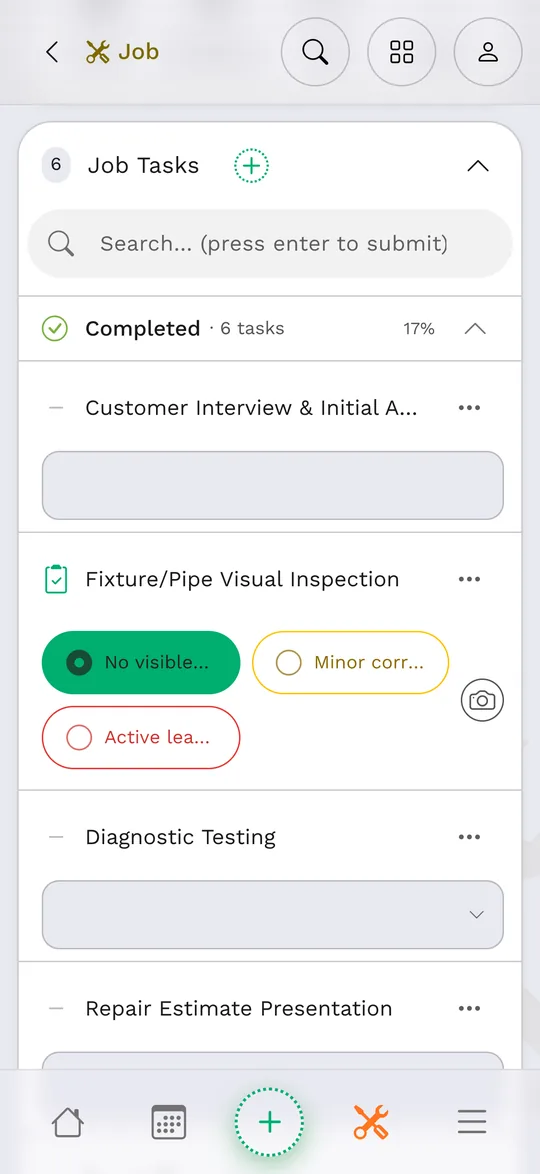
ToolBerry is a work order and job management app for field crews. Each job holds the site, the customer, the job type, the instructions, the crew and the time. A new job takes three short steps on a phone. Jobs move from draft to scheduled, in progress, completed and closed with one tap, with their checklists, photos and comments.
Sei al computer? Scansiona il codice con il tuo telefono per scaricare l’app.
Non è richiesto alcun account né carta di credito. Funziona offline.
Come funziona
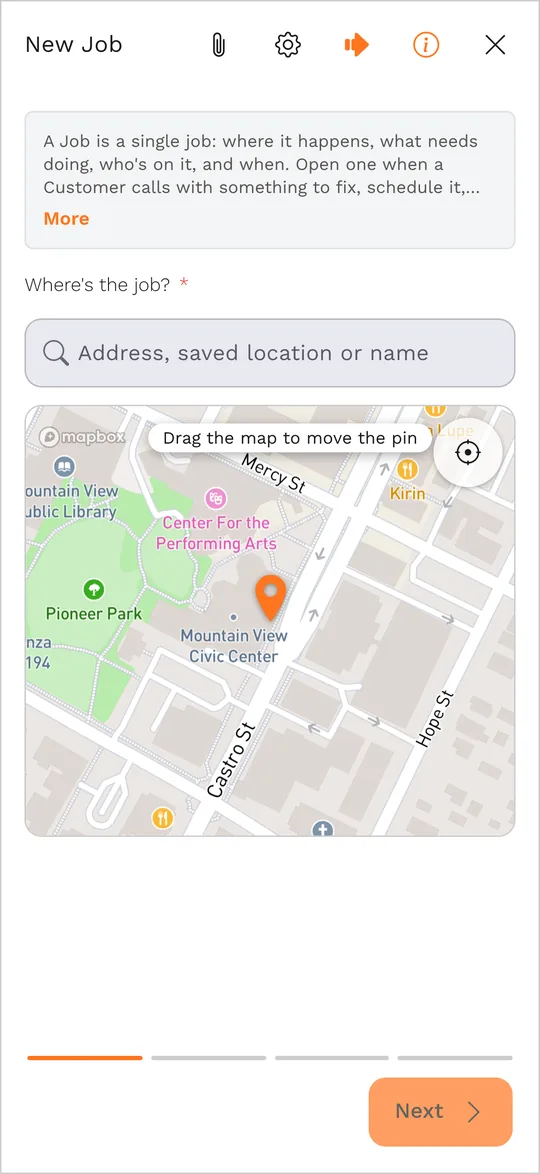
Create the job
Pick the site, then the type and details, then when and who.
The crew works it
The crew opens the job on their phone and works through it.
Close it out
Tap Complete: finish the checklist, write a summary, get the customer's signature, and start the invoice and the timesheets.
Altre funzionalità
- Comments with photos and files on the job.
- Recurring jobs for regular work.
- A PDF report saved on every completed job.
Free, Crew and Pro
Cosa include ciascun piano, in base al nostro elenco di funzionalità.
| Funzionalità | Gratis | Equipaggio | Pro |
|---|---|---|---|
| Interventi | Included | Gli incarichi vengono inviati ai telefoni del personale in pochi secondi | Gli incarichi vengono inviati ai telefoni del personale in pochi secondi |
| Creazione di un intervento passo dopo passo | Included | Included | Included |
| Fasi dell’intervento | Included | Included | Included |
| Chiusura dell’intervento | Included | Included | Included |
| Firme | Included | Included | Included |
On ToolBerry Pro, new jobs reach the crew's phones in seconds. Ordini di lavoro
Per il tuo settore
Funzionalità correlate
Domande
What is the difference between a job and a work order?
In ToolBerry there is none. The app calls them jobs.
Can my crew see their jobs on their own phones?
Yes, on both plans.
Can I get a signature when the job is done?
Yes. The customer signs on the phone, and the signature is saved on the job.
Can I use it offline?
Yes. Everything saves on the phone and syncs later.
Ogni intervento, dall’inizio alla fine, su un’unica schermata.
Sei al computer? Scansiona il codice con il tuo telefono per scaricare l’app.
Non è richiesto alcun account né carta di credito. Funziona offline.