
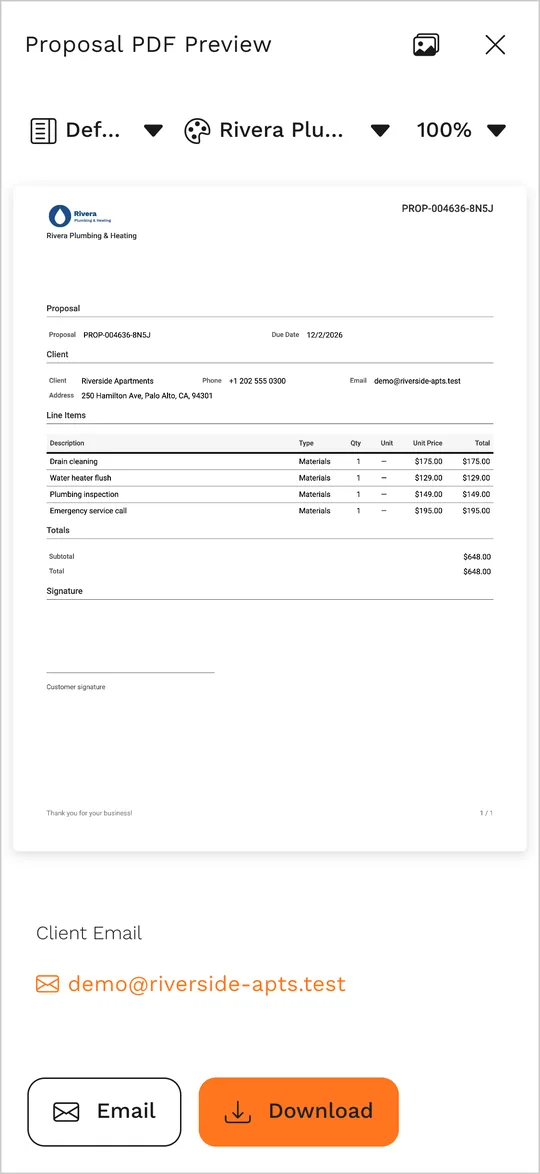
Show the customer the work, not just the bill.
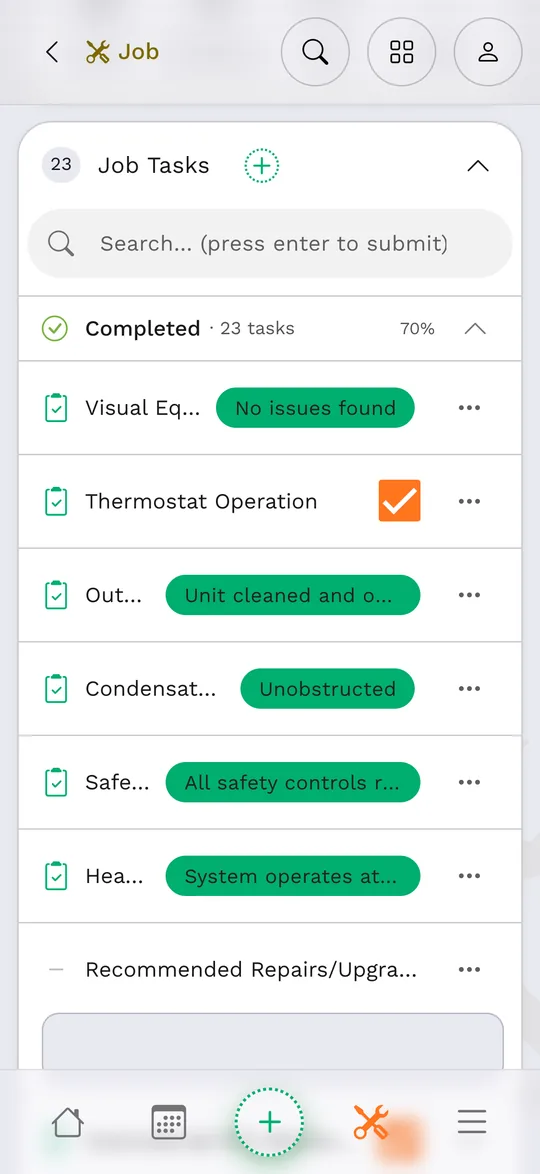
ToolBerry makes a field service report for every job and service visit: a PDF with your logo, the work done, the checklist answers with pass, warning or fail results, equipment readings and the photos you chose. Completing a job saves its PDF on the job. Share it, or send it from your own email, as proof of the work.
Está num computador? Faça a leitura com o seu telemóvel para obter a aplicação.
Não é necessária conta nem cartão de crédito. Funciona offline.
Como funciona
Fazer o trabalho
Finish the checklist and take the photos.
Complete the job
Tap Complete. The report is made and saved on the job.
Send it
Share the PDF or send it from your own email.
O que mais faz
- Several branded templates, for example one per division.
- Equipment readings on service reports, graded against baselines.
Free, Crew and Pro
O que cada plano inclui, de acordo com a nossa lista de funcionalidades.
| Funcionalidade | Gratuito | Equipa | Prós |
|---|---|---|---|
| Relatórios de tarefas e de serviços | Included | Included | Included |
| Relatório de conclusão guardado automaticamente | Included | Included | Included |
| PDFs com a marca da empresa | Included | Included | Included |
| Envie a partir da sua própria aplicação de e-mail | Included | Included | Included |
| Propostas e faturas por e-mail | Não incluído | Included | Included |
Para a sua área de especialização
Funcionalidades relacionadas
Perguntas
Can I add my logo?
Yes, and your colors, business details and footer.
Which photos go on the report?
The ones you choose. New photos are included unless you turn them off.
Is the report kept?
Yes. Completing a job saves its PDF on the job.
Show the customer what they paid for.
Está num computador? Faça a leitura com o seu telemóvel para obter a aplicação.
Não é necessária conta nem cartão de crédito. Funciona offline.