
Stop typing the same job details three times.
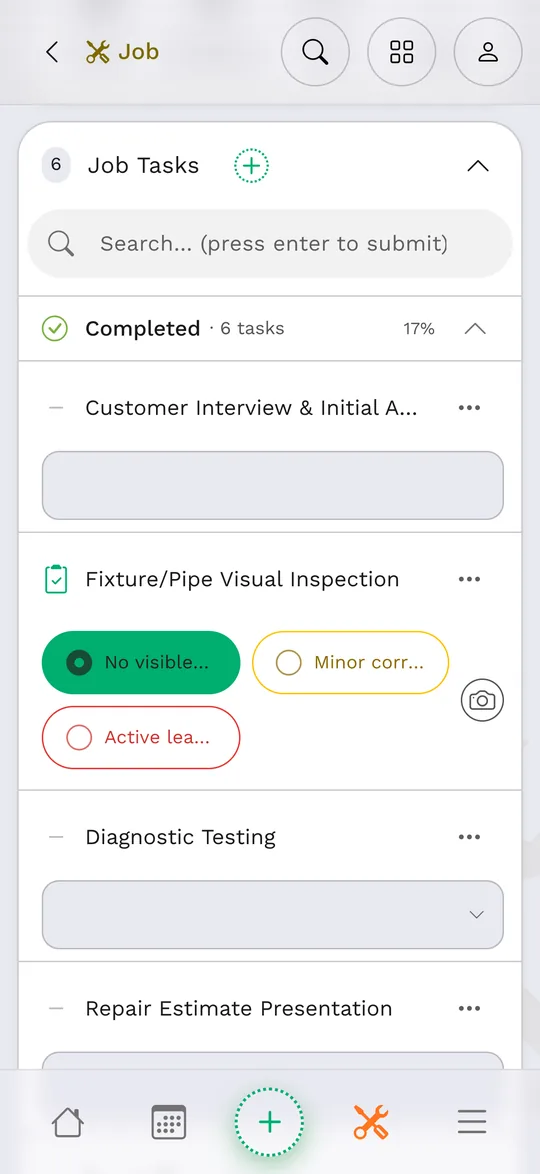
ToolBerry is a work order and job management app for field crews. Each job holds the site, the customer, the job type, the instructions, the crew and the time. A new job takes three short steps on a phone. Jobs move from draft to scheduled, in progress, completed and closed with one tap, with their checklists, photos and comments.
Está num computador? Faça a leitura com o seu telemóvel para obter a aplicação.
Não é necessária conta nem cartão de crédito. Funciona offline.
Como funciona
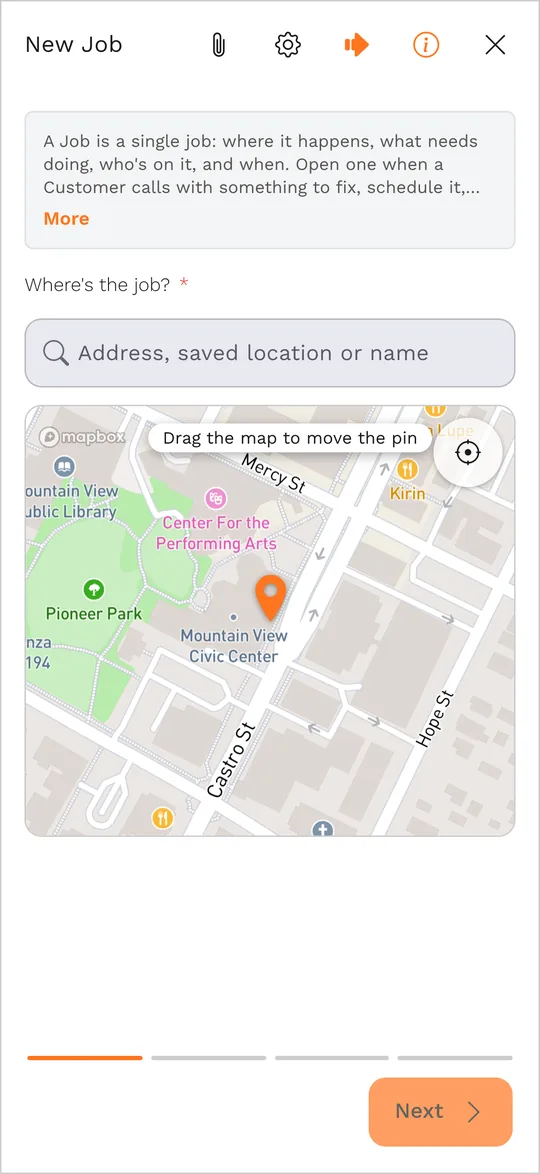
Create the job
Pick the site, then the type and details, then when and who.
The crew works it
The crew opens the job on their phone and works through it.
Close it out
Tap Complete: finish the checklist, write a summary, get the customer's signature, and start the invoice and the timesheets.
O que mais faz
- Comments with photos and files on the job.
- Recurring jobs for regular work.
- A PDF report saved on every completed job.
Free, Crew and Pro
O que cada plano inclui, de acordo com a nossa lista de funcionalidades.
| Funcionalidade | Gratuito | Equipa | Prós |
|---|---|---|---|
| Trabalhos | Included | Os trabalhos chegam aos telemóveis da equipa em segundos | Os trabalhos chegam aos telemóveis da equipa em segundos |
| Criação passo a passo de um trabalho | Included | Included | Included |
| Fases do trabalho | Included | Included | Included |
| Encerramento de trabalho | Included | Included | Included |
| Assinaturas | Included | Included | Included |
On ToolBerry Pro, new jobs reach the crew's phones in seconds. Ordens de trabalho
Para a sua área de especialização
Funcionalidades relacionadas
Perguntas
What is the difference between a job and a work order?
In ToolBerry there is none. The app calls them jobs.
Can my crew see their jobs on their own phones?
Yes, on both plans.
Can I get a signature when the job is done?
Yes. The customer signs on the phone, and the signature is saved on the job.
Can I use it offline?
Yes. Everything saves on the phone and syncs later.
Cada trabalho, do início ao fim, num único ecrã.
Está num computador? Faça a leitura com o seu telemóvel para obter a aplicação.
Não é necessária conta nem cartão de crédito. Funciona offline.