
Job photos lost in someone's camera roll?
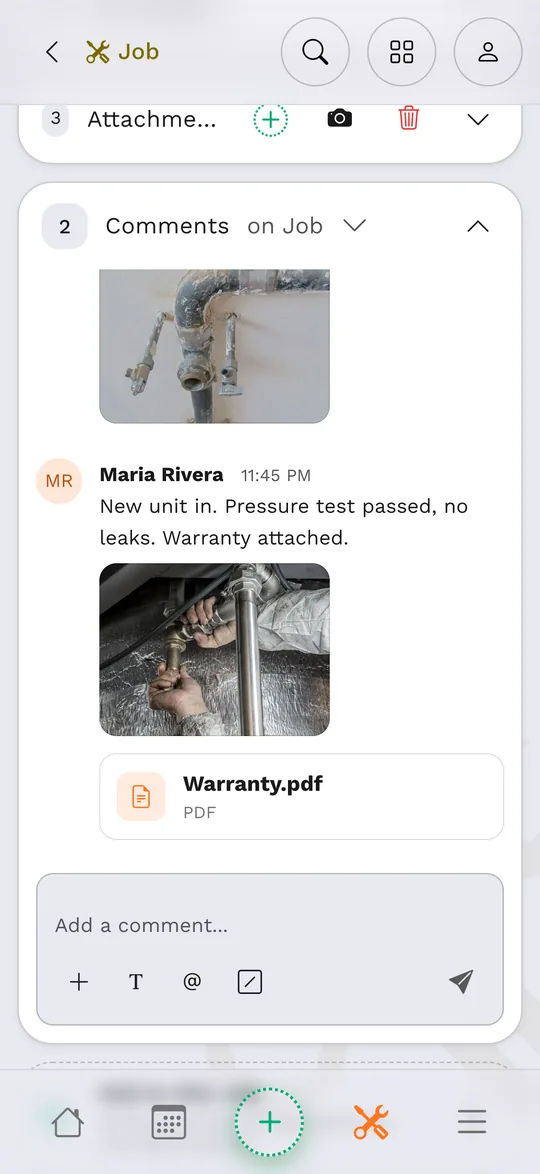
ToolBerry is a job photo app for field crews. Take a photo or pick one from the phone, and it lands on the job, the checklist item or the record you are on. Add a caption, browse every photo in a gallery, and choose which ones go on the customer's report. Photos stay on the phone, so they open without a signal.
Am Computer? Scanne den QR-Code mit deinem Smartphone, um die App zu erhalten.
Kein Konto und keine Kreditkarte erforderlich. Funktioniert offline.
So funktioniert es
Take the photo
Open the job and take the photo, or pick one from the phone.
Put it where it belongs
Add a caption, or attach it to the checklist item it proves.
Choose what the customer sees
Pick the photos for the PDF report and put them in order.
Was die App sonst noch kann
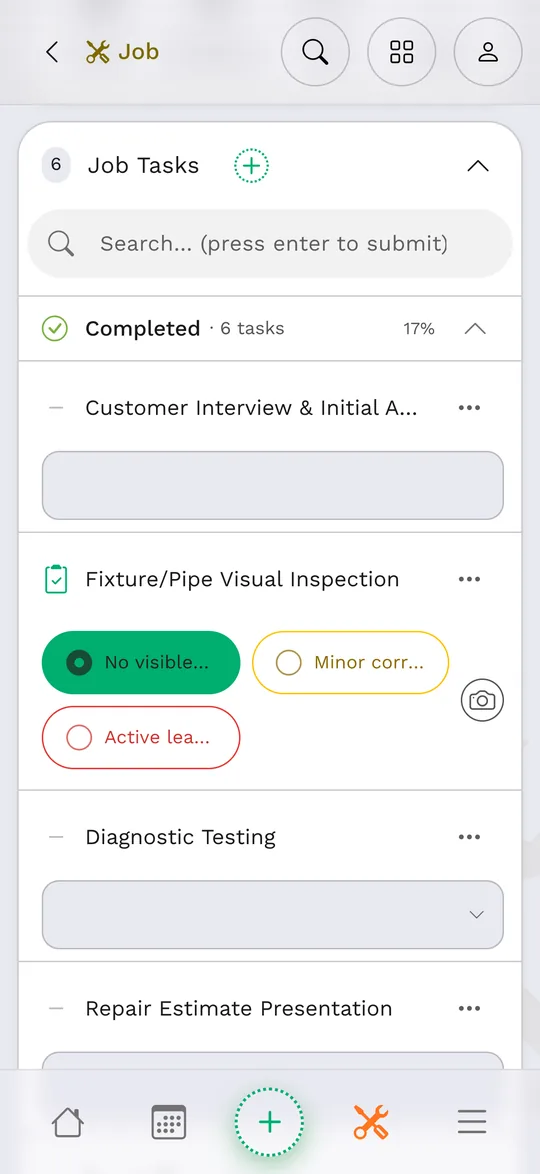
- Require a photo on a checklist item.
- Attach files such as warranties or permits.
Free, Crew and Pro
Was die einzelnen Tarife enthalten - aus unserer Funktionsliste.
| Funktion | Kostenlos | Team | Pro |
|---|---|---|---|
| Fotos zum Auftrag | Cloud-Kopie in Ihrem eigenen Speicher | Von ToolBerry gespeicherte Cloud-Kopie | Von ToolBerry gespeicherte Cloud-Kopie |
| Wählen Sie Fotos für den Bericht aus | Included | Included | Included |
| Dateien und Dokumente | Cloud-Kopie in Ihrem eigenen Speicher | Von ToolBerry gespeicherte Cloud-Kopie | Von ToolBerry gespeicherte Cloud-Kopie |
On ToolBerry Pro, ToolBerry stores the cloud copy of your photos and files. Unbegrenzter Dateispeicherplatz
Für Ihre Branche
Verwandte Funktionen
Help articles
Fragen
Where are the photos stored?
On the phone, plus a cloud copy: in your own Dropbox on the free app, or with ToolBerry on Pro.
Can I take photos with no signal?
Yes. They are saved on the phone and upload when you are back online.
Can I choose which photos the customer sees?
Yes, photo by photo, on the PDF report.
Can I require a photo?
Yes, on any checklist item.
Proof of every job, on the job.
Am Computer? Scanne den QR-Code mit deinem Smartphone, um die App zu erhalten.
Kein Konto und keine Kreditkarte erforderlich. Funktioniert offline.