
Stop typing the same job details three times.
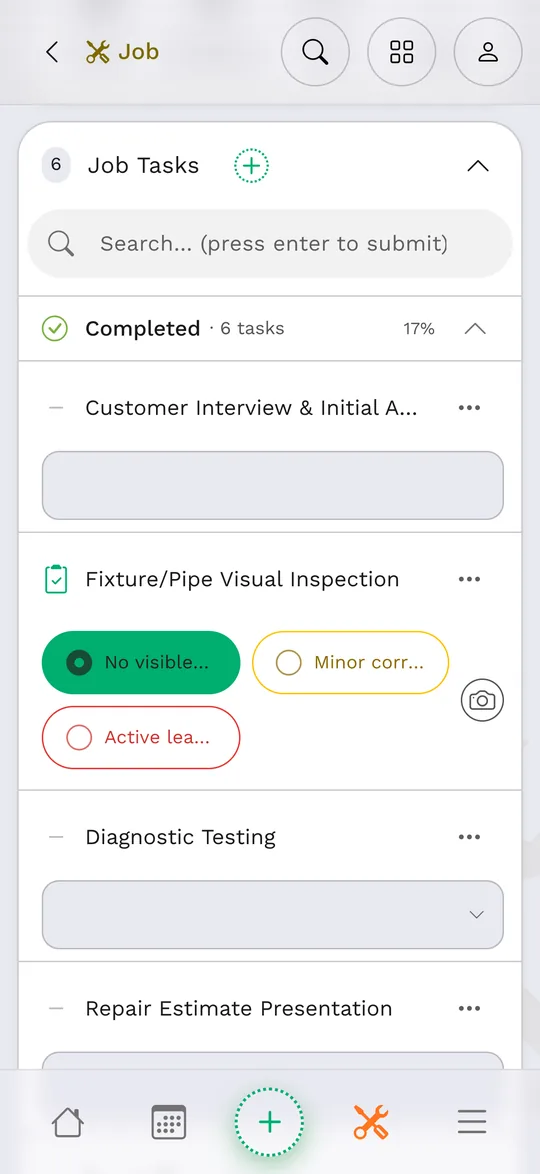
ToolBerry is a work order and job management app for field crews. Each job holds the site, the customer, the job type, the instructions, the crew and the time. A new job takes three short steps on a phone. Jobs move from draft to scheduled, in progress, completed and closed with one tap, with their checklists, photos and comments.
Am Computer? Scanne den QR-Code mit deinem Smartphone, um die App zu erhalten.
Kein Konto und keine Kreditkarte erforderlich. Funktioniert offline.
So funktioniert es
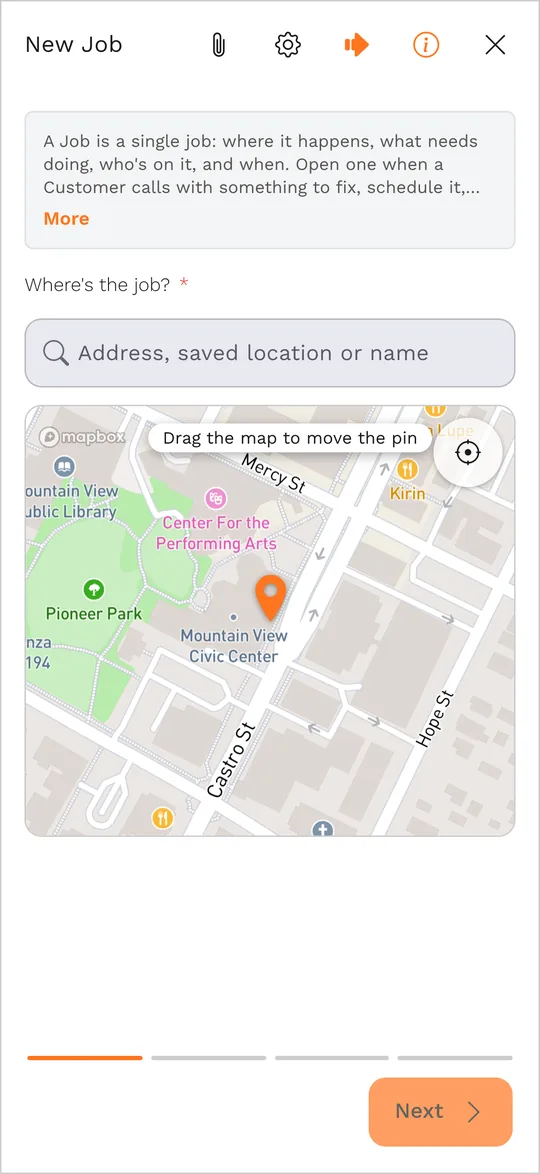
Create the job
Pick the site, then the type and details, then when and who.
The crew works it
The crew opens the job on their phone and works through it.
Close it out
Tap Complete: finish the checklist, write a summary, get the customer's signature, and start the invoice and the timesheets.
Was die App sonst noch kann
- Comments with photos and files on the job.
- Recurring jobs for regular work.
- A PDF report saved on every completed job.
Free, Crew and Pro
Was die einzelnen Tarife enthalten - aus unserer Funktionsliste.
| Funktion | Kostenlos | Team | Pro |
|---|---|---|---|
| Aufträge | Included | Aufträge werden innerhalb von Sekunden auf die Smartphones der Mitarbeiter übertragen | Aufträge werden innerhalb von Sekunden auf die Smartphones der Mitarbeiter übertragen |
| Schritt-für-Schritt-Anleitung zur Auftragserstellung | Included | Included | Included |
| Auftragsphasen | Included | Included | Included |
| Auftragsabschluss | Included | Included | Included |
| Signaturen | Included | Included | Included |
On ToolBerry Pro, new jobs reach the crew's phones in seconds. Arbeitsaufträge
Für Ihre Branche
Verwandte Funktionen
Fragen
What is the difference between a job and a work order?
In ToolBerry there is none. The app calls them jobs.
Can my crew see their jobs on their own phones?
Yes, on both plans.
Can I get a signature when the job is done?
Yes. The customer signs on the phone, and the signature is saved on the job.
Can I use it offline?
Yes. Everything saves on the phone and syncs later.
Jeder Auftrag von Anfang bis Ende auf einem Bildschirm.
Am Computer? Scanne den QR-Code mit deinem Smartphone, um die App zu erhalten.
Kein Konto und keine Kreditkarte erforderlich. Funktioniert offline.