
Who Has the Drill? How to Keep Track of Your Crew's Tools for Free (2026)
Stop buying the same tool twice.
Updated October 29, 2026
Stop buying the same tool twice.
Published October 2026.
The short answer
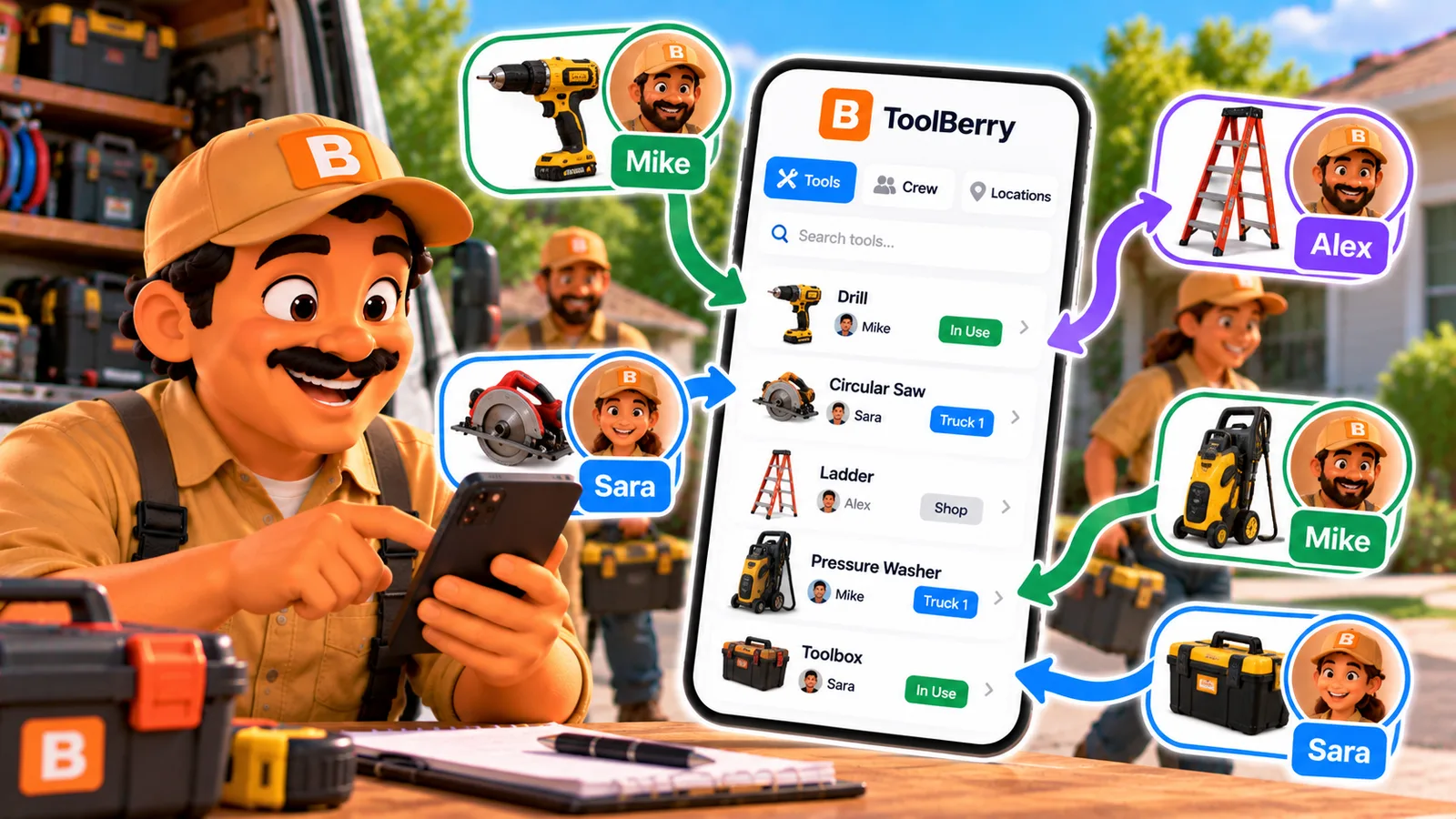
To keep track of your tools, give each tool a record and check it out to a person when it leaves the shop. Then check it back in when it returns. In ToolBerry, a free, offline-first field service management app for small service-trade businesses, you can do this on the Free plan. Each tool keeps its full history of who had it, and you can stick a QR label on it that opens the tool's record. You don't need a separate tool-tracking app.
Why do tools keep going missing?
Imagine it's 7:40 on a Tuesday. You're at the job, and the hammer drill isn't on the truck. Someone had it Friday. Nobody is sure who.
Now you have two bad choices: drive back to the shop, or buy another one on the way.
You're not alone. In a 2017 survey that the tool-tracking company ShareMyToolbox ran with the Construction Financial Management Association, half of contractors said they don't track small tools at all, and three in four replace at least 30% of their tools every year. The survey is old and comes from a vendor, but anyone who runs a crew knows the pattern.
Some tools get stolen. But a lot of them just sit in the wrong truck, because nobody wrote down who took them.
Don't field service apps already track this?
They track your customers' equipment well: the furnace at a house, the pump at a pool. ToolBerry does that too. Tracking customer sites and equipment so you're not guessing on the next visit covers it.
Your own gear is a different problem, and the big apps mostly hand it to someone else:
- Jobber users ask for inventory management in Jobber's own community forum.
- Jobber, Housecall Pro and ServiceTitan all connect to Ply, a separate inventory app, for truck stock. Ply has no free plan, and its price depends on how many trucks and warehouses you track.
If you run a big operation with hundreds of parts per truck, a dedicated inventory app like Ply may be worth it. If you have a crew of three and twenty good tools, that's a second app and a second bill for one simple question: who has it?
How does tool tracking work in ToolBerry?
- Add the tool once. Give it a name, a serial number, a photo and the specs that matter. Ten identical ladders? Add them in one go, each with its own number and barcode.
- Say where it lives. Set up places like the shop, a shelf or a truck. You can even put tools "inside" a truck, so you know what travels together.
- Check it out. When the drill leaves, check it out to the crew member or the job site, with a due date if you expect it back.
- Check it in. When it comes back, check it in. That's it.
Every check-out stays on the tool. Open the drill and you see who has it now and everyone who had it before.
Can I put a label on my tools?
Yes. Print a QR or barcode label for one tool or a whole batch, and stick it on. Scan the QR code with the phone's camera and it opens that tool in ToolBerry.
You choose what goes on the label: size, name, serial, QR or barcode. Search also finds a tool by its serial number or barcode, and a handheld barcode scanner can type the code straight into the search box.
A label with a photo and a serial number on record also helps if a tool is ever stolen. You have what the police report and the insurance claim ask for.
Can ToolBerry remind me to service my own gear?
Yes. A maintenance plan puts upkeep for your own tools, vehicles and equipment on a schedule: blade changes, generator oil, a pressure washer pump check. ToolBerry creates the maintenance job when it comes due.
That's separate from service plans for customers. It's for keeping your own gear working.
What does it cost?
Tool tracking is on the Free plan: the tool records, the check-outs, the history, the labels, the locations and the maintenance plans.
On Pro, the whole crew shares it. Every crew member sees who holds what on their own phone, and the record stays in sync for everyone.
Free vs Pro: The ToolBerry Story, and What Each Plan Is For has the full comparison.
The honest tradeoffs
- On Free, the record lives with whoever keeps it. Usually that's you. The crew sees the same record on their own phones only on Pro.
- The app doesn't scan with its own camera yet. Scan the QR label with the phone's camera app, or use a handheld scanner. Scanning inside the app is planned.
- No signature on handover yet. Signing for a tool when it changes hands is planned.
- Tool tracking only works if people use it. The software is the easy part. The habit is the hard part.
How to start this week
- Pick your 10 most expensive tools. Not every screwdriver. The ones that hurt to replace.
- Add them to ToolBerry with a photo and the serial number.
- Print labels and stick them on.
- Set one rule: a tool leaves the shop checked out, and it comes back checked in.
- After a month, look at the history. You'll see which tools travel the most and who keeps them longest.
Add more tools once the habit sticks.
Have a question?
If you track tools in a way we didn't think of, we'd like to hear it: contact@toolberry.net.
Grab ToolBerry from the App Store or Google Play, or visit toolberry.net.
Further reading
- Tracking customer sites and equipment so you're not guessing on the next visit - customer units, not your own tools
- Hiring Your First Employee: Getting the Business Out of Your Head - writing down what lives in your head
- Free vs Pro: The ToolBerry Story, and What Each Plan Is For - what each plan includes
- What Every Field Service App Actually Needs (and What's Just Bloat) - what to look for in a tool