
Window Cleaning Without Office Software: Scheduling and Routing on Your Phone
You don't need a dispatcher. You need software sized for the business you actually run.
Updated August 14, 2026
You don't need a dispatcher. You need software sized for the business you actually run.
Somewhere in every growing window cleaning business there's a moment where the owner Googles "best scheduling software for window cleaning," finds Jobber or Housecall Pro, and signs up thinking the problem is solved. Six months later, half the jobs are still getting confirmed over text, the app sits open on a phone nobody has time to update mid-driveway, and the owner is quietly wondering why they're paying $50-80 a month for something that isn't actually running their day.
To be fair, that's not really a story about which app is worse. Jobber and Housecall Pro are real, working products. The problem isn't that they don't work, it's that they weren't built for a crew this size.
But "get real software" and "get office software" aren't the same fix. And for a 1-3 truck window cleaning crew, the second one is its own kind of broken.
Why office software is the wrong-sized fix
Window washing is a genuinely small-operator industry. There are 35,344 window washing businesses in the US, and it's "highly fragmented, with no company holding more than 5% of the market" (IBISWorld). There's no dominant player running things from a call center. It's mostly crews of one to three trucks, which means the owner is usually also the scheduler, the router, and the guy on the ladder.
Jobber and Housecall Pro weren't built for that person. They were built for the business with a CSR taking calls and a dispatcher building the route, and that mismatch shows up everywhere:
- Per-seat pricing punishes growth. Add a part-time helper or a second truck, and you're paying for another license just to give them visibility into the day's route: $29/month per extra user on Jobber, $35/month on Housecall Pro, once you exceed your plan's included seats. The exact moment you most need everyone looking at the same schedule is the moment it gets more expensive.
- A setup week before you've scheduled a single real job. Importing customers, building a service catalog, configuring pricing rules and automations. Most owners don't have a spare week of admin time in spring, which is exactly when they signed up.
- Built for a hand-off you don't have. Job comes in, a CSR logs it, a dispatcher assigns it to a tech. When you're the CSR, the dispatcher, and the tech, that hand-off is just extra clicks talking to yourself.
- Real gaps between the desktop product and the phone in your hand. Reviewers note real friction switching between Jobber's web app and mobile app, and more pointed complaints about Housecall Pro's mobile app crashing or dropping features after updates, pushing some users back to a desktop even mid-route. Jobber's app generally rates more reliable of the two, but neither was built mobile-first.
- A fixed monthly cost in a seasonal business. You're paying the same $39-79/month in slow January as you are in a packed May, when the software isn't doing anything extra for you in the months you need it least.
- Feature bloat hiding the one button you actually need. Full CRM pipelines, marketing automation, payroll. All you wanted this morning was "where do I go next."
- It just moves the "only one person knows" problem somewhere else. Someone still has to be the one who knows how to build a recurring job template or pull a report. The same single-point-of-failure problem shows up again, just behind a login instead of out where the whole crew could see it.
None of that makes Jobber or Housecall Pro bad products. Both, to their credit, make it straightforward to export your own client and job data if you ever leave. It makes them the wrong size: built for a business with more roles than a 1-3 truck crew actually has.
What a solo or small-crew window cleaner actually needs
Strip it down to what actually matters day-to-day:
- A calendar everyone on the crew can see, from their own phone, not just from the one browser tab open on the shop computer, so nobody's stuck waiting on whoever's sitting at that desk.
- Recurring jobs that actually recur, so a regular customer stays on the schedule without someone re-writing it every cycle.
- A map of today's jobs, so the crew (or the owner) can see where everything is at a glance.
- Easy rescheduling, because a rained-out Tuesday shouldn't take an hour of manual re-slotting.
- A place customers and job history live together, so "are you still coming today?" has a real answer, fast.
What ToolBerry actually does here
Here's the concrete version, checked against what's actually shipped, including two things we want to be precise about rather than oversell.
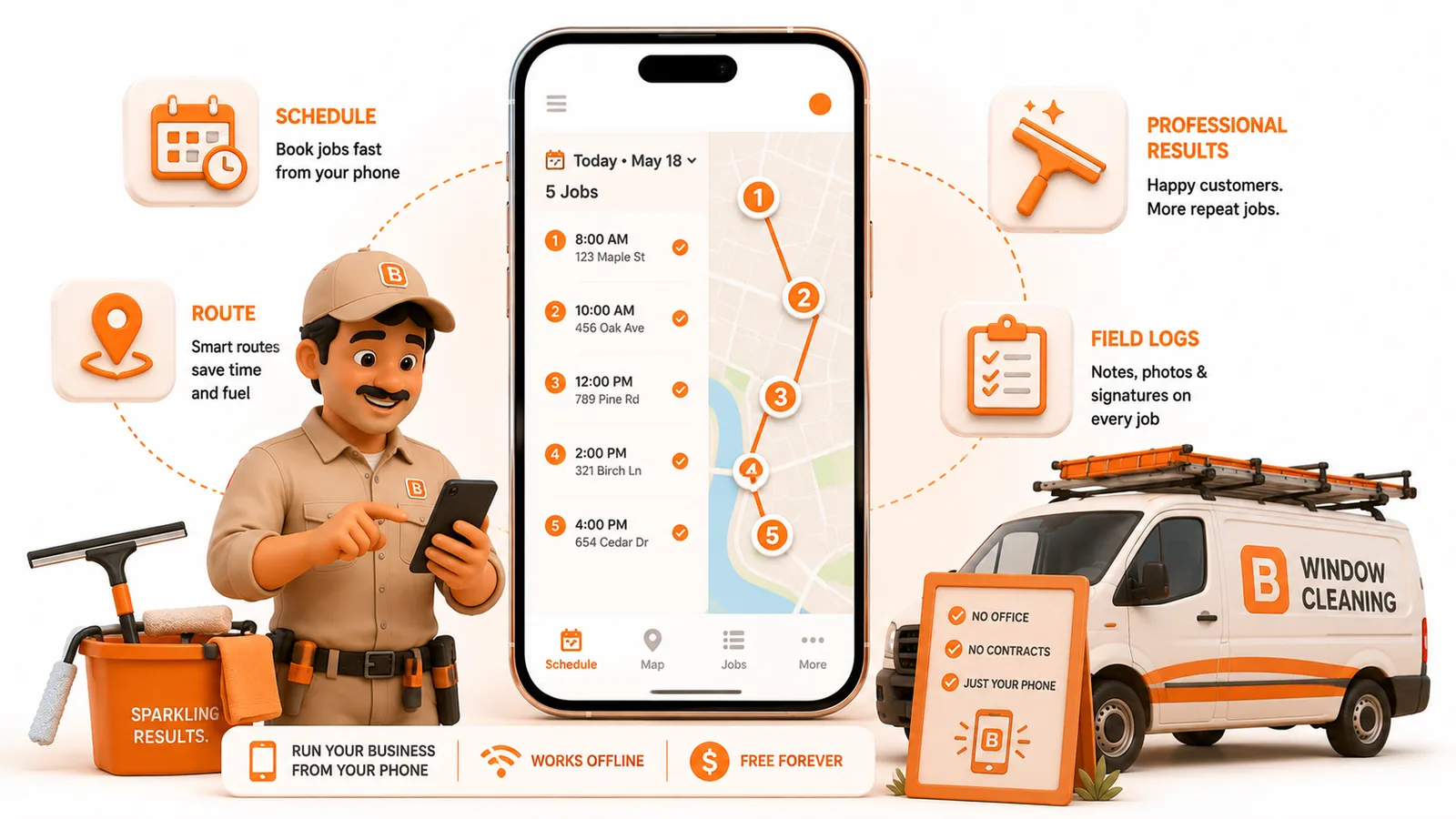
- A live calendar built for the phone in your hand, not the desktop tab back at the shop. Every job is scheduled in one shared calendar your whole crew can see from their own phone, no toggling between a web dashboard and a mobile app that drops features the moment it updates.
- Weekly and monthly recurring jobs that actually carry forward. Set a customer to repeat weekly or monthly once, and it keeps generating jobs on schedule. It doesn't quietly drop off when the calendar page turns, the way a paper one does.
- A map of the day's jobs. ToolBerry shows every scheduled job as a pin on a map for a given day, so you can see the shape of the day before you drive it, and tap through to navigate to any one of them via your phone's Maps app.
- Customers and sites in one place, searchable from any phone on the crew, not a clipboard, not a text thread, not a spreadsheet tab someone forgot to update.
- Zero setup week. No importing, no automation-building. Add a customer, schedule a job, and you're using it.
Two things we won't oversell:
First, recurrence today is weekly or monthly. A lot of window cleaning runs on 6-week or 8-week cycles, and there's no way yet to set a custom interval like that. For now, an 8-week customer means manually rescheduling their next visit each time rather than it generating on its own. That's a real gap, not a hidden feature, and it's worth knowing before you count on it.
Second, ToolBerry doesn't currently optimize the order of your stops for you. It shows you today's jobs on a map. It doesn't do the "shortest path across 12 houses" math for you yet. What it does solve is the more common failure: the plan existing in exactly one place, in exactly one truck (or one login only the owner checks), with no backup.
Why it matters
The businesses that get hurt worst by the wrong-sized tool are the ones growing fastest: spring volume, a second crew, a new recurring customer added every week. That's exactly the moment office software's per-seat pricing and setup time start working against a growing crew instead of for it. A new truck means a new paid seat, right when the schedule most needs everyone looking at the same page. A tool that just keeps the day's plan visible to everyone, on the phone they already have in their pocket, fixes the failure mode that actually costs window cleaners money: the wrong-house drive, the double-booked slot, the dropped recurring customer, without asking them to become a business with a dispatcher they don't have.
The honest tradeoffs
- Recurrence is weekly or monthly only, for now. If your business runs on 6-week or 8-week cycles, you're manually rescheduling those visits rather than having them generate automatically.
- No route optimization yet. You'll still decide the order of stops yourself. ToolBerry shows you the day, it doesn't sequence it for you.
- It's not a payments processor. You collect however you already do; ToolBerry keeps the schedule and the invoice straight, not the card swipe.
- The free tier is single-device. Live sync across your phone and a crew member's phone is a paid feature; on free, you're backing up with your own Dropbox.
- You still have to trust a phone app with your route, which is a real adjustment if you've run this business on paper for 15 years. We're not going to pretend that switch is nothing.
How to start
- Install the app. Install ToolBerry from the App Store or Google Play, or open it at toolberry.net. No account needed.
- Add your five busiest customers first, not all of them. For each one, fill in the address, contact info, and any access notes (gate code, dog, call-ahead preference) you'd otherwise have on a sticky note or in your head.
- Schedule this week's real jobs against those customers. If any are weekly or monthly regulars, set the job to repeat instead of re-adding it by hand next cycle.
- Open the map view before you leave the shop, not after you're already driving, so you can see the day's jobs laid out before you commit to an order.
- The next time it rains, drag that day's jobs to new slots on the calendar instead of rebuilding the week from scratch. That's the moment the switch actually pays for itself.
- Once the basics feel normal, add the rest of your customer list and start scheduling your 6- and 8-week regulars manually, a cycle at a time, until custom recurrence intervals ship.
Have a question?
We build ToolBerry as working engineers, and we're happy to talk through whether it fits a small window cleaning crew specifically, including exactly where the routing and recurrence features are today. Reach us at contact@toolberry.net.
ToolBerry a free, offline-first field service management app for small service-trade businesses.
Further reading
- Handyman: From Sticky Notes to a Simple Job Tracker the same "paper collapses at the wrong moment" problem, different trade
- Why ToolBerry Is Offline-First why the app works even with no signal
- Is ToolBerry Really Free Forever? the honest version of how the free tier stays free
- The Best Free Field Service Apps in 2026: An Honest Comparison the wider Jobber/Housecall Pro/etc. pricing and feature breakdown this post leans on