
Description
Not sure what a field or button does? Tap the ⓘ next to the record name and ToolBerry explains it right there, in your language. Still stuck? Message us from the app.
How to use it
- Open any record, like a job, customer, invoice or asset.
- Tap the ⓘ next to the record name at the top.
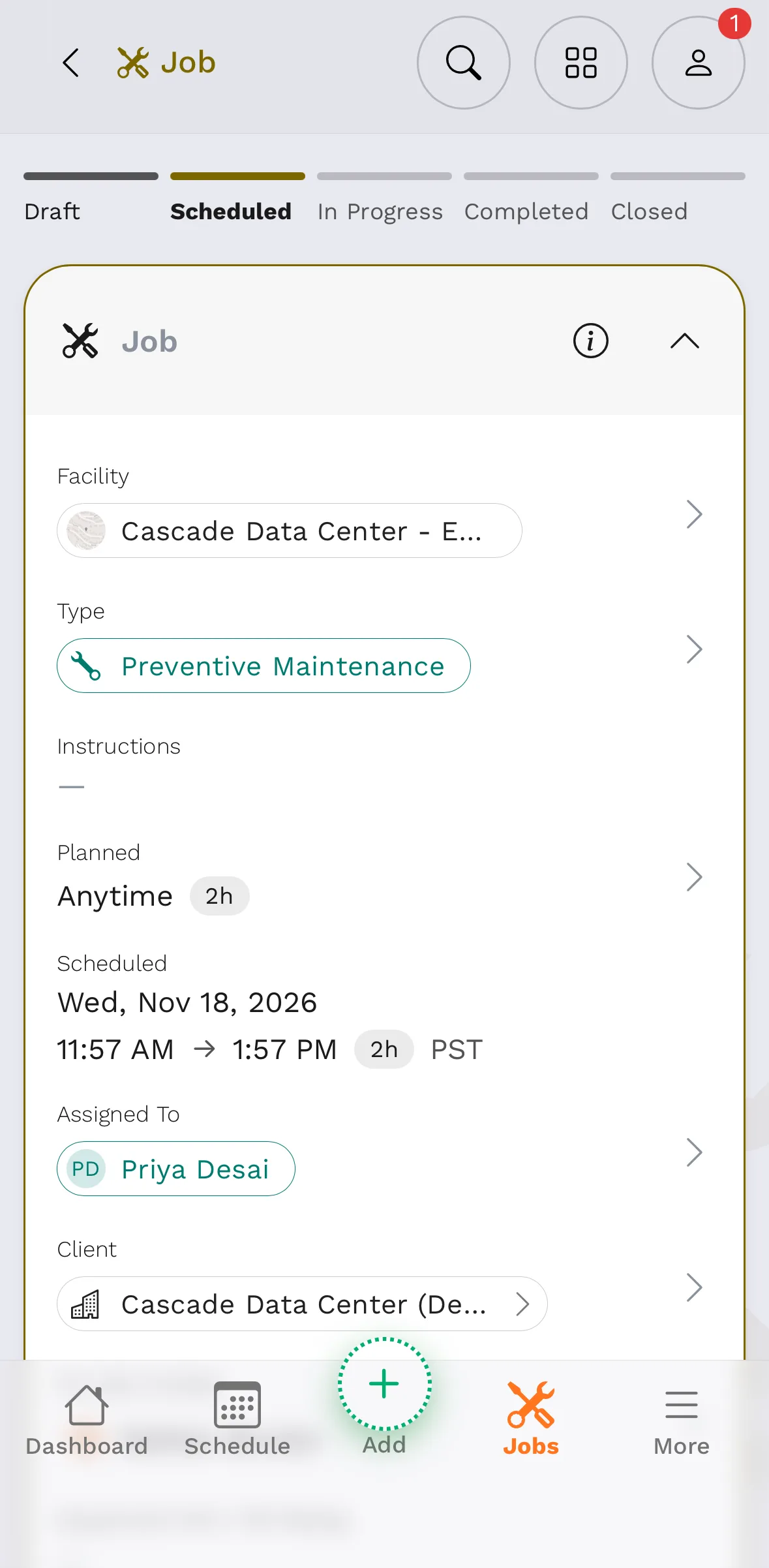
- Help shows up on the page:
- what this record is for
- what each action button does, like Start Work or PDF Preview
- a short line under each field
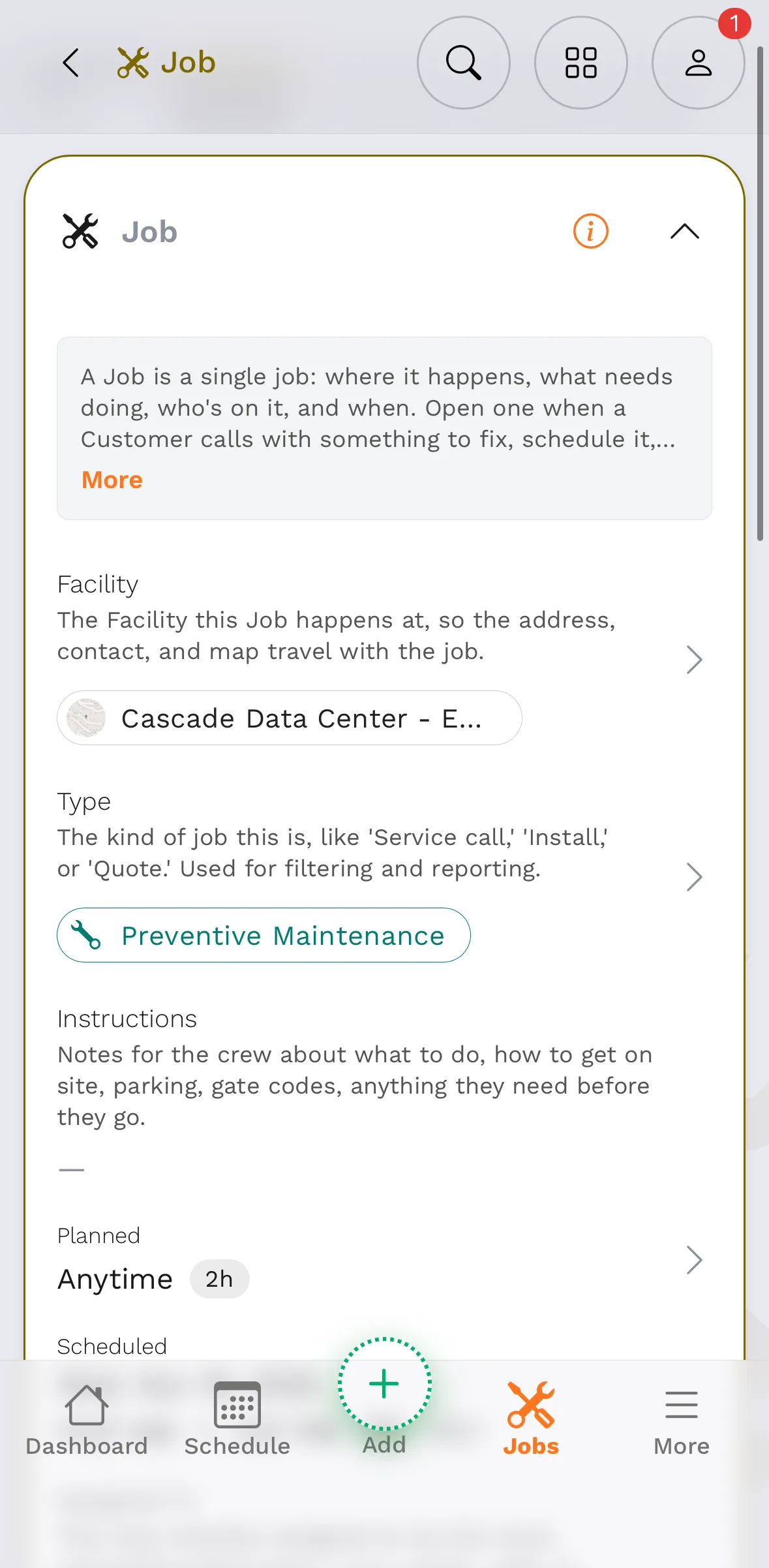
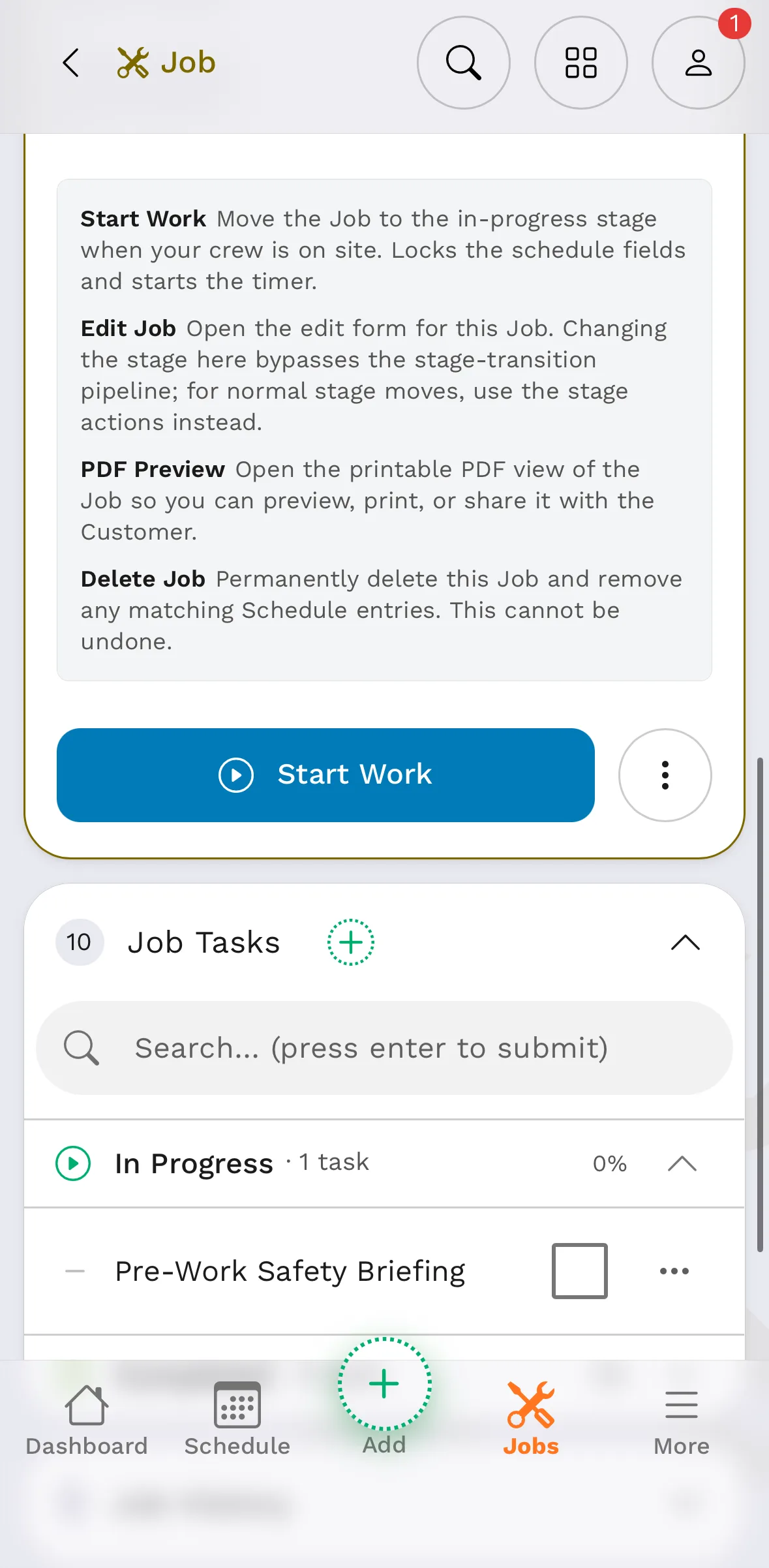
- Tap ⓘ again (Hide info) to turn it off.
- Need a person? Tap the 👤 profile icon at the top right → Help & support, type your email and message, and tap Send. We'll get back to you.
Good to know
- Forms have an Info button at the top too, for help while you fill something in.
- Help text follows your app language: English, Spanish, Portuguese, French, Italian or German.
- A few newer records don't have inline help yet. We're adding it. If you don't see the ⓘ, that's why.
- How-to articles like this one are coming into the app too, so you can open the right one from the screen you're on, even without signal.
- Free on all plans.