
Description
Keep a separate workspace for each business on one phone, like your day job, your side business, or a new trade you're trying out. Each one has its own customers, jobs, prices, logo and people, and every workspace is free.
How to use it
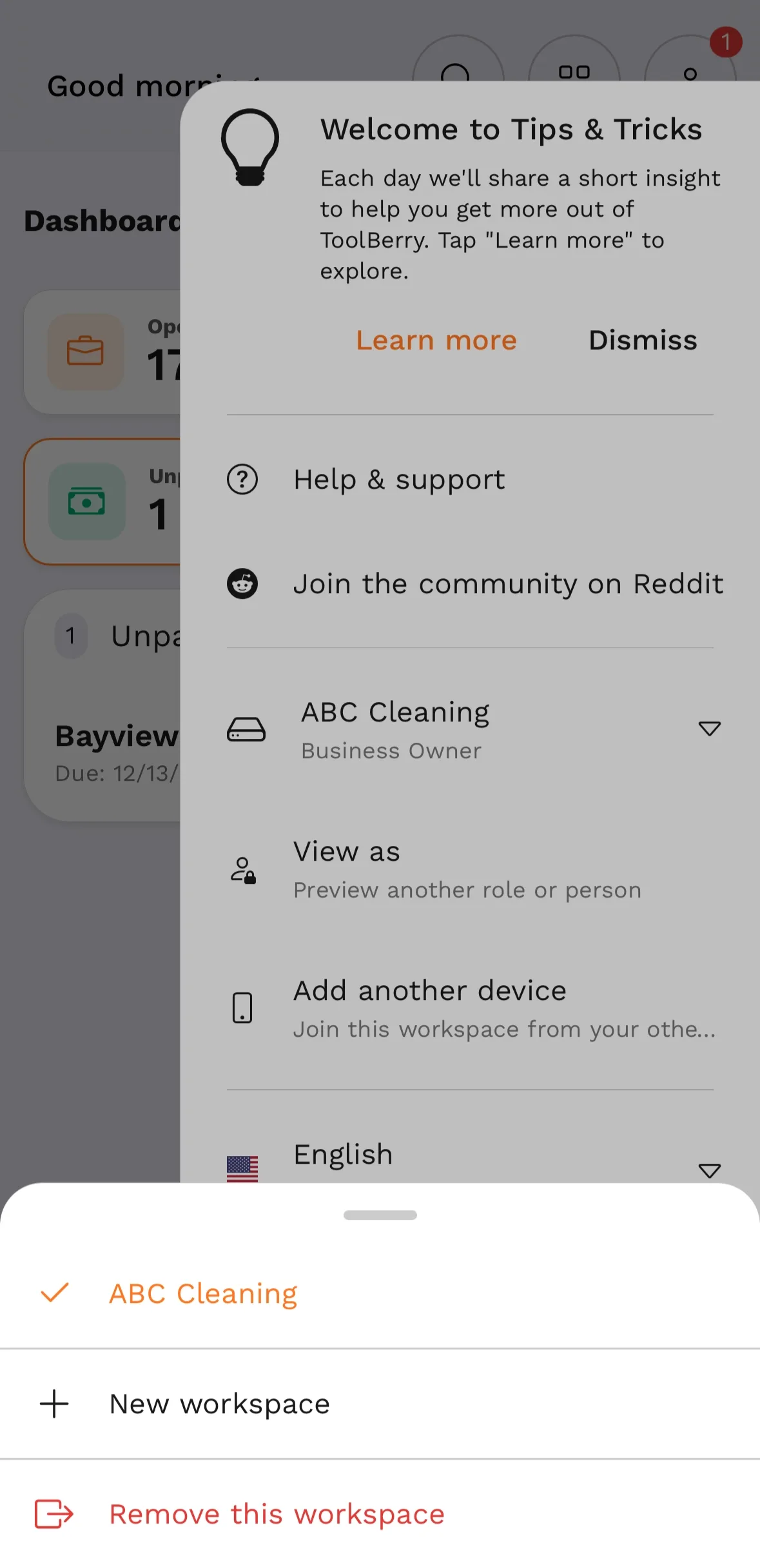
- Tap the 👤 profile icon at the top right, then tap your business name.
- You'll see every workspace on your phone. Tap one to switch.
- Tap New workspace to start another one. It goes through its own quick setup.
Good to know
- You see one workspace at a time. There's no combined calendar.
- A customer you serve in two businesses is added in each one.
- Remove this workspace deletes a phone-only workspace for good. ToolBerry asks first.
- Joining your boss's team adds their workspace next to yours. It doesn't replace it.