
How can ToolBerry help you hire your first employee?
Your first hire is the day you stop being a one-man band and start building a company. Here's how to make that the exciting part, not the scary one.
Updated June 3, 2026
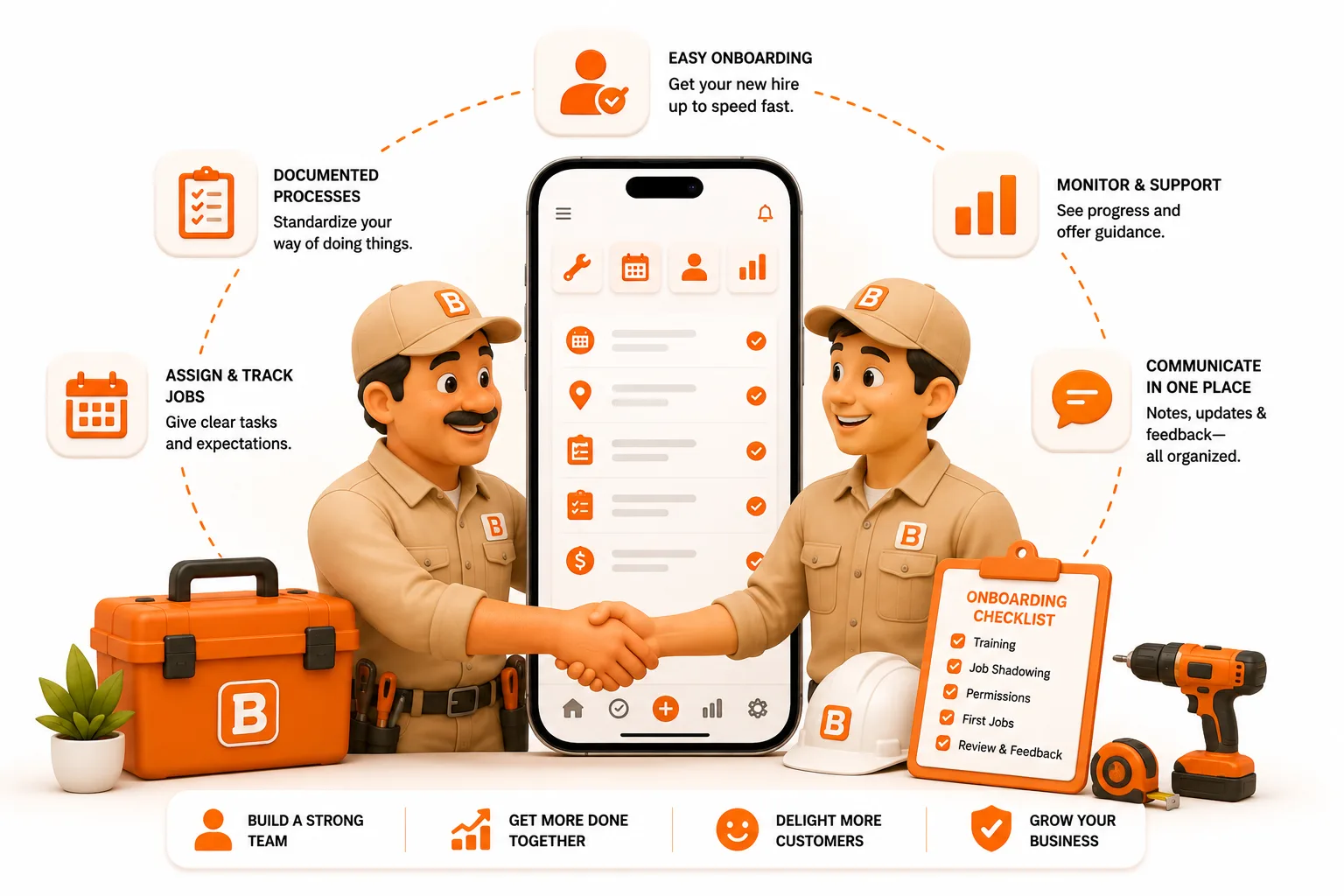
Your first hire is the day you stop being a one-man band and start building a company. Here's how to make that the exciting part, not the scary one.
Hiring your first employee is one of the best problems a trade business can have. It means the work outgrew you: the phone won't stop, the week is full, and you're finally about to take on more than one pair of hands can finish. That's the dream you started for.
It's also the moment a lot of good operators freeze, because everything the business runs on, the routes, the gate codes, the prices, and a hundred small things only you know, lives in exactly one head: yours. Hand someone a truck and a vague list and you'll burn two weeks re-explaining your own business. Get it out of your head first, and that first hire becomes the day you go from working in the business to building one.
The short answer
Here's the good news: your first hire is mostly a Free job. On ToolBerry Free, you get the whole operation into one shared place, customers, sites, routes, and job history a second person can actually use, and bring your new hire onto it at no cost. ToolBerry Pro comes in later, as the crew grows past a few people and you need roles that limit what each person sees plus real-time sync across everyone. The tool grows on the same schedule you do.
Meet Diego
Diego runs a one-man landscaping business outside San Diego. Two years in, he's good and he's busy, busy enough that he's started turning down work he'd rather take. The math is obvious: hire a helper. The knot in his stomach is about everything that isn't math.
Because right now, the business runs on Diego. The routes are in his head. So are the gate codes, which yard has the dog that gets out, the client who doesn't want clippings blown toward the koi pond, and exactly what each customer pays, numbers he tuned one handshake at a time. His "system" is a phone full of texts, a truck full of habit, and a memory that's never let him down because it's never had to explain itself to anyone.
Handing that to Tomás, his first hire, means one of two things. Ride along for two weeks narrating every stop, two weeks of paying two people to do one person's work. Or turn Tomás loose with a list of addresses and hope the koi pond survives.
That gap, between everything Diego knows and everything he can hand over, is the real first-hire problem. This post is about closing it.
Why is hiring your first employee so hard?
Because you're not just adding a person. You're converting a business that lived in one head into one that two people can run, and most solo operators have never had to write any of it down.
The hiring part alone is brutal right now. A 2025 NEXT Insurance survey found 66% of small-business owners struggle to hire, and the trades are the tightest corner of the market. Associated Builders and Contractors estimates construction alone needs about 349,000 more workers in 2026 just to keep up. When you finally find someone good, you can't afford to lose them to a sloppy first week.
And a bad hire is expensive. The U.S. Department of Labor puts the cost of a bad hire at at least 30% of that person's first-year earnings; CareerBuilder's benchmark puts the average loss around $17,000. A big chunk of that isn't the wrong person. It's a decent person set up to fail because nobody could tell them how the work actually gets done.
That's the part software can help with. ToolBerry can't interview for you or run payroll. What it can do is make sure the day Tomás starts, the work is already written down, shareable, and safe to hand over.
Before you hire: get the work out of your head
This part happens on ToolBerry Free, and it's the most valuable thing you can do before you post the job. Every hour here saves a week of ride-alongs later.
The goal is simple: make your operation legible to someone who isn't you. In practice, that's four things, all free:
- Get every customer and site into one record. Not a contacts list and a texting history, but one place with the address, the gate code, the dog warning, the "koi pond" note, and what the job actually is. This is the stuff that normally only lives in your head.
- Put your routes on a real schedule. Recurring weekly and biweekly work, set once, so the week lays itself out instead of being reassembled from memory every Monday.
- Document jobs as you do them, with photos. A work order with a before-and-after photo and a two-line note ("edged the front, skipped the back gate, locked") is training material you're creating without trying.
- Standardize the little stuff. Custom fields for the things your trade always needs, so nothing important lives in a notes box where it goes to die.
Do this for a month before you hire and something quiet happens: your business stops being a thing only you can run. When Tomás starts, you're not teaching him the business from scratch. You're handing him a system that already knows the answers.
Your first hire: how far Free takes you
Here's the good news most people don't expect: your first hire doesn't require a paid plan. ToolBerry Free is built for a solo operator or a small, trusted crew who share everything, and one helper fits squarely inside that.
The organized setup you built is now Tomás's setup too. He opens a job and sees the address, the gate code, the note about the side yard, and last visit's photos, then adds his own as he works. There's nothing to sign up for, so he installs the app and he's working in minutes. It all runs on his device, so it doesn't stall behind a gate with no signal, the same reliability you already count on. Back the whole thing up through your own Dropbox and it moves between your devices at no cost.
That's also why onboarding goes faster. New hires are slow at first; that's normal, not a red flag, and research puts full productivity anywhere from 8 to 26 weeks out. Most small businesses stretch that ramp by having no process beyond "follow me around." With ToolBerry, the job records you already built are the training. Tomás doesn't need Diego on the phone, he needs the screen in front of him, so one ride-along usually does what two weeks of narration used to.
Free does have limits once a second person is in the app, and they're worth naming. Everyone sees everything, because Free has no roles by design. And Dropbox backup moves files periodically rather than in real time, so it isn't built for several people editing the same job at the same moment. With one helper you'd trust with your bank card, neither of those usually bites. They start to as the crew grows.
When does Pro actually earn its place?
Not at your first hire, and usually not at your third. The inflection tends to land around the fourth or fifth person, or the day "everyone sees everything" simply stops being okay. That's when a Dropbox folder and a handshake aren't enough anymore, and ToolBerry Pro adds the three things a real team needs.
Roles that limit what each person sees. A field role can hold today's route and those customers, and nothing else. Not the price column, not the whole book. This isn't about assuming your crew are thieves. Most incidents aren't theft: the Ponemon Institute's 2025 insider-risk research found 53% of insider incidents come from ordinary negligence, not malice. Roles mostly protect a good employee from an expensive honest mistake, like deleting the wrong customer or quoting off a price they weren't supposed to see. The strongest version isn't a hidden field; it's data that never lands on that phone in the first place. (The full story is in Who Can See What.)
Real-time sync across the whole crew. Dropbox backup is plenty for you across a couple of devices. Once several people are editing the same jobs at once, you need a shared referee that merges those changes cleanly and instantly, not a file that syncs whenever it gets around to it. That takes a coordinating server, and it's the heart of ToolBerry Pro.
A central off switch. Crews change, especially seasonal ones, and the helper you hire in April might be gone by November. On Pro, access is managed centrally, so offboarding is one action: revoke the role and the data stops flowing to that phone. You're not chasing anyone down to delete an app, or lying awake wondering who still has every client's address saved on a personal device. The person leaves; the access leaves with them.
That's the quiet advantage of starting on ToolBerry: you run free while you're small, and you only start paying the day the team layer becomes a real need. The tool grows on the same schedule your business does. (The whole philosophy is in Free vs Pro.)
The honest tradeoffs
Hiring is a real step, and we'd rather be straight about what ToolBerry does and doesn't carry:
- ToolBerry isn't payroll, taxes, or HR. It handles the work: sharing the route, controlling access, keeping the record. It does not file your paperwork, run payroll, or tell you the labor law in your state. Get an accountant or a payroll service for that side; it matters more than any app.
- Small, trusting crews may not need Pro yet. If it's you and one helper you'd trust with the bank card, run on Free until limiting access or real-time sync becomes a real need. Don't pay for the team layer before the team exists.
- Roles add a little overhead. Once you do move up, someone has to decide what a field role sees and keep it current as people come and go. Start with one or two roles, not eleven; a permission model nobody maintains is worse than none.
- Pro costs money, and that's the point. The team features run on infrastructure that costs us to run, so they're paid. You move up when you've grown into them and the work is paying for it, not to unlock the basics.
Making your first hire, step by step
- Spend a month on Free getting organized. Load every customer, site, gate code, and recurring route. Document jobs with photos as you go.
- Write the actual job before you post it. You now have a real picture of the routes and hours, so the posting and the pay conversation are grounded in fact, not a guess.
- Bring your first hire onto your Free setup. Share the schedule and job records, and back everything up through your own Dropbox. Walk one full day together, then step back; with the app carrying the details, one ride-along is usually enough.
- Upgrade to Pro when you actually need it. That's the day you want roles to limit what someone sees, or several people are editing at once, usually around the fourth or fifth person, not the first.
- Review as you grow. Check job notes and photos, tighten roles as the crew changes, and let the system do the reminding, not you.
Have a question?
We build ToolBerry as working engineers, and we talk to operators making this exact leap all the time. If you're about to hire and want help deciding whether Free covers you or it's time for Pro, reach us at contact@toolberry.net. We'll tell you what you need and what you don't.
Grab ToolBerry from the App Store or Google Play, or visit toolberry.net.
ToolBerry Free: free forever for solo operators and small crews. Pro: for the day you become a real team.
For the Technically Curious
Why does a growing crew cross an architectural line, and not just a pricing one? Because a single device can run a solo business, and even a small crew sharing one setup, but it can't safely run a real team.
ToolBerry Free is local-first: your data lives in a real database on your device, so everything is fast and works offline. That model covers one operator completely, and a couple of trusted devices through Dropbox backup. It runs out of road the moment correctness depends on more than one person agreeing, which is what a growing crew introduces.
- Real-time sync is a consistency problem. Several people editing the same schedule need a shared, always-on referee to merge changes cleanly. That's a coordinating server, the thing a personal file backup can't be.
- Roles are a trust problem. Any permission enforced only on the user's own phone is a suggestion, because they control that phone. Real enforcement lives server-side, and the strongest version scopes what a device ever receives: a field user's phone downloads today's route, not the whole book.
- Every offline write gets re-checked. Work a crew member creates in a dead zone is validated server-side on the way in, against what their role was allowed to do. The device's word isn't proof.
So Pro isn't a different app; it's the same local-first core with a sync-and-permissions backend added exactly where a team requires one. The architecture underneath is the same one in Why ToolBerry Is Offline-First, with a server placed only where trust and coordination demand it.
Further reading
- Who Can See What: Roles and Permissions for a Growing Service Business: how to control what a growing crew sees
- Free vs Pro: The ToolBerry Story, and What Each Plan Is For: where the line falls, and why
- How ToolBerry Helps Landscapers Run Their Business: the solo landscaping workflow this builds on
- Why ToolBerry Is Offline-First: the architecture that makes Free free and Pro necessary