
Os seus dados, o seu armazenamento: o que a sincronização «Bring-Your-Own-Storage» realmente significa para uma pequena empresa
A maioria das aplicações permite-lhe utilizar a sua lista de clientes. Muito poucas permitem-lhe mantê-la. Eis a diferença e a razão pela qual isso é importante no dia em que cancelar a subscrição.
14 de setembro de 2026 atualizado
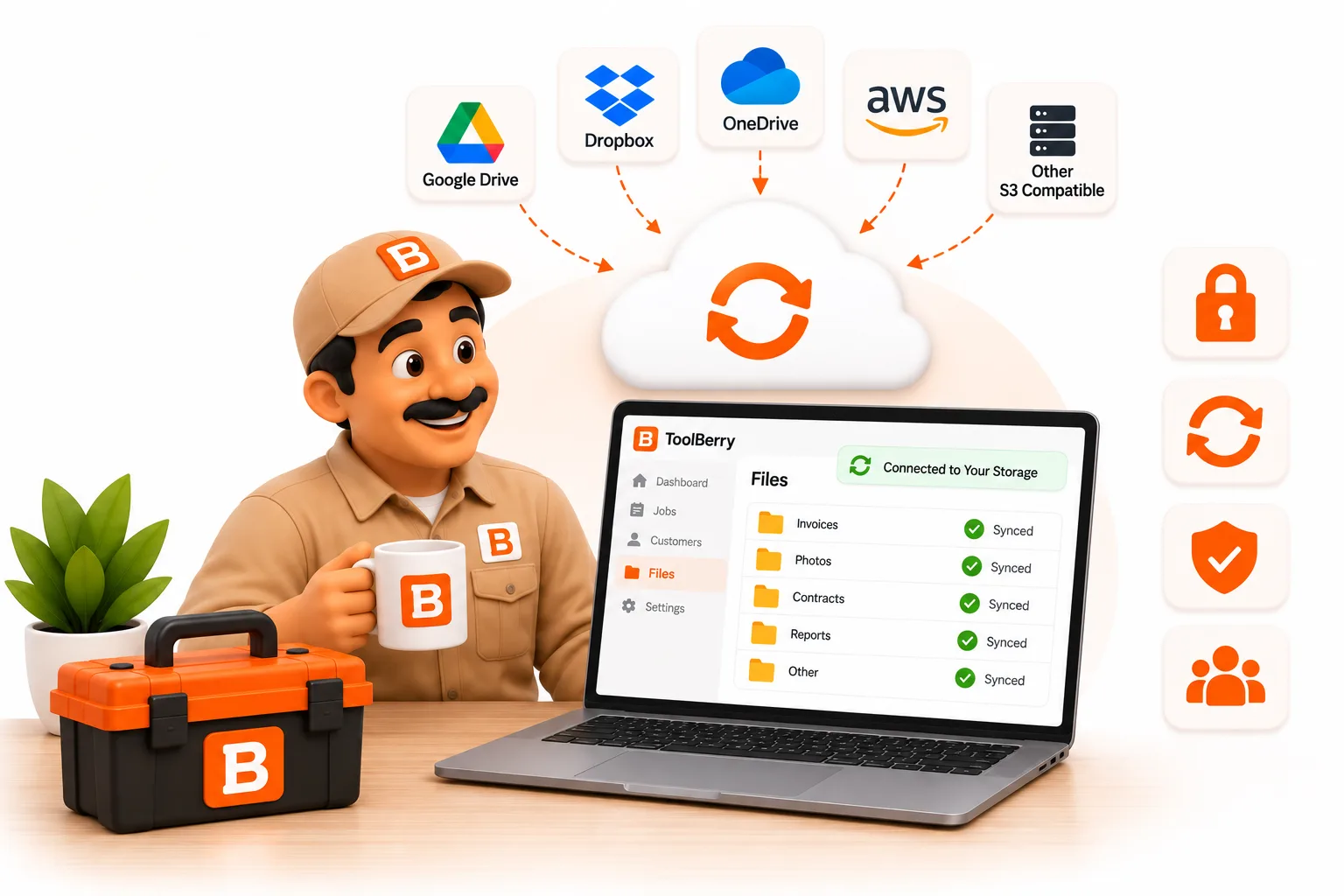
A maioria das aplicações permite-lhe utilizar a sua lista de clientes. Muito poucas permitem-lhe mantê-la. Eis a diferença e a razão pela qual isso é importante no dia em que cancelar a subscrição.
Publicado em setembro de 2026.
A resposta curta
«Bring-Your-Own-Storage» (BYOS) significa que os registos da sua empresa ficam no seu telemóvel e numa conta na nuvem que já possui, como o Dropbox, em vez de ficarem nos servidores da empresa de software. Se cancelar, mudar de aplicação ou se o fornecedor alterar os preços, a sua lista de clientes permanece onde está. Ninguém pode impedir-te de aceder aos teus próprios registos.
É essa a ideia. O resto deste artigo explica como isto funciona na prática, incluindo as suas limitações.
Quem é o dono da sua lista de clientes hoje em dia?
No papel, és tu. Na prática, quem detém a única cópia decide quando a podes ver.
Imagina que geres uma empresa de controlo de pragas com duas pessoas. Seis anos de clientes, registos de serviços, códigos de portões e notas do tipo «cão no quintal às terças-feiras». Tudo isso introduzido numa aplicação mensal.
Leia os termos de utilização desse aplicativo e, normalmente, encontrará duas frases lado a lado. Uma diz que os dados são seus. A outra diz o que acontece quando deixar de pagar.
Eis como duas das maiores aplicações de serviços no terreno o explicam, nas suas próprias palavras:
- Jobber: quando cancelar, após o fim do seu período de faturação, «perderá o acesso aos dados da sua conta, incluindo clientes, trabalhos, faturas e qualquer outra informação armazenada no Jobber.» (Centro de Ajuda do Jobber)
- Housecall Pro: os dados dos clientes «permanecerão propriedade do profissional». Os mesmos termos também dizem que «é da sua exclusiva responsabilidade compilar e manter registos permanentes de todas as transações e outros dados associados à sua conta.» (Termos do Housecall Pro, última modificação a 1 de julho de 2026)
Nenhuma destas condições é injusta. É simplesmente assim que o software na nuvem funciona. Os dados são da sua propriedade, mas estão alojados nos servidores deles, e cabe-lhe a si obter uma cópia, de acordo com o calendário deles.
Consegue realmente sair com os seus dados?
Em parte. A maioria das aplicações na nuvem permite-lhe exportar uma ou duas listas. Quase nenhuma lhe entrega todo o negócio num único ficheiro.
Consultámos as secções de ajuda para que não tenha de o fazer:
| O que pode exportar | Como | Quem pode fazê-lo | |
|---|---|---|---|
| Jobber | Clientes (CSV ou vCard), além de ficheiros CSV de relatórios, como faturas | Enviados por e-mail; os ficheiros CSV de clientes têm capacidade para até 1 500 linhas cada | Administradores, e apenas «em determinados planos» |
| Housecall Pro | Listas de clientes e trabalhos (CSV) | Enviadas por e-mail | Apenas administradores |
| ToolBerry | Toda a base de dados num único ficheiro, além de ficheiros CSV de qualquer tabela | Transferido diretamente para o seu dispositivo | Qualquer utilizador da aplicação gratuita; proprietários e administradores na versão Pro |
É nas fotos que as coisas se complicam mesmo. O Jobber só consegue compactar os anexos de uma nota «se esta contiver cinco ou mais anexos», uma nota de cada vez (Centro de Ajuda do Jobber). O artigo sobre exportação do Housecall Pro aborda clientes e trabalhos, mas não menciona de todo fotos ou faturas (Ajuda do Housecall Pro).
Por isso, «pode sair» significa normalmente «pode sair com uma folha de cálculo com nomes». O histórico de trabalhos e as fotos daquele aquecedor de água tendem a ficar para trás.
Por que é que isto importa se está satisfeito com a sua aplicação?
Porque o acordo pode mudar sem que faças nada.
Os preços do software seguem numa única direção. A Vertice, que acompanha as despesas em 16 000 fornecedores de software, descobriu que 73% dos fornecedores de SaaS aumentaram os preços em 2023, com a inflação do software a atingir os 8,7%, mais do dobro do índice de preços ao consumidor de 3,2% (CFO Dive, 14 de novembro de 2023).
As ferramentas de serviços no terreno não são exceção. A Jobber publicou um aviso a informar os clientes do plano Connect de que o seu preço aumentaria «na sua próxima data de faturação», citando «um aumento significativo nos nossos custos operacionais» (Jobber). Trata-se de uma decisão empresarial normal. Mas se a sua única cópia dos seus registos estiver dentro dessa aplicação, as suas opções são pagar o novo preço ou iniciar uma migração.
E, por vezes, a aplicação simplesmente deixa de funcionar. A 27 de dezembro de 2024, a Bench, um serviço de contabilidade que afirmava ter mais de 35 000 pequenas empresas americanas como clientes, encerrou as suas atividades quase sem aviso prévio. Foi dito aos clientes que poderiam descarregar os seus dados a partir de 30 de dezembro e que tinham até março de 2025 para o fazer, em plena época de declarações fiscais (TechCrunch). O Bench foi adquirido dias depois e voltou a funcionar, mas milhares de empresários passaram as férias a tentar descobrir se a sua contabilidade ainda existia.
Quando a única cópia se encontra no servidor de outra entidade, uma alteração de preço ou um encerramento de atividades torna-se uma emergência para si.
O que é que o BYOS muda?
Com a aplicação gratuita da ToolBerry, as duas cópias do seu negócio ficam em locais que controla: o seu telemóvel e o seu próprio Dropbox.
Eis como isso se traduz no dia a dia. Verificámos cada um destes pontos junto da própria aplicação antes de escrever este artigo:
- O teu telemóvel contém a base de dados real. Não é uma cache à espera de comunicar com um servidor. O ToolBerry funciona na íntegra sem necessidade de uma conta, e os teus registos nunca vão para os nossos servidores, a menos que inicies sessão na versão Pro.
- O seu Dropbox armazena a cópia de segurança. O ToolBerry utiliza uma «Pasta de Aplicações» do Dropbox: uma pasta dentro do seu Dropbox onde a aplicação «tem acesso de leitura e escrita apenas a esta pasta» (Guia do Desenvolvedor do Dropbox). Não consegue ver as suas faturas, fotografias ou qualquer outra coisa que guarde lá.
- As fotos e os ficheiros também são incluídos. As fotos dos trabalhos e os anexos são copiados para a mesma pasta, não apenas a lista de clientes.
- Desligar a ligação não apaga nada. Desligue a ligação ao Dropbox, ou até mesmo redefina o aplicativo para as predefinições de fábrica, e os seus ficheiros de cópia de segurança permanecem no seu Dropbox.
- Num telemóvel novo, recupera-se tudo. Instale o ToolBerry, selecione «Importar do Dropbox» e o seu negócio volta ao normal.
- Tem mais do que um ponto de restauração. O ToolBerry guarda os três instantâneos mais recentes da sua base de dados, cada um com um botão «Restaurar».
- Podes fazer cópias de segurança sempre que quiseres. A sincronização ocorre automaticamente e existe um botão «Sincronizar» na página «Armazenamento» para quando quiseres fazê-lo imediatamente.
E a parte que a maioria das aplicações não consegue igualar: podes levar tudo contigo.
- «Definições» → «Avançado» → «Descarregar cópia de segurança» guarda toda a sua base de dados como um único ficheiro no seu dispositivo.
- Cada tabela tem a opção «Exportar para CSV» (clientes, trabalhos, locais, o que quer que estejas a ver) para abrir numa folha de cálculo.
A integração é igualmente importante, e existem duas formas de o fazer.
- A versão Pro integra-se nos sistemas que já utiliza. Os espaços de trabalho pagos beneficiam de integrações conectadas, em que o ToolBerry e outro sistema mantêm registos correspondentes apontados um para o outro, em vez de trocarem um ficheiro uma única vez. O QuickBooks é o primeiro a estar integrado. Trata-se de um mecanismo diferente, com as suas próprias vantagens e desvantagens, pelo que merece um artigo próprio em vez de um parágrafo aqui.
- A aplicação gratuita também tem a sua forma de acesso. As integrações são uma funcionalidade da versão Pro, e não queríamos que isso fizesse com que a aplicação gratuita fosse aquela em que tivesses de introduzir tudo manualmente. Por isso, a importação CSV está disponível para todos: até 1 000 linhas por ficheiro, e mostra-lhe exatamente o que será importado antes de qualquer coisa ser guardada. Mudar de outra aplicação não significa ter de voltar a introduzir 800 clientes. Mais informações sobre isso em «Importação CSV: Pode transferir os seus clientes do Jobber ou do Excel para o ToolBerry?»
Não precisamos de manter os seus dados como reféns, porque não os guardamos. É também por isso que podemos oferecer a aplicação gratuitamente. A versão mais longa dessa história, incluindo o que acontece se a empresa ToolBerry desaparecer, encontra-se em «O ToolBerry é realmente gratuito para sempre?»
Quem paga pelo armazenamento?
És tu, mas provavelmente já o estás a fazer, e é provável que seja gratuito.
As aplicações na nuvem incluem o armazenamento e as cópias de segurança na mensalidade. Paga por isso quer utilize 50 megabytes ou 5 gigabytes, e deixa de ter acesso nesse serviço no dia em que deixar de pagar.
Com o BYOS, os teus registos ocupam espaço no teu próprio Dropbox. O Dropbox Basic é gratuito e «oferece 2 GB de espaço» (Ajuda do Dropbox). Os registos de clientes e as notas de trabalho ocupam muito pouco espaço. São as fotografias que ocupam a maior parte do espaço; por isso, se tirares muitas fotografias de «antes e depois», fica atento e atualiza o teu Dropbox quando for necessário. Essa fatura é paga à Dropbox, pelo armazenamento que manténs de qualquer forma.
Conclusão prática: ninguém te está a cobrar um plano premium para guardares o teu próprio histórico.
A sincronização BYOS é suficiente para uma equipa?
Para uma a três pessoas que trabalham em estreita colaboração, normalmente sim. Para mais do que isso, começa a tornar-se complicado.
A sincronização BYOS consegue manter uma pequena equipa em sintonia. O proprietário liga o Dropbox, ativa a opção «Partilhado para vários utilizadores» e convida cada pessoa através de um link; os colaboradores não precisam de uma conta nem de um Dropbox próprio. Cada dispositivo recolta as alterações quando a aplicação é aberta, quando regressas à mesma e a cada 10 minutos enquanto estiver em execução. Explicamos a configuração do Dropbox no artigo «Os teus dados, o teu Dropbox: como funciona o Bring-Your-Own-Storage da ToolBerry».
O que o sistema não foi concebido para fazer é permitir que várias pessoas editem a mesma tarefa ao mesmo tempo. Quando dois dispositivos alteram o mesmo registo, prevalece a alteração mais recente em cada registo. Para uma equipa em que uma pessoa conclui uma tarefa e outra a retoma mais tarde, isso não constitui um problema. Para um coordenador e cinco técnicos que alteram ordens de trabalho o dia inteiro, já não é.
É aí que entra «Free vs Pro: A história da ToolBerry e para que serve cada plano», com sincronização em tempo real e funções e permissões específicas por pessoa. A contrapartida é que a sincronização Pro armazena os seus dados nos nossos servidores, e somos transparentes sobre o que isso significa em «Quem vê realmente a sua lista de clientes? Um olhar honesto sobre a privacidade no ToolBerry»
As vantagens e desvantagens honestas
Ser dono dos seus dados é uma vantagem real. Mas também acarreta uma responsabilidade real.
- Ninguém faz o teu backup se tu não o fizeres. Na aplicação gratuita, se nunca ligares o Dropbox e perderes o teu telemóvel, os teus registos desaparecem com ele. É o mesmo que um caderno de papel num incêndio num camião.
- A sua conta do Dropbox é agora o cofre. Se alguém aceder a ela, acede à sua cópia de segurança. Ative a verificação em duas etapas no Dropbox. Demora apenas alguns minutos.
- A encriptação abrange a base de dados, não as fotografias. Quando ativas a encriptação, o ToolBerry bloqueia o backup da tua base de dados com uma frase-passe antes de esta sair do teu telemóvel. As fotografias de trabalhos e os anexos são armazenados no teu Dropbox sem esse bloqueio adicional. Guarda a tua frase-passe num local seguro; não podemos recuperá-la.
- O backup é uma base de dados, não uma folha de cálculo. Um ficheiro de backup não encriptado pode ser aberto com ferramentas SQLite gratuitas, mas não é algo que se possa visualizar no Excel. Para folhas de cálculo, utilize a opção «Exportar para CSV».
- Atualmente, o Dropbox é a única opção disponível. O Google Drive, o OneDrive e o iCloud ainda não são suportados. Se a sua empresa utiliza uma nuvem diferente, diga-nos qual.
- A versão mais segura é a aplicação gratuita. No momento em que iniciar sessão na versão Pro e ativar a sincronização de equipa, os seus dados também ficam armazenados nos nossos servidores. Continuam a ser exportáveis e continuam a ser seus, mas já não se encontram apenas em locais que controla.
- Na versão Pro, o Dropbox passa a funcionar num único sentido. Os proprietários e administradores ainda podem ligar o Dropbox e enviar cópias de segurança. A restauração a partir de um instantâneo do Dropbox e o carregamento de um ficheiro de cópia de segurança de volta para a aplicação continuam a ser funcionalidades da versão gratuita: importar uma cópia antiga para um espaço de trabalho que a tua equipa esteja a sincronizar em tempo real criaria uma ramificação. Por isso, na versão Pro, pensa no Dropbox como a tua cópia externa e na sincronização Pro como o que permite que um telemóvel novo comece a funcionar.
Como assumir o controlo dos teus dados esta semana
Não precisas de um técnico de TI. São cinco passos, que demoram cerca de meia hora.
- Liga o Dropbox no ToolBerry. Definições → Avançado → Armazenamento e, em seguida, «Ligar». Esta é a tua cópia fora do telemóvel.
- Ativa a verificação em duas etapas no Dropbox. A segurança do teu backup depende da segurança desse login.
- Faz o download de um backup completo uma vez por mês. Definições → Avançado → Descarregar Backup e, em seguida, guarda o ficheiro num local diferente do teu telemóvel: um portátil, uma pen USB, uma segunda nuvem.
- Se estiver a utilizar outra aplicação, faça a exportação antes de ser necessário. Recupere os ficheiros CSV dos seus clientes e trabalhos enquanto a sua conta ainda estiver ativa, não depois de a cancelar.
- Verifique o que perderia. Abra a página de exportação da sua aplicação atual e procure as fotografias e o histórico de trabalhos. Se não estiverem lá, agora já sabe.
Tem alguma dúvida sobre isto ou acha que cometemos algum erro? Envie-nos um e-mail para contact@toolberry.net. O ToolBerry é uma aplicação gratuita de gestão de serviços no terreno, com prioridade ao modo offline, destinada a pequenas empresas do setor dos serviços.
Para os curiosos em termos técnicos
O que está na pasta do Dropbox. O ToolBerry grava na sua pasta de aplicações em default/v{n}/. No seu interior encontra-se um manifest.json com metadados de versão, uma db/ pasta que contém instantâneos da base de dados e uma files/ pasta para anexos. Cada instantâneo é uma base de dados SQLite comprimida com gzip. Se não estiver encriptada, pode descomprimir e abri-la em qualquer visualizador de SQLite.
Encriptação. Quando ativada para um conjunto de cópias de segurança, a instantânea da base de dados é encriptada no dispositivo com AES-256-GCM, utilizando uma chave derivada da frase-passe com PBKDF2-SHA256. A frase-passe nunca é enviada para o nosso servidor. Os anexos e o manifesto não são encriptados.
Frequência de sincronização. A aplicação sincroniza-se ao ser iniciada, quando a aplicação ou o separador do navegador volta a ficar em foco e a cada 10 minutos enquanto estiver em execução. Em dispositivos móveis, também envia as alterações quando a aplicação passa para o segundo plano. A sincronização é ignorada quando não há alterações locais e a cópia remota não sofreu alterações.
Pontos de restauração. Cada conjunto de cópias de segurança mantém os seus três instantâneos mais recentes da base de dados e elimina os mais antigos. Também é possível iniciar um novo conjunto de cópias de segurança e alternar entre conjuntos.
Gestão de conflitos. Ao fazer o pull, o ToolBerry funde as linhas alteradas desde a última sincronização. Para cada linha, prevalece a cópia com o updatedAt carece prevalece. A fusão ocorre ao nível da linha, não ao nível do campo, e os carimbos de data/hora provêm dos relógios dos dispositivos; por isso, mantenha os relógios dos seus dispositivos na configuração automática.
Exportação. A opção «Descarregar cópia de segurança» grava o ficheiro SQLite em formato bruto. A exportação para CSV funciona por tabela e respeita os filtros atuais.
Leitura adicional
- Os seus dados, o seu Dropbox: Como funciona o «Bring-Your-Own-Storage» do ToolBerry: configurar o backup e a sincronização do Dropbox, passo a passo
- O ToolBerry é mesmo gratuito para sempre?: o que acontece à sua aplicação e aos seus dados se o ToolBerry deixar de existir
- Quem é que realmente vê a sua lista de clientes? Um olhar honesto sobre a privacidade na ToolBerry: o que é que sai exatamente do seu dispositivo e quando
- A violação deles, a sua carta: por que é que proteger os dados dos clientes é tão difícil para uma pequena empresa de serviços: porque é que as violações dos fornecedores se tornam o seu problema
- Gratuito vs. Pro: a história do ToolBerry e para que serve cada plano: onde termina a sincronização BYOS e começa o plano Pro
- Guia do programador do Dropbox: permissão da pasta da aplicação
- Software «local-first»: os teus dados pertencem-te, apesar da nuvem (Ink & Switch)