
Stop typing the same job details three times.
ToolBerry is a work order and job management app for field crews. Each job holds the site, the customer, the job type, the instructions, the crew and the time. A new job takes three short steps on a phone. Jobs move from draft to scheduled, in progress, completed and closed with one tap, with their checklists, photos and comments.
Vous êtes sur un ordinateur ? Scannez le code avec votre téléphone pour télécharger l'application.
Pas de compte ni de carte bancaire. Fonctionne hors ligne.
Fonctionnement
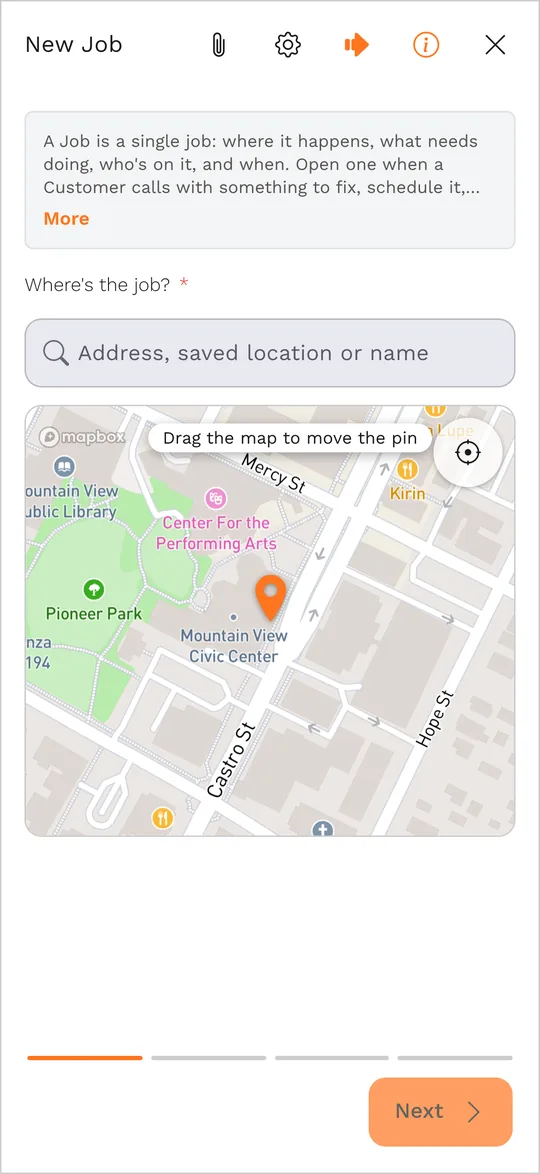
Create the job
Pick the site, then the type and details, then when and who.
The crew works it
The crew opens the job on their phone and works through it.
Close it out
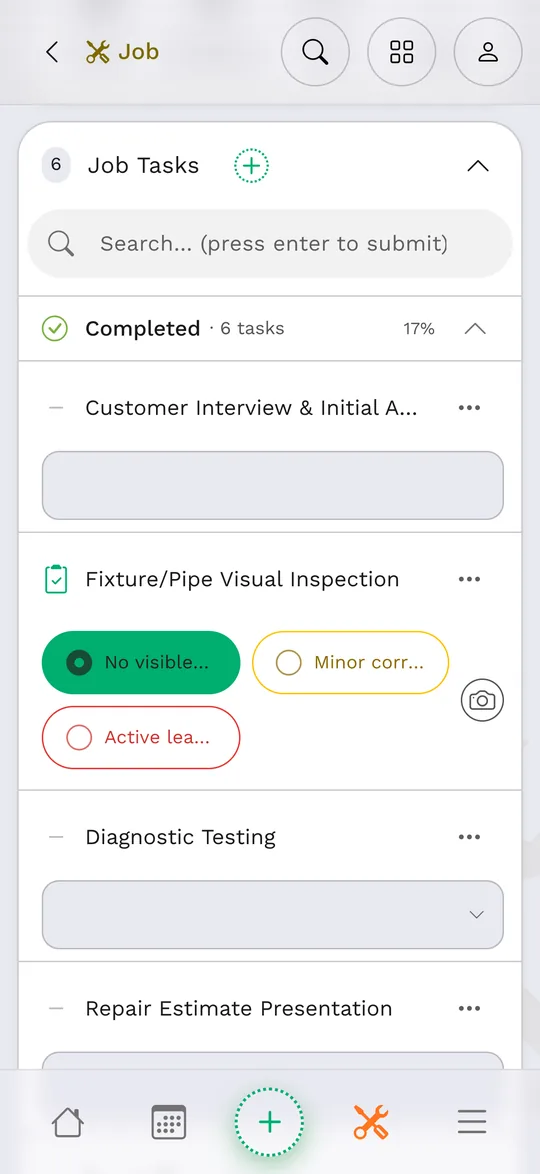
Tap Complete: finish the checklist, write a summary, get the customer's signature, and start the invoice and the timesheets.
Autres fonctionnalités
- Comments with photos and files on the job.
- Recurring jobs for regular work.
- A PDF report saved on every completed job.
Free, Crew and Pro
Ce que comprend chaque formule, d'après notre liste de fonctionnalités.
| Fonctionnalité | Gratuit | Équipe | Pro |
|---|---|---|---|
| Interventions | Included | Les interventions sont transmises sur les téléphones des équipes en quelques secondes | Les interventions sont transmises sur les téléphones des équipes en quelques secondes |
| Création d'une intervention étape par étape | Included | Included | Included |
| Étapes d'une intervention | Included | Included | Included |
| Clôture d'une intervention | Included | Included | Included |
| Signatures | Included | Included | Included |
On ToolBerry Pro, new jobs reach the crew's phones in seconds. Ordres de travail
Pour votre secteur d'activité
Fonctionnalités associées
Questions
What is the difference between a job and a work order?
In ToolBerry there is none. The app calls them jobs.
Can my crew see their jobs on their own phones?
Yes, on both plans.
Can I get a signature when the job is done?
Yes. The customer signs on the phone, and the signature is saved on the job.
Can I use it offline?
Yes. Everything saves on the phone and syncs later.
Chaque intervention, du début à la fin, sur un seul écran.
Vous êtes sur un ordinateur ? Scannez le code avec votre téléphone pour télécharger l'application.
Pas de compte ni de carte bancaire. Fonctionne hors ligne.