
Description
Every job comes with a checklist, called Job Tasks. Your crew ticks items off right on the job, and can add a note or photo to any item. The checklist comes from the job type, so each kind of job gets the steps that fit it.
How to use it
- Open a job and scroll to Job Tasks. Tasks are grouped by stage, like In Progress and Completed, each with its own progress bar.
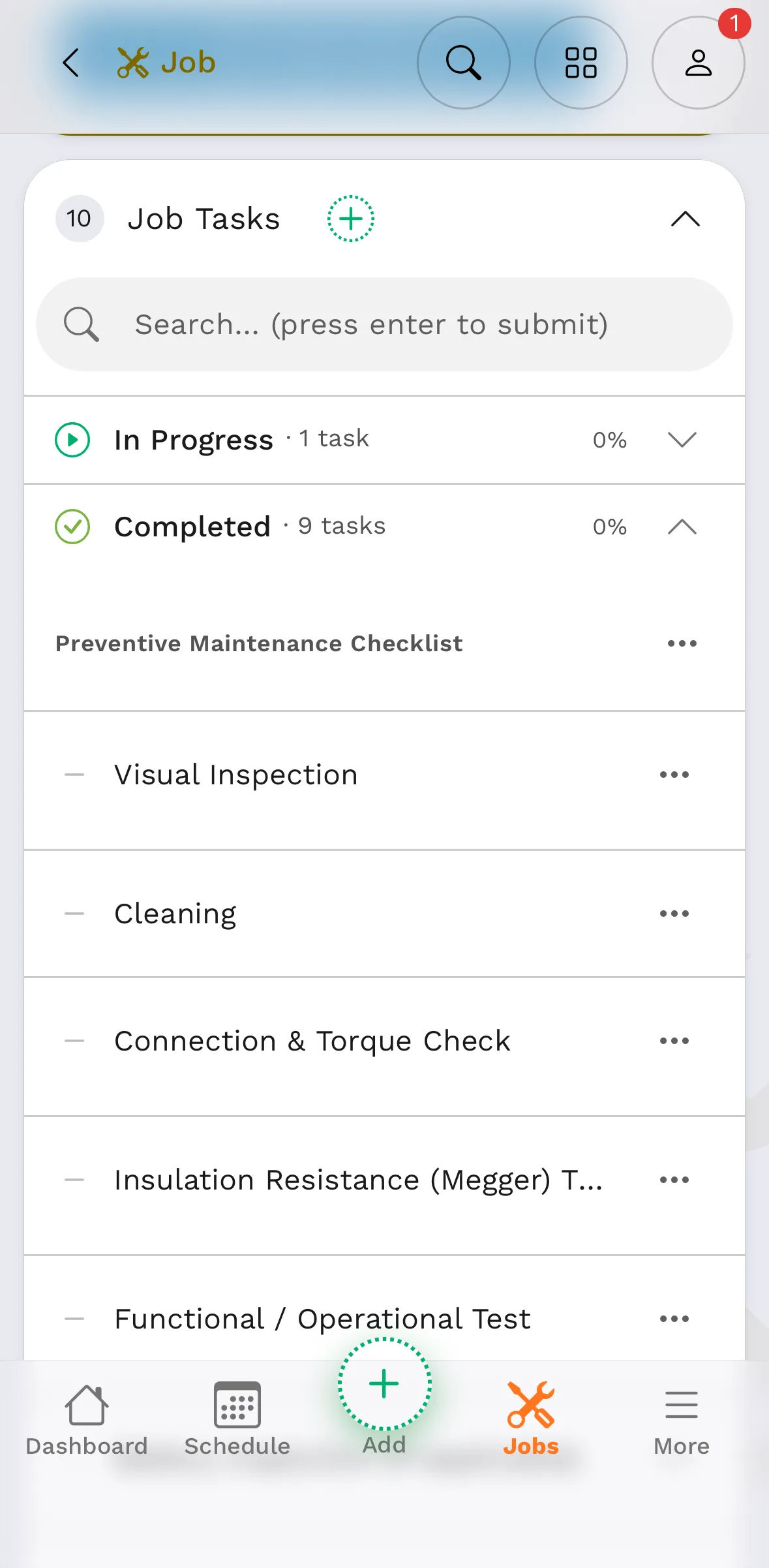
- Tick the box next to a task when it's done.
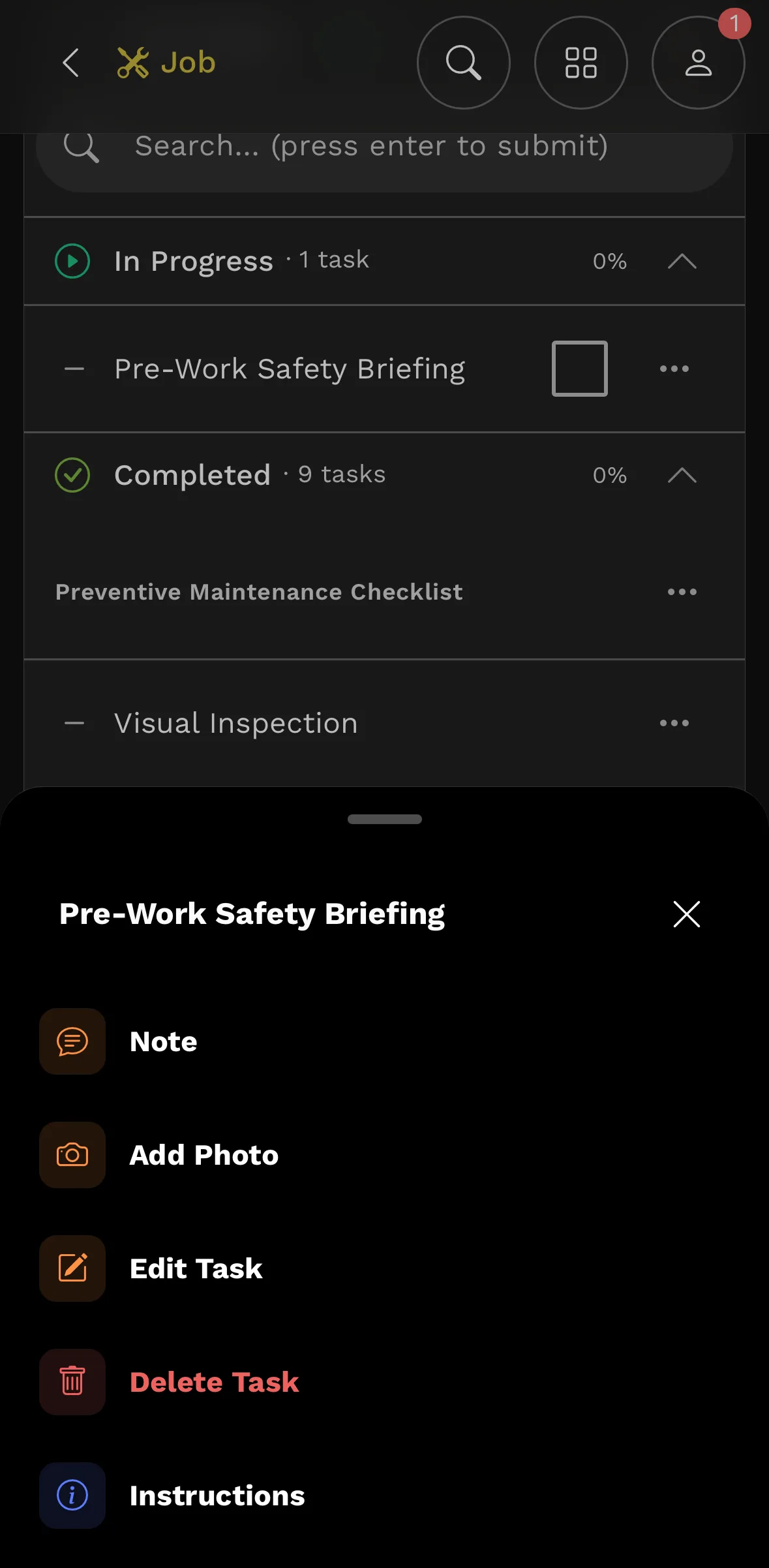
- Tap ⋯ on a task to add a Note, Add Photo, see the Instructions, or Edit Task / Delete Task. Note and Add Photo only show on tasks in the job's current stage (the ones with a checkbox).
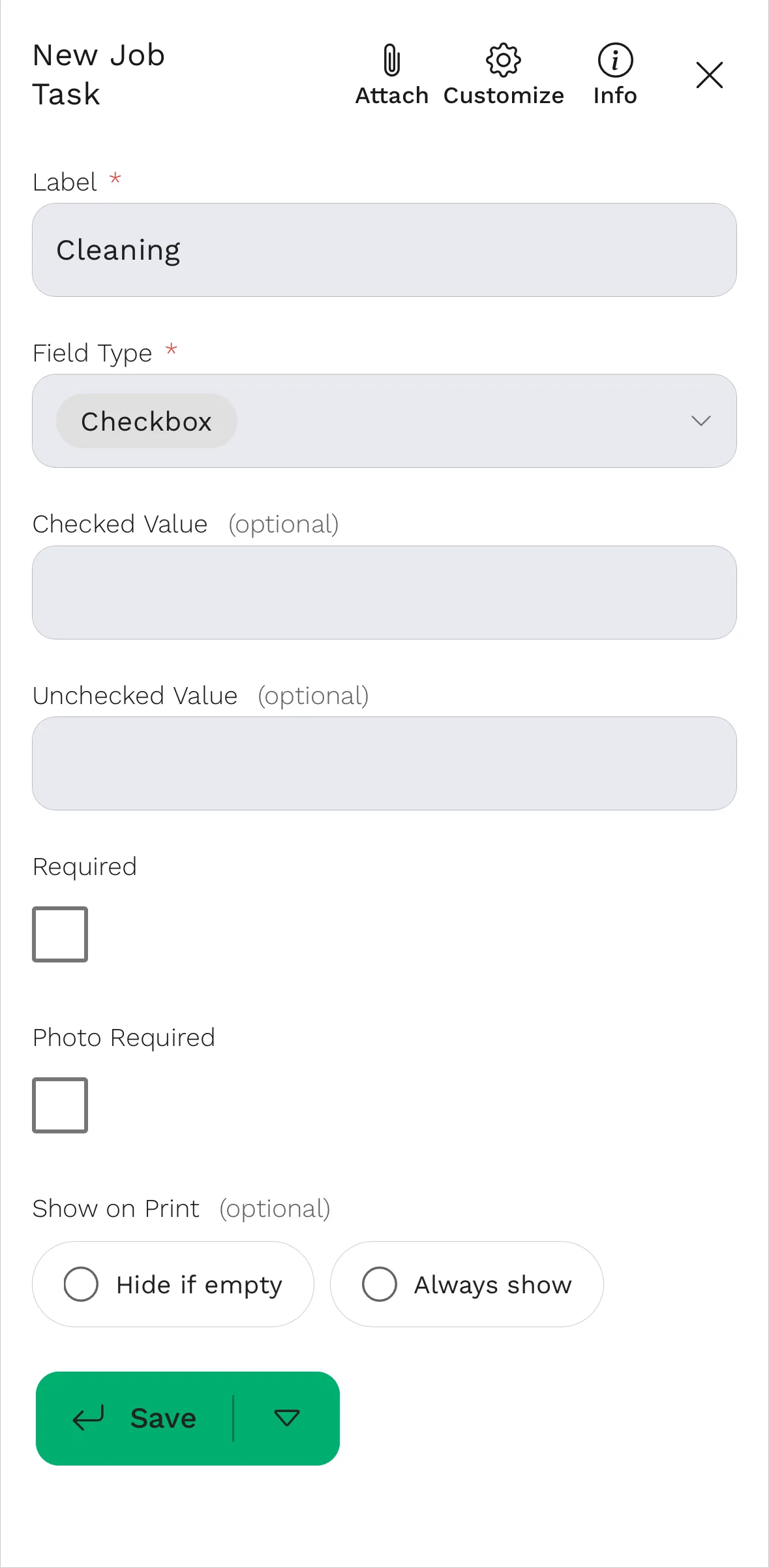
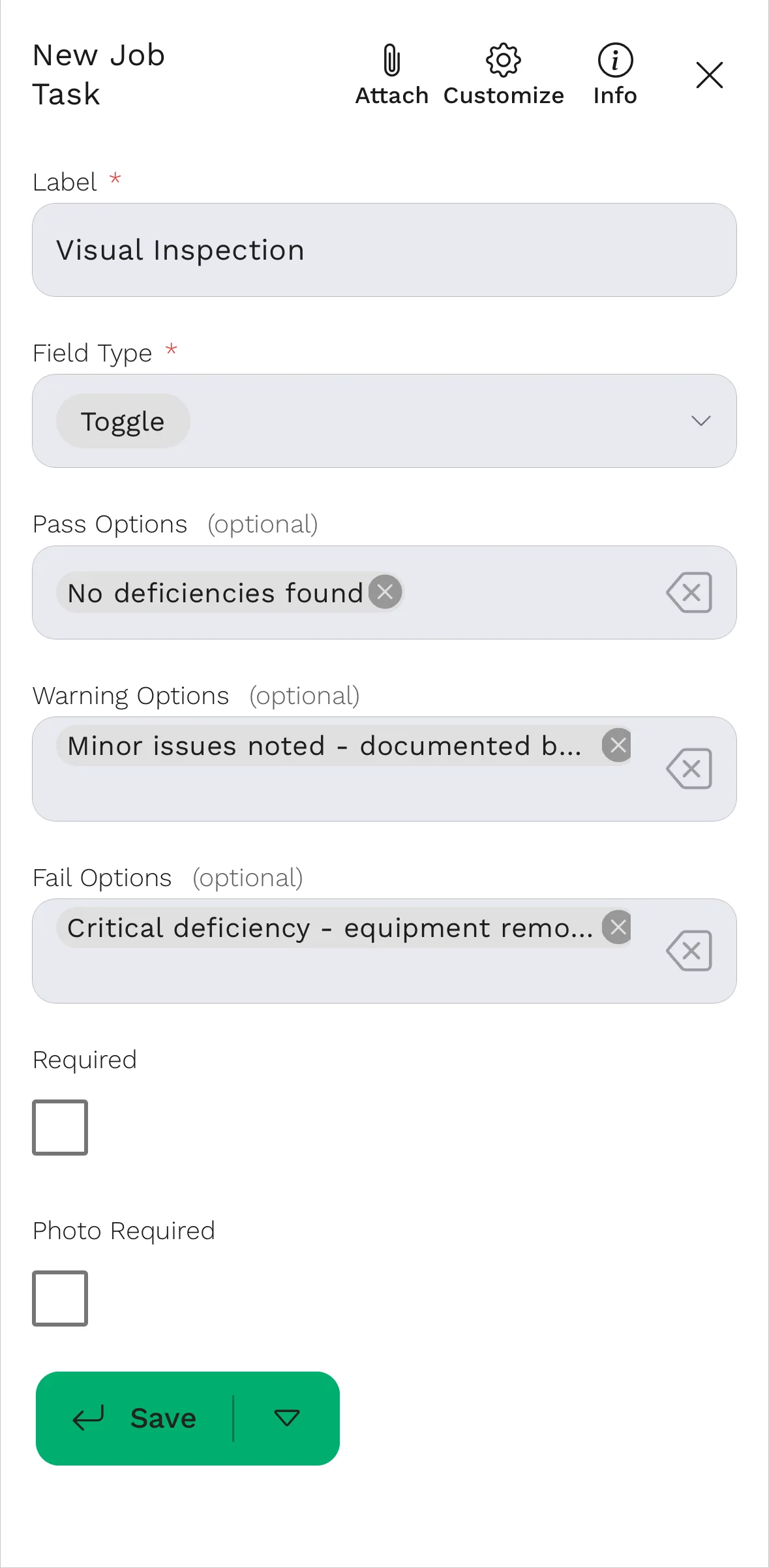
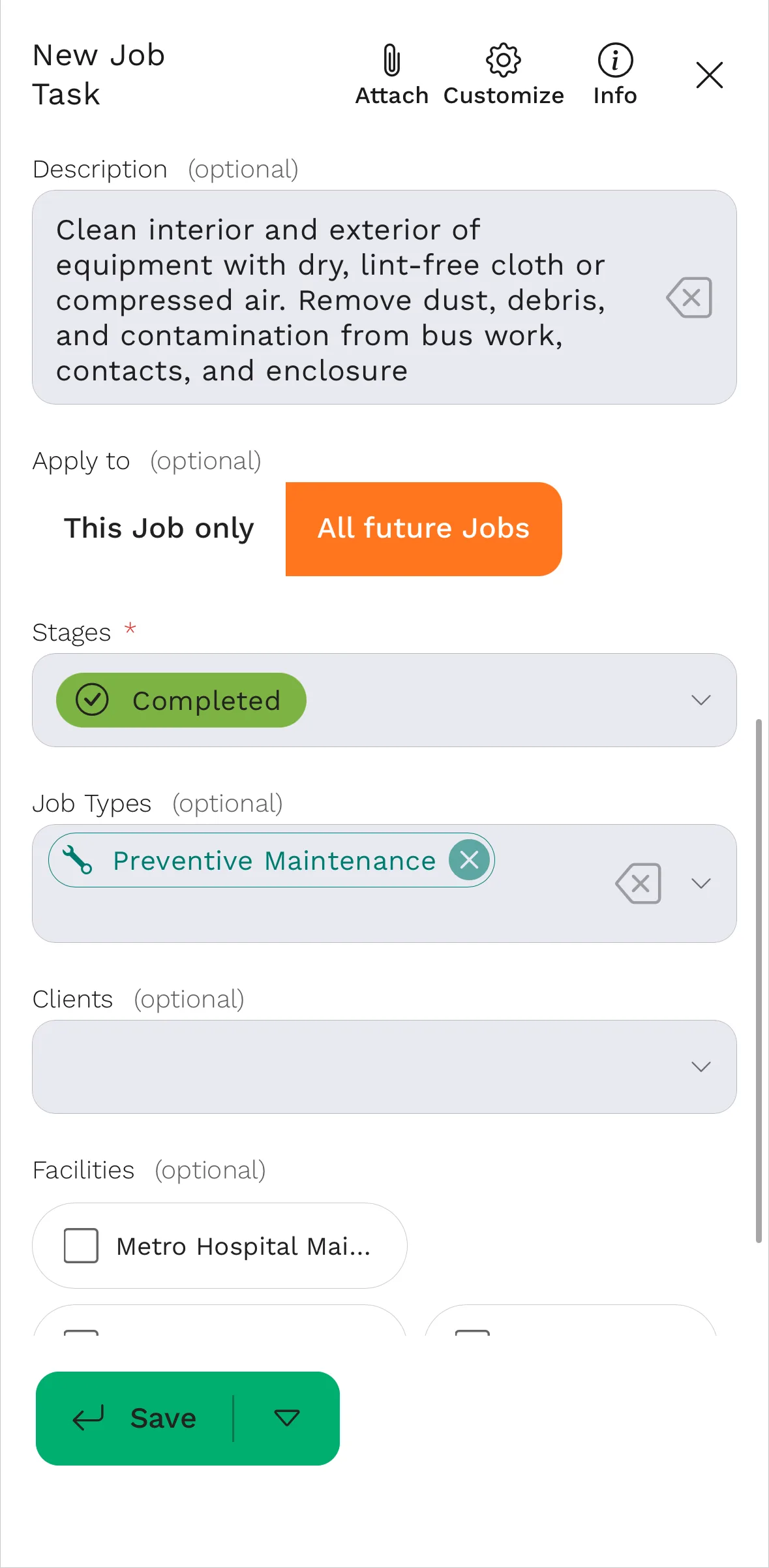
- To add a task, tap + next to Job Tasks. Give it a Label and pick a Field Type: Checkbox, Toggle, Text, Text Area, Number, Dropdown, File, Photo or Legend. A Toggle gives your crew Pass, Warning and Fail answers you write yourself.
- Turn on Required or Photo Required if it can't be skipped, and pick the Stage it belongs to.
- Under Apply to, pick This Job only, or All future Jobs to add it to the checklist for this job type. You can narrow it down by Job Types, Clients or Sites.
- Tap Save & Return.
Good to know
- Use Legend to add a heading or section label inside a checklist.
- Show on Print decides if a task shows on the job PDF: Hide if empty, Always show, or Hide.
- Heads up: All future Jobs also adds the task to jobs of that type you already have, even completed ones. If you only want it on this job, pick This Job only.
- Required tasks have to be done before the job can move on. For example, a required In Progress task shows up when you tap Start Work, and you can't start until it's ticked.
- Checklists are free and work offline.
- When you tap Start Work or Complete, ToolBerry shows that stage's tasks so you can tick them off right there.
- For crew: open your job, tap Start Work, then work down the list.