
Por qué toda plataforma de servicios sobre el terreno necesita una buena aplicación móvil
Todas las plataformas de trabajo sobre el terreno funcionan de maravilla en un portátil. La prueba de fuego es si siguen funcionando en un sótano.
Actualizado 23 de julio de 2026
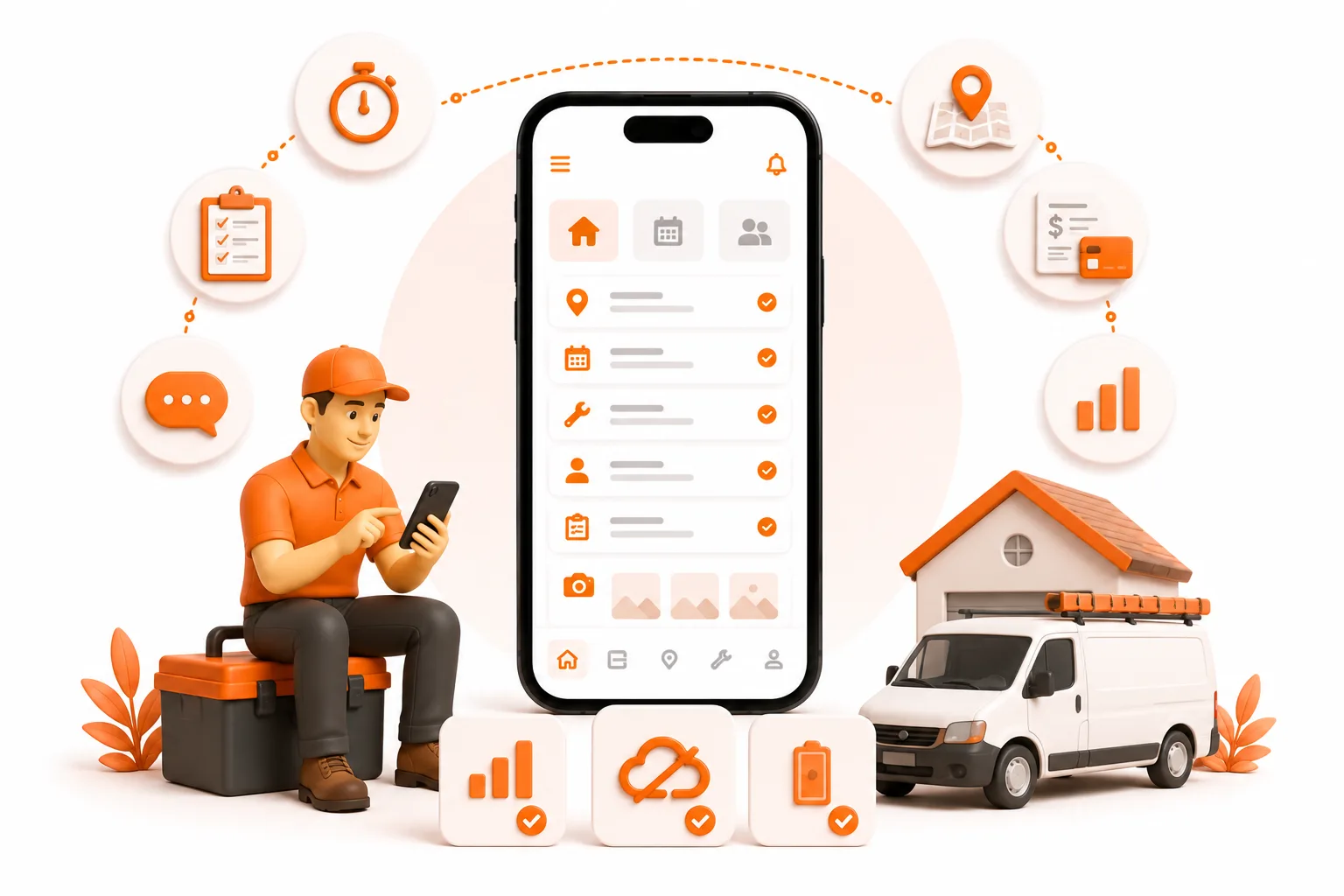
Todas las plataformas de trabajo de campo funcionan de maravilla en un portátil. La prueba de fuego es si siguen funcionando en un sótano.
La respuesta breve
El éxito o el fracaso de una plataforma de servicios de campo depende de su aplicación móvil, porque es en el móvil donde se realiza el trabajo. Una buena aplicación funciona completamente sin conexión, hace todo lo que hace la versión de escritorio (no solo «ver»), guarda fotos y notas en el instante en que tocas la pantalla y no necesita una cuenta para empezar. Alrededor del 94 % de los usuarios de software de servicios de campo son empresas con entre 1 y 50 empleados (estadísticas de Field Service Software, 2025): una furgoneta y un teléfono, no una oficina administrativa. Si la aplicación se complica para los técnicos sobre el terreno, toda la plataforma acaba abandonada.
Te presentamos a Ray
Ray regenta un taller eléctrico con dos empleados a las afueras de Phoenix: actualizaciones de cuadros eléctricos, llamadas de servicio y instalaciones preliminares en obras nuevas. El año pasado dejó de usar el portapapeles y se pasó a una conocida plataforma de servicios de campo. La demostración funcionó de maravilla en el portátil de la oficina. Ese era el problema: toda la presentación se realizó en un escritorio, y Ray no trabaja en un escritorio.
Las obras de nueva construcción son, por su propia naturaleza, zonas sin cobertura: montantes de acero, sin placas de yeso, una sala de máquinas en medio de una losa. Ray abre la aplicación para consultar el cálculo de carga y las notas sobre los permisos que había escrito la noche anterior, y le aparece un icono giratorio, seguido de una pantalla gris que dice «estás sin conexión». Así que sale a la carretera en busca de dos barras de cobertura, hace capturas de pantalla de sus propias notas y vuelve a entrar. En cada visita.
Las fotos eran aún peores. Fotografía cada panel terminado -etiquetado de interruptores, puesta a tierra, conexión a masa- para el inspector y para su propia protección. Una vez, tras un día entero en una obra sin cobertura, todo un lote simplemente no estaba allí cuando llegó a casa. Se había pasado el día creando un registro que, en realidad, no existía.
Ray no pide nada del otro mundo. Necesita que la aplicación funcione allí donde trabaja. Pero la plataforma se diseñó para la oficina y asignó al teléfono un papel secundario; y sobre el terreno, ese papel secundario es todo el trabajo.
¿Por qué es la aplicación móvil la parte más importante de una plataforma de servicio de campo?
Porque, para la persona que realiza el trabajo, la aplicación móvil es la plataforma. En la oficina se abre el panel de control unas cuantas veces al día. El técnico está con el teléfono en cada parada: comprobando el trabajo, registrando lo que se ha hecho, haciendo fotos, preparando la factura en la entrada de la casa.
Hacer esto bien supone un beneficio económico real. Alrededor del 97 % de los contratistas especializados siguen utilizando hojas de trabajo en papel (Clearstory, 2025). La herramienta que finalmente consiga que un operario que utiliza un portapapeles pase al software no tendrá el mejor panel de control de oficina, sino que contará con una aplicación tan fácil de usar en la furgoneta que supere al portátil.
Y lo que se acaba utilizando es una aplicación móvil adaptada al trabajo de campo. Cuando la aplicación se complica -cargadores que se cuelgan en el sótano, fotos que desaparecen, una tarea que «hay que hacer en el ordenador»-, dejan de confiar en ella y vuelven al cuaderno. Cuando simplemente funciona allí donde están, la rellenan en el momento, porque es la forma más rápida de cerrar el trabajo. Esa es la diferencia entre el software que utiliza tu equipo y el software que tu equipo tiene que sortear.
La mayoría de las plataformas se desarrollan primero para ordenador de sobremesa, porque ahí es donde se sienta el comprador durante la demostración. La aplicación móvil llega después, con menos funcionalidades. Ese orden es al revés.
¿Qué hace que una aplicación móvil para servicios de campo sea realmente buena?
Seis cosas. No treinta.
- Funciona sin señal -de verdad, no «en caché»-. El trabajo de campo se realiza en sótanos, cámaras frigoríficas y terrenos rurales. La FCC contabiliza más de 14 millones de ubicaciones en EE. UU. sin cobertura 5G en los vehículos, y un informe anterior reveló que aproximadamente el 11 % de las millas de carretera carecían por completo de 4G LTE. Una caché de solo lectura que te permite ver un trabajo, pero no crearlo ni editarlo, no es «sin conexión»: es una mera apariencia.
- Hace todo lo que hace el ordenador de sobremesa. Crear un cliente, gestionar un trabajo de principio a fin, generar una factura: todo desde el teléfono. En el momento en que te dice «tendrás que hacer esa parte en el ordenador», se convierte en un visor, no en una aplicación de campo.
- Guarda los datos en el instante en que pulsas. El momento más peligroso no es estar completamente sin conexión, sino esa situación inestable de una sola barra de cobertura, en la que una aplicación en la nube puede guardar tu nota o, silenciosamente, no hacerlo. Cada cambio debería reflejarse en el dispositivo en el momento en que lo realizas.
- Es rápida y está diseñada para el pulgar. Tus propios datos deberían aparecer al instante, sin el icono giratorio de carga. Botones grandes, pocos toques; se maneja con una sola mano bajo el sol, incluso con un guante a medio poner.
- No agota la batería. La comunicación constante con el servidor -solicitudes de datos, señales de GPS cada pocos segundos- agota la batería que necesitas a las 4 de la tarde. El consumo excesivo de batería es una de las quejas más habituales contra las plataformas más pesadas.
- Te permite empezar sin complicaciones. Sin correo electrónico, sin contraseña, sin asistente de configuración antes de tu primer trabajo. La cantidad de herramientas que se abandonan en la pantalla de registro es abrumadora.
¿Cómo se comparan las aplicaciones de servicio de campo en el móvil?
A continuación te mostramos cómo gestionan los dispositivos móviles las aplicaciones más conocidas del sector, además de ToolBerry. La mayoría cuenta ya con aplicaciones funcionales; las diferencias están en los detalles y en lo que sigue causando problemas a los técnicos cuando se pierde la señal.
| Aplicación | Valoración móvil | El inconveniente | Ideal para |
|---|---|---|---|
| Jobber | ~4,8 en iOS / 4,7 en Android | En modo sin conexión solo se puede consultar: almacena en caché los trabajos recientes para que puedas ver los detalles y las notas, pero no puedes crear un presupuesto, capturar una firma ni actualizar el estado del trabajo (Field Service Guide). La generación de informes también solo está disponible en el ordenador. | Talleres consolidados que buscan una comunicación sólida con los clientes |
| Housecall Pro | ~4,5 en iOS / 3,2 en Android | Funciona muy bien en iPhone; las reseñas de Android señalan fallos y problemas con los pagos. El GPS se actualiza cada pocos minutos, no en tiempo real. | Trabajos residenciales, equipos con iPhone |
| ServiceTitan | ~3,4 en Android | Potente pero pesado: fallos durante el trabajo, consumo excesivo de batería, fotos que no se suben; a unos 245–398 $/técnico/mes más la configuración. | Más de 20 equipos técnicos con una oficina que los respalda |
| FieldPulse | ~4,5 | Verdaderamente orientado a dispositivos móviles y muy bien valorado. Es de pago (unos 99 $ o más al mes) y está dirigido a equipos en expansión. | Equipos que han superado las funciones básicas |
| ToolBerry | 5,0 iOS / 5,0 Android | Gratuito y totalmente sin conexión: crea, edita y factura sin necesidad de señal, con pagos con tarjeta desde la propia aplicación y sincronización en tiempo real del equipo en ToolBerry Pro. | Autónomos y equipos pequeños |
Ninguno de estos productos es malo; están diseñados para empresas de distintos tamaños. Pero fíjate en el patrón común a las cuatro plataformas consolidadas: su aplicación móvil es la parte en la que más han tenido que esforzarse para mejorarla. No es casualidad. Todas se desarrollaron pensando primero en la nube: los datos reales residen en un servidor y la aplicación del teléfono no es más que una ventana a ellos. Esa ventana se apaga en cuanto se pierde la señal.
ToolBerry está diseñada al revés. Tus datos residen en el propio teléfono, por lo que la aplicación no necesita señal para funcionar. El modo sin conexión no es una característica que hayamos añadido a posteriori: es la base sobre la que se asienta toda la aplicación. Esa es la ventaja, y de eso trata el resto de esta entrada.
Para ser justos: la versión 5.0 de ToolBerry se basa en un número reducido de reseñas iniciales -unas doce- frente a las miles de las aplicaciones ya consolidadas, así que tenlo en cuenta a la hora de valorar la información.
¿Por qué es tan difícil añadir una buena aplicación móvil a posteriori?
Porque «funcionar bien en el móvil» no es una pantalla que se diseña, sino una decisión de arquitectura que se toma desde el principio… o no se toma.
La mayoría de las plataformas mantienen la fuente de información en la nube. La aplicación móvil es un cliente ligero que solicita tus datos al servidor y te devuelve los cambios. Eso funciona con la red Wi-Fi de la oficina, pero se viene abajo en una zona sin cobertura, porque la aplicación nunca se diseñó para almacenar tus datos, sino solo para mostrarlos. Hacer que funcione sin conexión implica rediseñarla en torno al dispositivo. El modo sin conexión de Jobber lo dice todo: tras años de funcionamiento, sigue limitándose a mostrar los trabajos almacenados en caché; no puedes crear uno, actualizar un estado ni hacer que guarde un cambio hasta que te vuelvas a conectar. No es una crítica a sus ingenieros; es lo difícil que resulta la adaptación.
Recientemente hemos visto una versión más pulida. Un competidor que lleva más de diez años en el mercado está intentando por fin añadir la sincronización sin conexión, y en una prueba práctica perdió fotos y mostró un sinfín de errores de sincronización al volver a conectarse. Diez años después, sigue fallando en lo básico, porque no se puede integrar limpiamente el modo sin conexión en un diseño que partía de la base de que la red siempre está disponible.
Qué hace ToolBerry
ToolBerry es una aplicación gratuita de gestión de servicios de campo, diseñada para funcionar primero sin conexión, dirigida a pequeñas empresas del sector de los servicios; y la aplicación móvil no es un complemento del producto. Es el producto.
Como la hemos diseñado en torno al dispositivo desde el primer día, todo lo que hace un técnico sobre el terreno es nativo y totalmente sin conexión:
- Todos tus datos residen en el teléfono, en una base de datos SQLite real -el mismo motor que ya utiliza tu teléfono-, no en una caché a la espera de conectarse a la red.
- Paridad total, sin necesidad de señal. Crea un cliente, ejecuta un trabajo, genera una factura en PDF con tu marca: con cinco barras de cobertura o sin ninguna. No hay «modo sin conexión», porque no hay modo en línea. Solo está la aplicación.
- Las fotos se guardan en el instante en que las haces. Aquí no se dan casos como el de las fotos de los paneles que se le perdieron a Ray.
- La búsqueda se realiza localmente, por lo que encontrar a un cliente es instantáneo incluso en modo avión.
- Los recordatorios se activan sin señal, programados en el propio sistema de notificaciones de tu teléfono.
- Sin necesidad de registrarse. Ábrela, elige tu sector y estarás trabajando en unos sesenta segundos.
- La misma aplicación en iPhone, Android y la web: un único código base, por lo que nada que exista en el ordenador se pierde en el móvil.
Esa es la versión gratuita, para un operador independiente o un equipo pequeño. No es una versión de prueba. La aplicación completa para el terreno.
Las ventajas y desventajas reales
«Offline-first» y «mobile-first» implican límites reales, y preferimos señalarlos:
- La sincronización en tiempo real del equipo no está incluida en el plan gratuito. Las actualizaciones en tiempo real para todo el equipo requieren trabajo de backend, por lo que están disponibles en ToolBerry Pro.
- Los pagos con tarjeta dentro de la aplicación son una función de la versión Pro. En la aplicación gratuita, generas la factura y cobras como ya lo haces habitualmente. La ventaja: nadie se lleva un 2,9 % de comisión.
- Los mapas y el autocompletado de direcciones necesitan conexión. Las direcciones guardadas se muestran sin conexión; para buscar una nueva, se recurre a un servicio de mapas.
- En la versión gratuita, las copias de seguridad las configuras tú mismo. Conectar Dropbox es gratis y lleva unos treinta segundos.
Si necesitas generar informes complejos para un equipo numeroso hoy mismo, ServiceTitan o FieldPulse son mejores opciones; y lo decimos así en lugar de exagerar las ventajas de la aplicación gratuita.
Cómo evaluar cualquier aplicación de campo en diez minutos
No te fíes de lo que diga ningún proveedor, ni siquiera nosotros. En tu propio teléfono:
- Añade un par de clientes y un trabajo mientras estás conectado a Internet.
- Activa el modo avión (y comprueba que el Wi-Fi esté desactivado).
- Abre el historial de un cliente. ¿Aparece al instante o se carga?
- Crea un nuevo trabajo con notas y una foto.
- Edita un registro: cambia un número de teléfono, reprograma un trabajo.
- Cierra la aplicación a la fuerza y vuelve a abrirla, sin conexión. Así se detectan los perfiles falsos. ¿Sigue todo ahí?
- Genera una factura o una orden de trabajo.
- Vuelve a activar la señal y observa cómo se sincroniza: ¿hay duplicados, conflictos o modificaciones que hayan desaparecido sin más?
Si los pasos 3 a 7 te parecen exactamente iguales a como lo hacían en línea, es una auténtica aplicación de campo. Si puedes ver pero no hacer nada, es un visor que se hace pasar por una aplicación sin conexión. La prueba completa está aquí.
¿Tienes alguna pregunta?
Desarrollamos ToolBerry como ingenieros en activo, y la aplicación móvil es a lo que dedicamos la mayor parte de nuestra atención, porque es ahí donde está el trabajo. Cuéntanos qué falla en tu aplicación de campo en contact@toolberry.net.
Descarga ToolBerry desde la App Store o Google Play, o visita toolberry.net.
Gratis para usuarios individuales. Sin necesidad de crear una cuenta. Sin tarjeta de crédito. Funciona sin conexión.
Para los curiosos en materia técnica
¿Por qué podemos hacer que la aplicación móvil funcione completamente sin conexión cuando la mayoría de las plataformas no pueden? Por el lugar donde se almacenan los datos.
Una plataforma que da prioridad a la nube mantiene la fuente de información en un servidor; la aplicación la recupera y la envía de vuelta. El «funcionamiento sin conexión» consiste en almacenar en caché una copia para leerla cuando se pierde la señal; por eso tantas aplicaciones sin conexión son de solo lectura, y por eso fallan a la hora de editar o generar documentos sin conexión.
ToolBerry da prioridad a lo local. Cada escritura se dirige primero a una base de datos SQLite real en el dispositivo, de forma inmediata y sin pasar por la red: registros, búsquedas, programación, archivos PDF. En los planes de pago, se añaden capas de sincronización: las escrituras también se almacenan en una bandeja de salida local que se vacía al volver a conectarte. La red pasa a ser una cuestión secundaria, nunca la ruta crítica. Es el mismo patrón que subyace a herramientas que dan prioridad a lo local, como Linear, tal y como se expone en el ensayo «Local-First Software» de Ink & Switch. Ese orden -primero el dispositivo, luego la red- es algo que no se puede adaptar a posteriori.
Más información
- Por qué tu aplicación de campo debería funcionar sin señal: la prueba completa de diez minutos en modo avión
- Por qué ToolBerry da prioridad al modo sin conexión: la arquitectura y la economía que hay detrás
- Lo que realmente necesita toda aplicación de servicio de campo (y lo que es solo lastre): el conjunto de funciones básicas, incluido el móvil
- Las mejores aplicaciones gratuitas de servicios de campo en 2026: una comparación honesta -cómo se sitúan las distintas opciones en el mercado-