
Find out what got skipped before the customer does.
ToolBerry is a job checklist and inspection app. Set up a checklist once and it appears on every matching job. The crew answers items right on the job page, with a note and photos on any item. Answers can grade themselves pass, warning or fail, and required items keep a job open until the essentials are done.
On a computer? Scan with your phone to get the app.
No account and no credit card. Works offline.
How it works
Start with your trade
Pick your trade when you start, and the checklists are there. Change the words to your own.
The crew answers
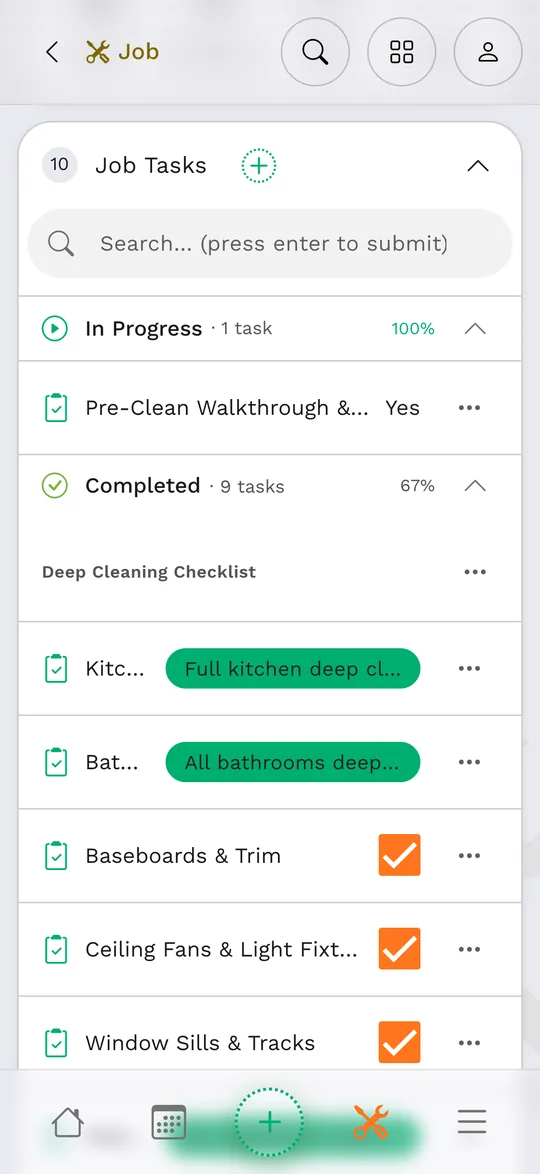
The crew ticks items as they work, grouped by stage.
Problems stand out
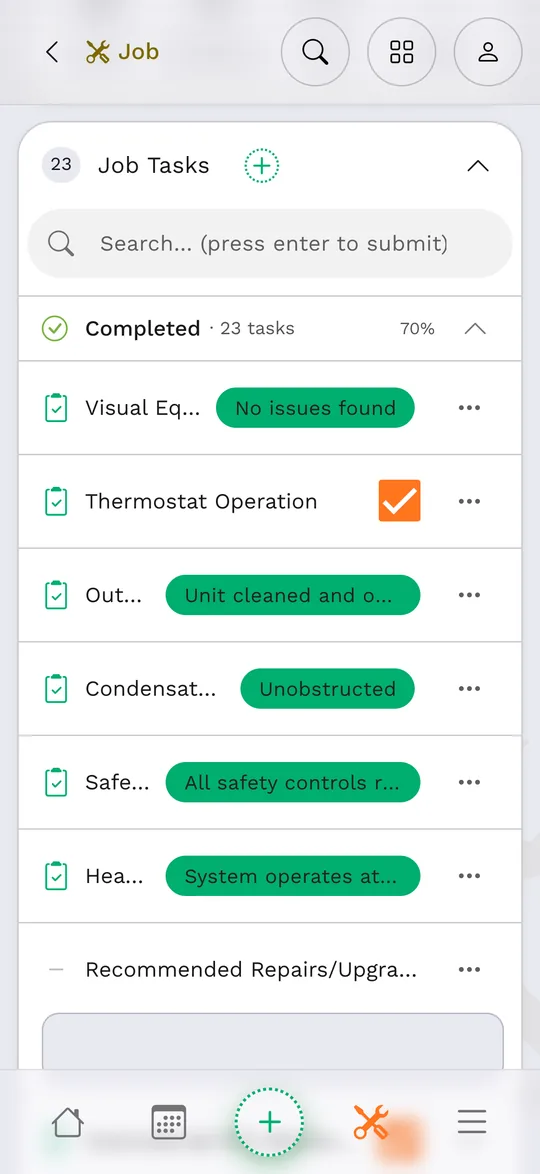
Answers show as pass, warning or fail, and print on the report.
What else it does
- Required items and required photos.
- Items that show only on the job types where they belong.
- One-off tasks for a single job.
Free, Crew and Pro
What each plan includes, from our feature list.
| Feature | Free | Crew | Pro |
|---|---|---|---|
| Job checklists | Included | Included | Included |
| Pass, warning and fail results | Included | Included | Included |
| Required items and photos | Included | Included | Included |
| Checklists that fit the job | Included | Included | Included |
For your trade
Related features
Help articles
Questions
Can I make my own checklist?
Yes, with checkboxes, numbers, text, choices or photos.
Can I make an item required?
Yes, and a photo too. The job cannot be completed until it is answered.
Does the customer see the answers?
Yes, on the job report, with the results.
Where do the trade checklists come from?
The free app starts with checklists for the trade you pick. A Pro workspace started with a ToolBerry sign-in starts without them, and upgrading from the free app keeps them.
Your words, your jobs, your checklists.
On a computer? Scan with your phone to get the app.
No account and no credit card. Works offline.