
Stop writing estimates at night after a full day of work.
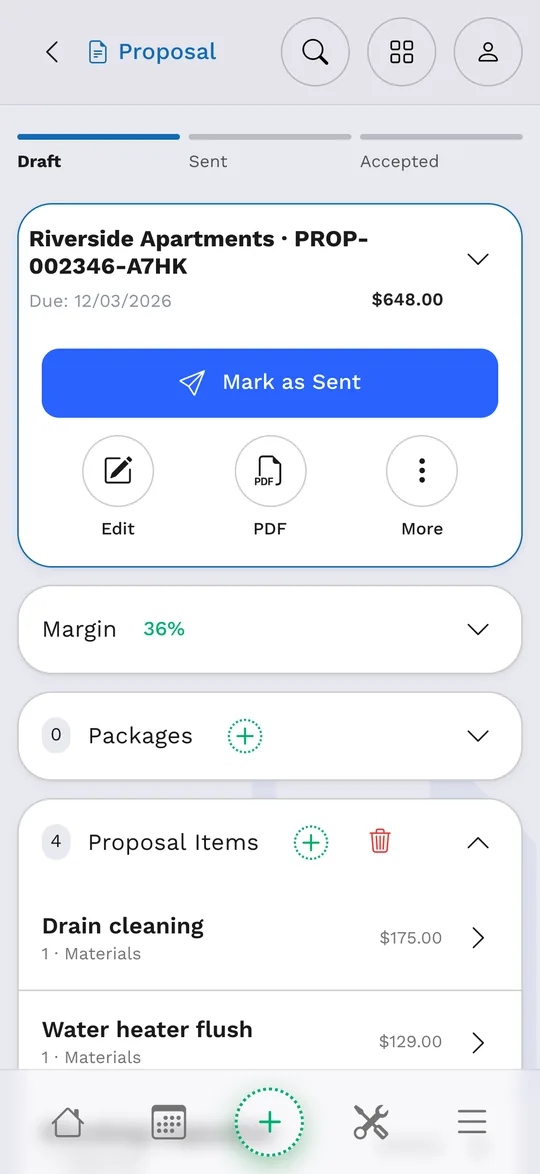
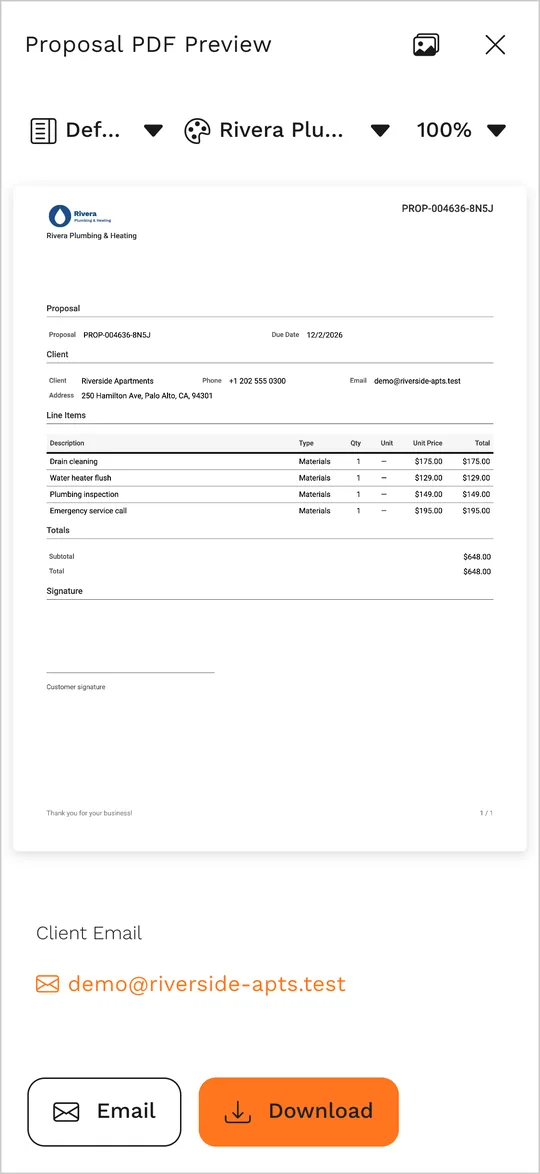
ToolBerry is an estimate and quote app for trade businesses. Build an estimate on site from your own price list and show the customer a clean PDF, with good, better and best options if you like. When the customer says yes, they sign on your phone, and the agreed work becomes a job or an invoice in one tap.
On a computer? Scan with your phone to get the app.
No account and no credit card. Works offline.
How it works
Add the work
Add lines from your price list, or type them in. Add options or extras if you like.
Show the PDF
Show the estimate on your phone, or share the PDF.
Get the yes
The customer accepts and signs on your phone. Turn the accepted lines into a job or an invoice.
What else it does
- Quote extra work from the job you are already on.
- Ask for a deposit up front.
- See your margin on each line before you send.
- Set up recurring work on the estimate, and it starts when the customer accepts.
Free, Crew and Pro
What each plan includes, from our feature list.
| Feature | Free | Crew | Pro |
|---|---|---|---|
| Proposals | Share the PDF or send it from your own email | Email proposals to customers from the app | Email proposals to customers from the app |
| Proposal approval in the app | Included | Included | Included |
| Proposal to job, invoice or agreement | Included | Included | Included |
| Proposal deposits | Included | Included | Included |
| Online proposal accept and decline | Not included | Included | Included |
On ToolBerry Pro, you email estimates from the app and customers accept them online. Proposals & invoicing
For your trade
Related features
Questions
What is the difference between an estimate, a quote and a proposal?
In ToolBerry there is none. The app calls them proposals.
Can I offer packages?
Yes. Put good, better and best options or optional lines on one estimate, and record what the customer picks.
Can the customer sign on site?
Yes, with a finger on your phone. The signature stays on the estimate.
Can I take a deposit?
Yes. The deposit is billed as its own invoice and credited to the final one.
Does it work offline?
Yes. Estimates save on your phone, with or without a signal.
Quote it before you leave.
On a computer? Scan with your phone to get the app.
No account and no credit card. Works offline.