
Show the customer the work, not just the bill.
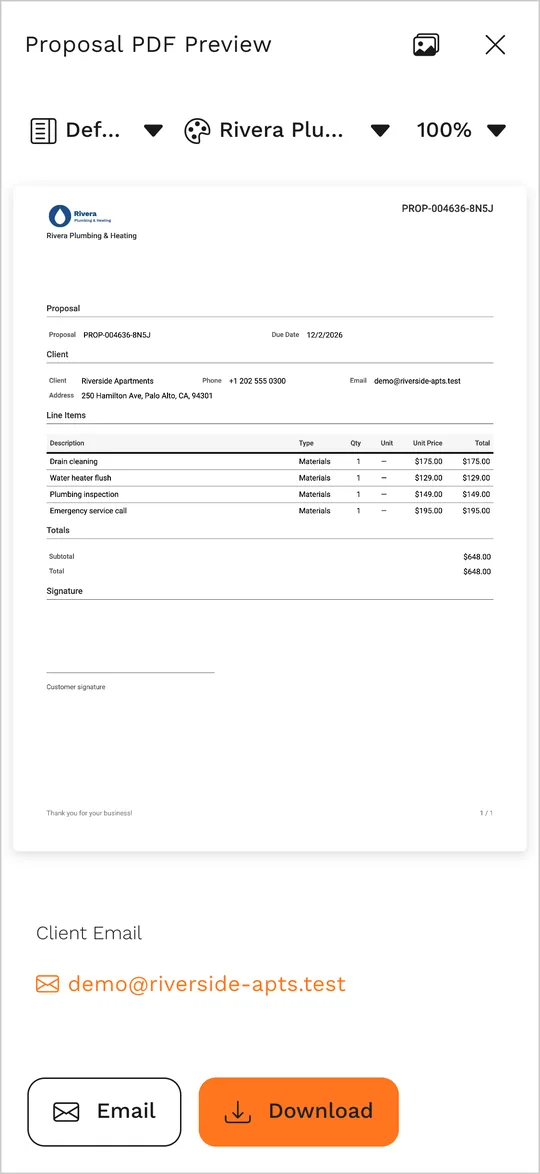
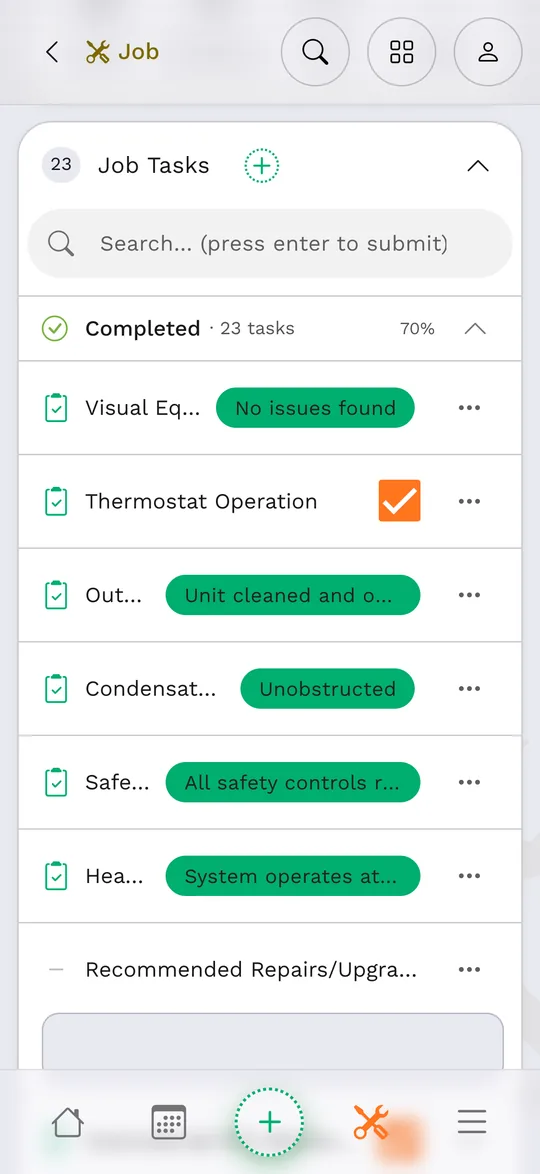
ToolBerry makes a field service report for every job and service visit: a PDF with your logo, the work done, the checklist answers with pass, warning or fail results, equipment readings and the photos you chose. Completing a job saves its PDF on the job. Share it, or send it from your own email, as proof of the work.
On a computer? Scan with your phone to get the app.
No account and no credit card. Works offline.
How it works
Do the work
Finish the checklist and take the photos.
Complete the job
Tap Complete. The report is made and saved on the job.
Send it
Share the PDF or send it from your own email.
What else it does
- Several branded templates, for example one per division.
- Equipment readings on service reports, graded against baselines.
Free, Crew and Pro
What each plan includes, from our feature list.
| Feature | Free | Crew | Pro |
|---|---|---|---|
| Job and service reports | Included | Included | Included |
| Completion report saved automatically | Included | Included | Included |
| Branded PDFs | Included | Included | Included |
| Send from your own email app | Included | Included | Included |
| Email proposals and invoices | Not included | Included | Included |
For your trade
Related features
Questions
Can I add my logo?
Yes, and your colors, business details and footer.
Which photos go on the report?
The ones you choose. New photos are included unless you turn them off.
Is the report kept?
Yes. Completing a job saves its PDF on the job.
Show the customer what they paid for.
On a computer? Scan with your phone to get the app.
No account and no credit card. Works offline.