
Your week should not live on a whiteboard and in your head.
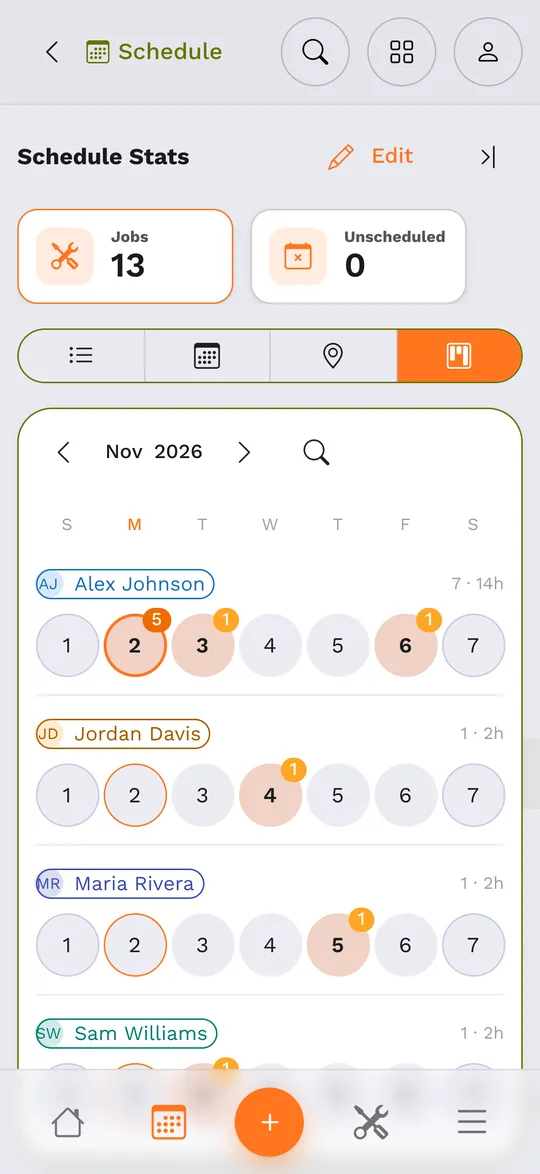
ToolBerry is a job scheduling and dispatch app for small crews. See every visit by day, week or month, as a list or on a map. The planner shows each crew member as a row, with the jobs that still need someone beside it. Move or reassign a visit, plan the day's stops in order, and the change reaches the crew's phones.
On a computer? Scan with your phone to get the app.
No account and no credit card. Works offline.
How it works
See who is free
Open the planner and see each crew member's days side by side.
Assign the job
Give a waiting job to a crew member. The app ranks crew by skills, availability and distance, and shows why.
Plan the route
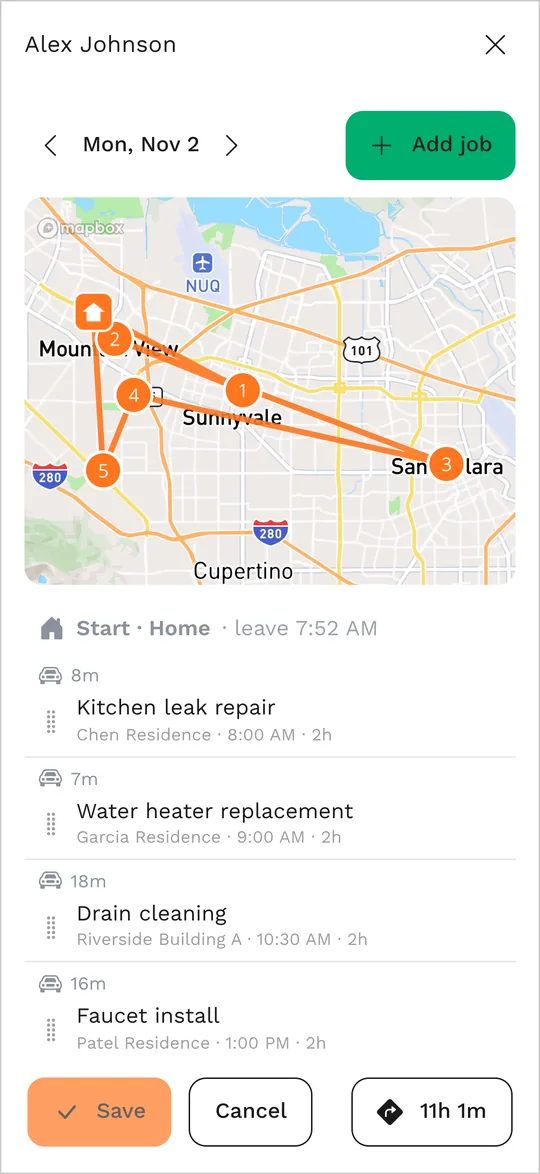
Open the day as numbered stops on a map, with travel times and directions in your maps app.
What else it does
- Recurring jobs that repeat daily, weekly or monthly.
- Send two or more people to one visit.
- Drag a visit to a new day, time or crew member on a larger screen.
- Search and filter the agenda.
Free, Crew and Pro
What each plan includes, from our feature list.
| Feature | Free | Crew | Pro |
|---|---|---|---|
| Schedule calendar and agenda | Included | The team calendar updates in seconds | The team calendar updates in seconds |
| Dispatch planner | Included | Assignments reach crew phones in seconds | Assignments reach crew phones in seconds |
| Route planner | Included | Included | Included |
| Recurring jobs | Included | Included | Included |
| Drag and drop scheduling | Included | Included | Included |
On ToolBerry Pro, schedule changes and crew assignments reach every phone in seconds. Scheduling & dispatch
Questions
Can I drag and drop on my phone?
Drag and drop is made for larger screens. On a phone, open the visit and change it there.
Does the crew get told about a new job?
Yes. Their phone shows a new job alert when the job reaches it.
Can I schedule repeat visits?
Yes, every few days, weeks or months, until a date you choose or with no end.
Does it plan my route?
It shows each day as numbered stops that you can put in order, with the travel time between them.
Plan tomorrow in a few minutes.
On a computer? Scan with your phone to get the app.
No account and no credit card. Works offline.